← All features

CAMERA STREAMS & DOORBELLS

Camera streams and doorbell workflows

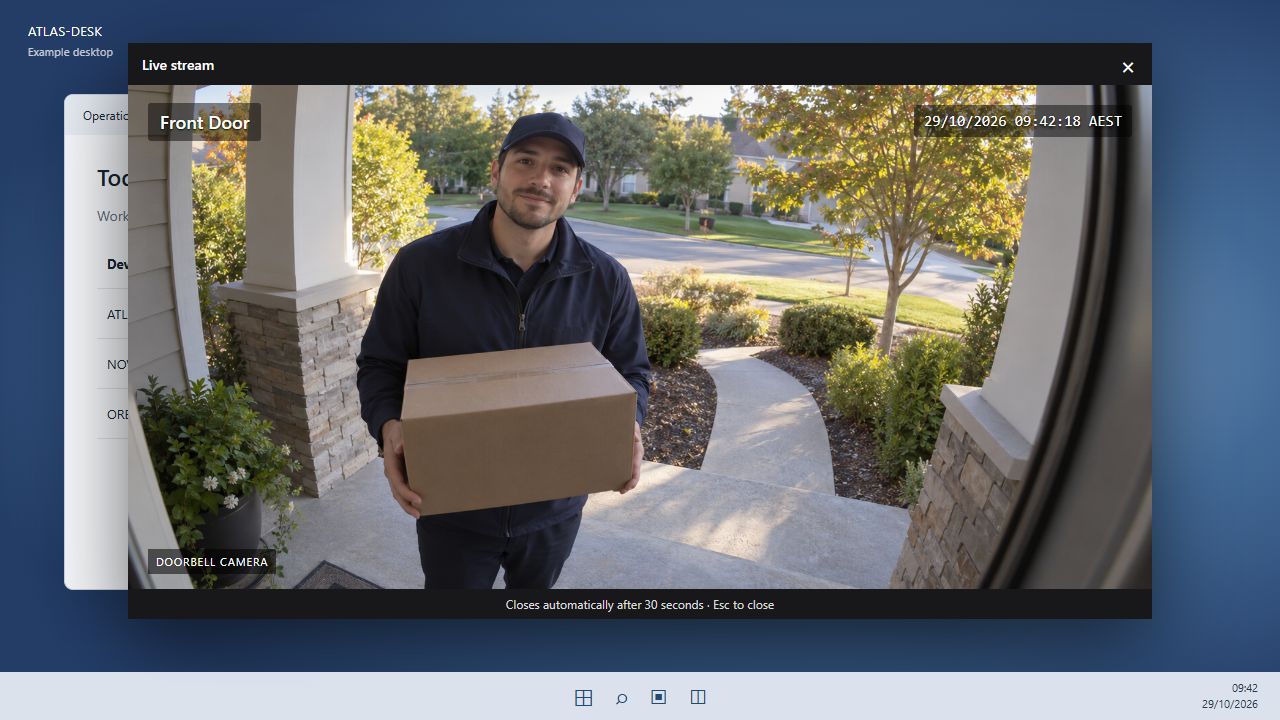
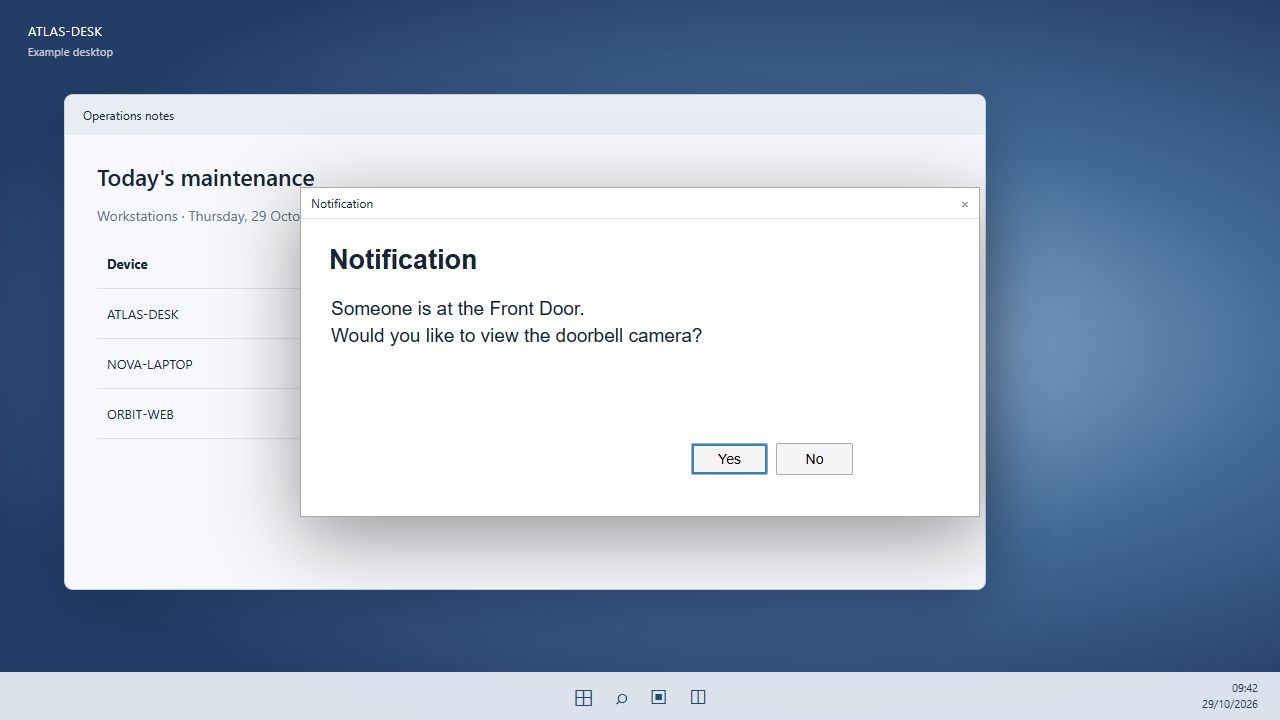
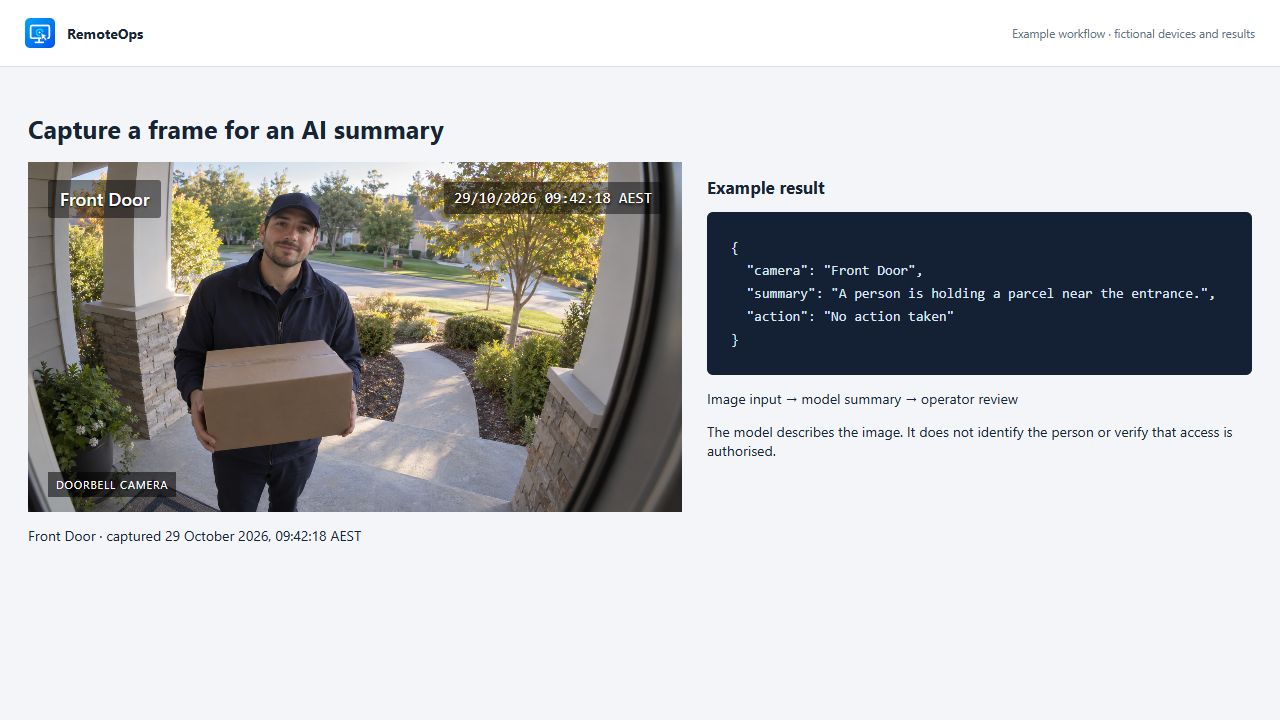
Show a timed camera window, ask before opening it, or capture a frame for an operator report.

Read the detailed guide ↗
Camera streams & doorbells

WHAT YOU CAN DO

Timed desktop video

  • Display an RTSPS stream on a named Windows agent with a logged-in user.
  • Set the display duration and optionally play a doorbell sound.
  • Suppress late events with a freshness limit.

Questions and frame capture

  • Ask Yes/No before attempting the next display step.
  • Capture a JPEG from a supported RTSP/RTSPS source on the Orchestrator.
  • Pass captured imagery to an eligible vision-model connection.

Inspect the outcome

  • Follow the endpoint child job to check playback errors.
  • Close the overlay with its close button or Escape.
  • Use an authorised test source when configuring a real workflow.

Show doorbell camera streams and capture frames

PUT IT TO WORK

Make the next step easier.

Show a timed camera window, ask before opening it, or capture a frame for an operator report. Keep the action and its outcome visible in the same workspace.

Explore the documentation ↗

KEEP EXPLORING

Product screenshot