← All features

CONTENT FILTERING

Website, search and application filtering

Manage website rules, supported-site search terms and application blocks.

Read the detailed guide ↗
Content filtering
Content filtering
Content filtering

WHAT YOU CAN DO

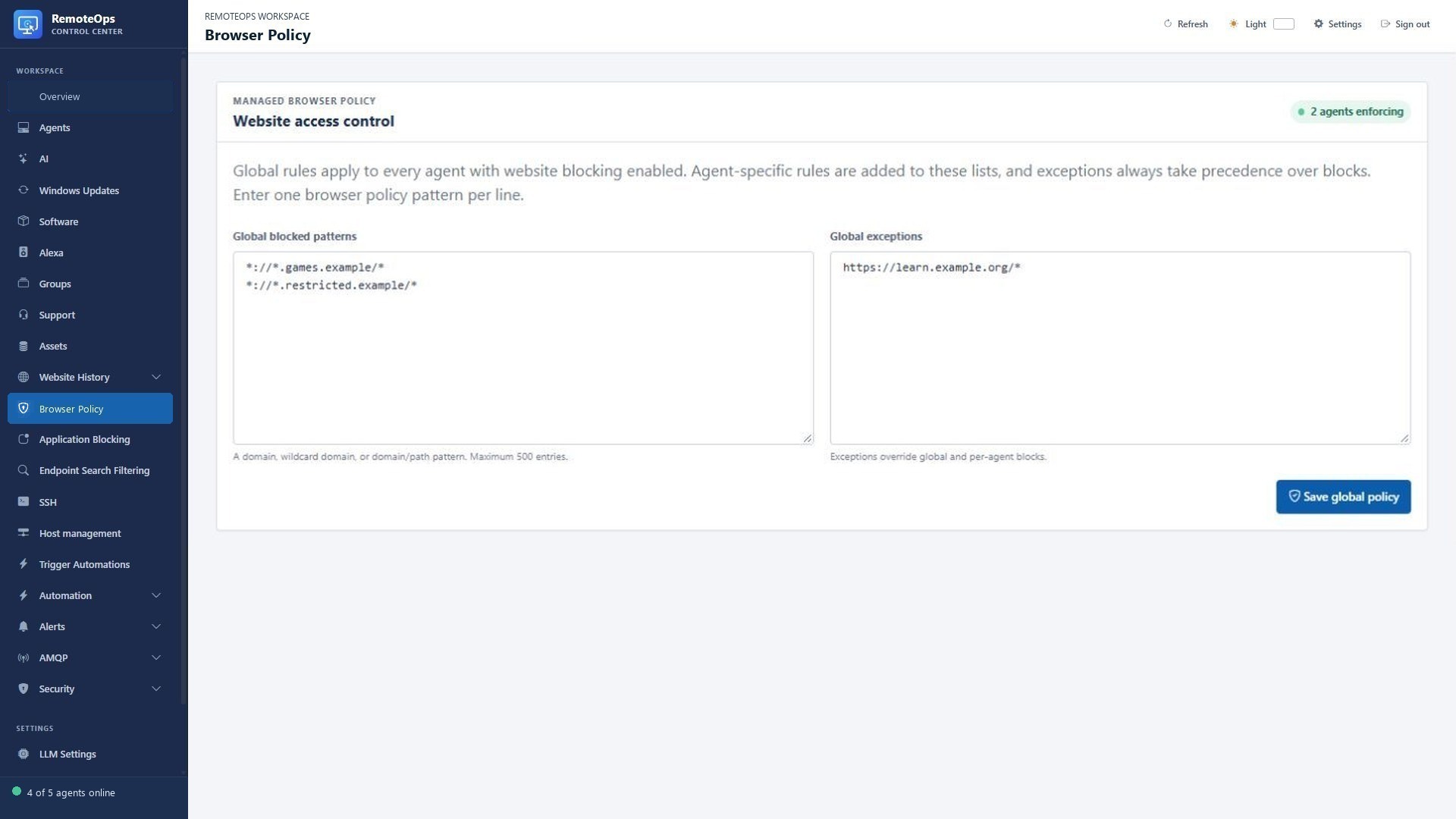
Website policies

  • Block domains, wildcard domain patterns or individual URL paths.
  • Combine global browser rules with additional device rules.
  • Keep allow exceptions for required websites; exceptions take precedence.
  • Review last-applied status and policy errors from each device.
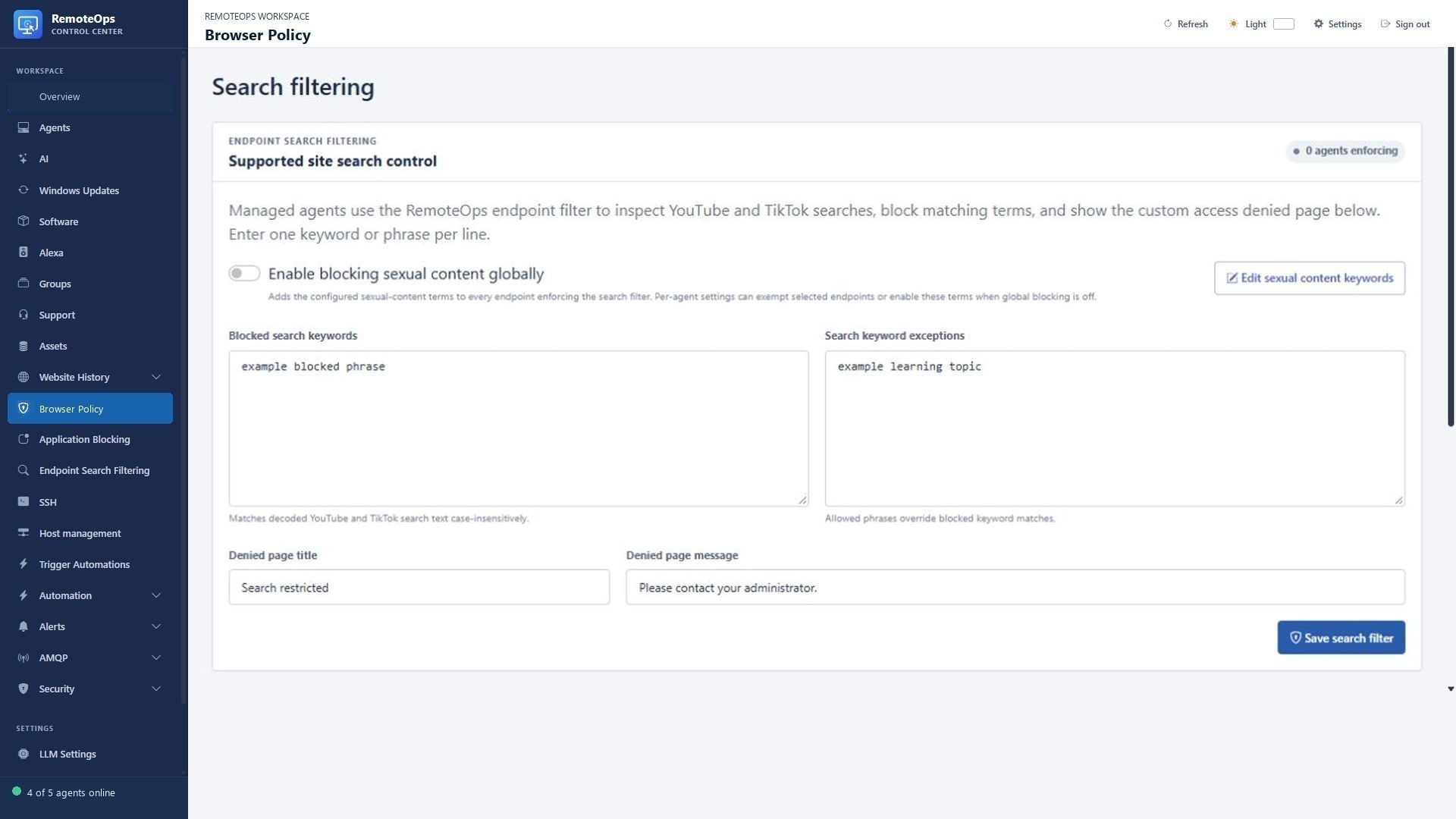
Supported-site search filtering

  • Inspect supported YouTube and TikTok search terms on managed endpoints.
  • Define blocked keywords and phrases, with allowed search exceptions.
  • Manage sexual-content keyword lists and global or device-specific settings.
  • Customise the title and message on the search access-denied page.

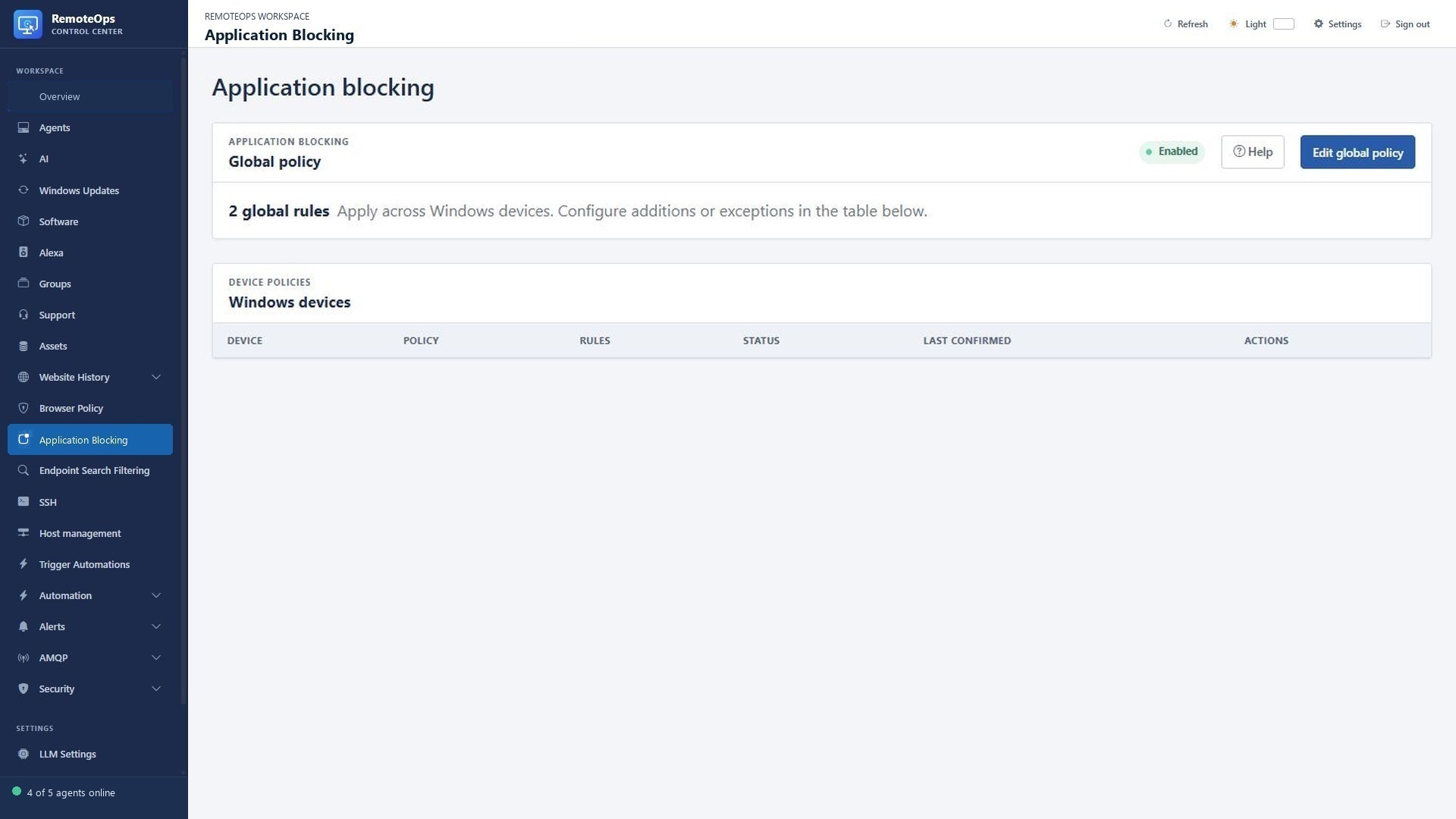
Windows application control

  • Prevent selected applications from launching using supported AppLocker rules.
  • Match executable names, paths, AppLocker hashes or packaged-app identities.
  • Use global rules, combined rules, device-only rules or disable blocking for a device.
  • Already-running applications are not terminated; Windows and policy compatibility requirements apply.

Control websites, searches and applications

PUT IT TO WORK

Make the next step easier.

Manage website rules, supported-site search terms and application blocks. Keep the action and its outcome visible in the same workspace.

Explore the documentation ↗

KEEP EXPLORING

Product screenshot