← All features

PERFORMANCE GRAPHS

Linux performance graphs and Windows monitors

Explore CPU, memory, disk and network history, alongside Windows health monitors.

Read the detailed guide ↗
Performance graphs
Performance graphs
Performance graphs

WHAT YOU CAN DO

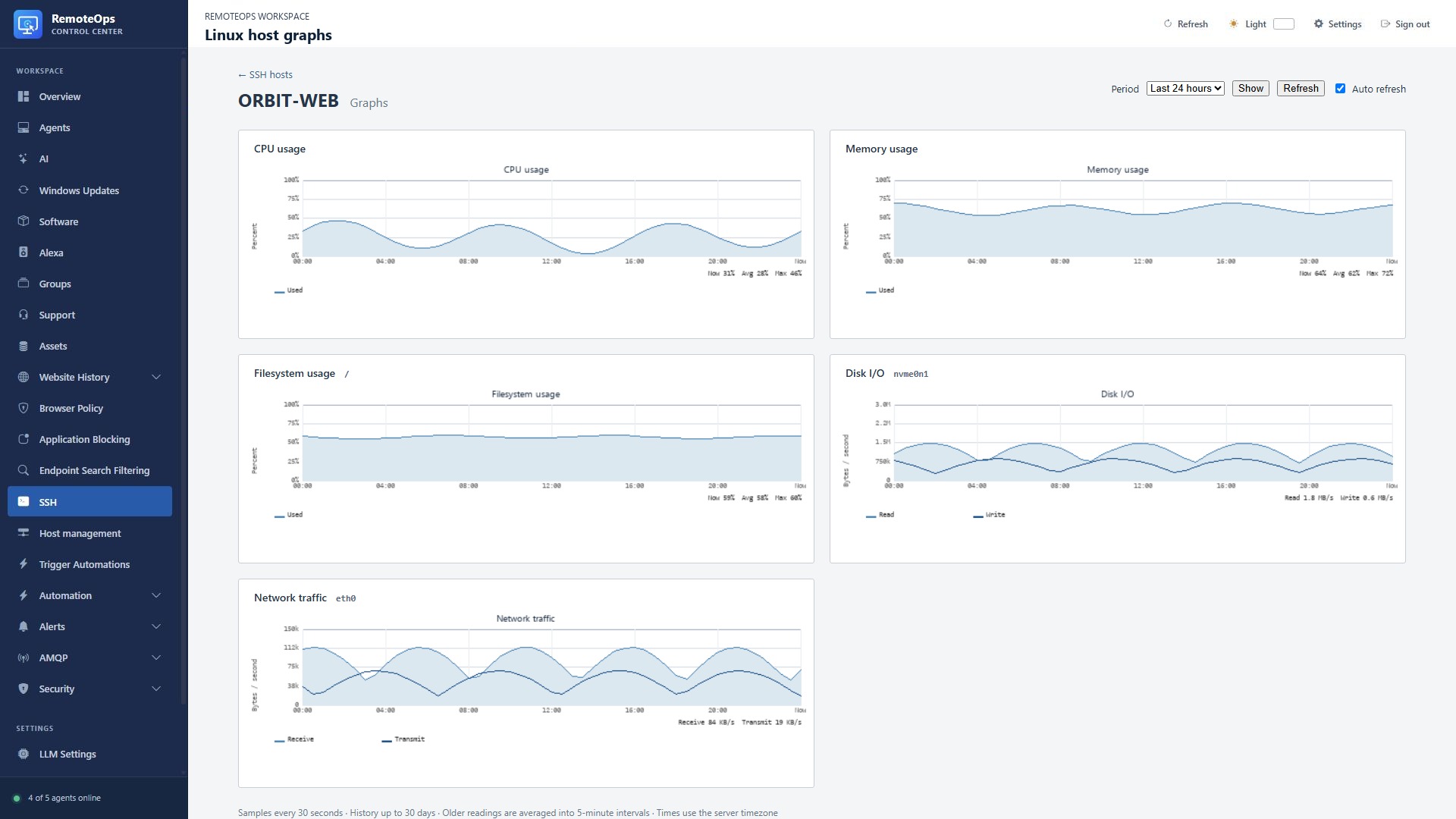
Explore Linux history

  • Graph CPU, memory, filesystem use, disk I/O and network traffic for a monitored Linux SSH host.
  • Choose a one-hour, 24-hour, seven-day or 30-day view.
  • Metric samples arrive about every 30 seconds; retained history is available for up to 30 days.
  • Missing samples remain visible as gaps, and stale check-ins are identified.
Get the monitor ready

  • Create and test an SSH profile, then install the Linux monitor with root or passwordless sudo.
  • Open the host profile and choose Graphs after the monitor checks in.
  • Allow time for samples to accumulate; a newly installed monitor will not have a populated history immediately.
  • Use reinstall/uninstall actions on the profile to repair or remove the monitor.

See Windows health in context

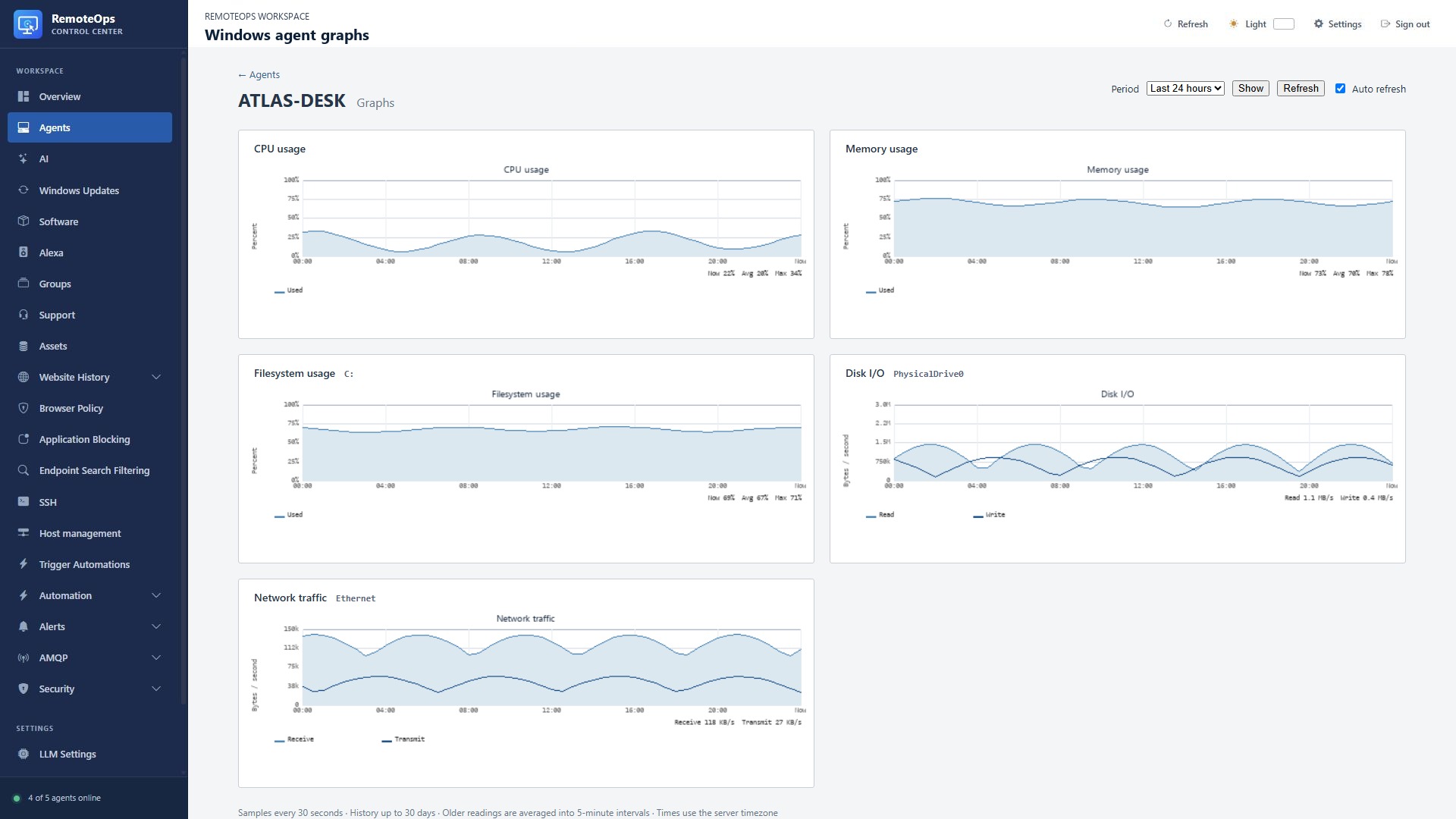
  • Windows monitors report current CPU, memory and disk values for threshold and event rules.
  • Create alerts for service/process state, network changes, disk thresholds, Windows events and device availability.
  • View monitor rules and alerts beside Linux graph examples in the portal.
  • Windows historical line charts are not currently retained; these screenshots show Windows monitoring rules, not time-series history.

Explore Linux and Windows performance graphs

PUT IT TO WORK

Make the next step easier.

Explore CPU, memory, disk and network history, alongside Windows health monitors. Keep the action and its outcome visible in the same workspace.

Explore the documentation ↗

KEEP EXPLORING

Product screenshot