← All features

MONITORING & ALERTS

Windows and Linux monitoring

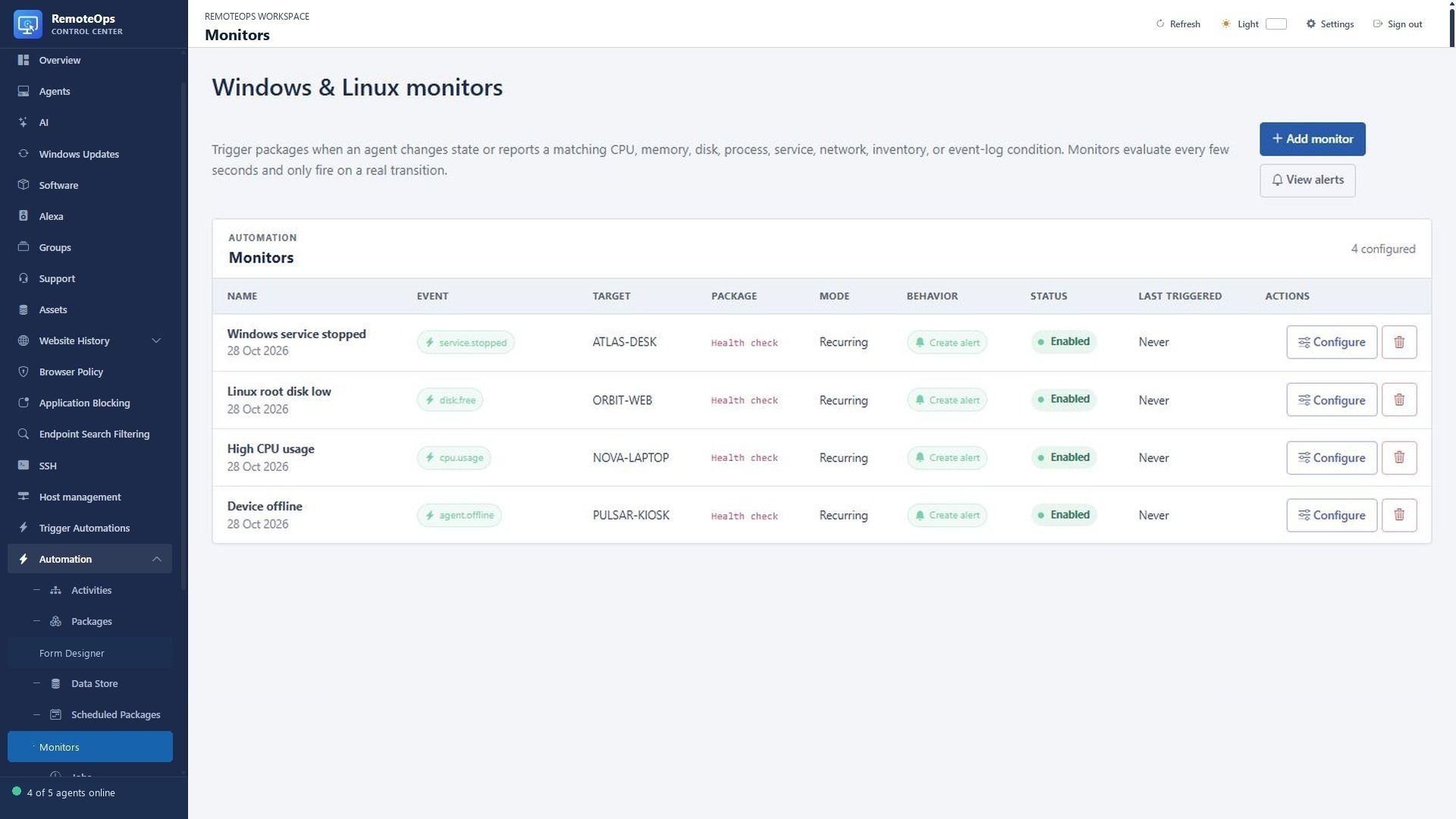
Turn health and availability events into alerts and automated actions.

Read the detailed guide ↗
Monitoring & alerts
Monitoring & alerts
Monitoring & alerts

WHAT YOU CAN DO

Watch the signals that matter

  • Monitor online/offline transitions, CPU, memory and free disk space.
  • Track process and service state, network adapters and stale inventory.
  • Match recent Application/System event-log text on Windows.
  • Scope Windows monitors to one device, a group or the Windows fleet.
Turn a change into a response

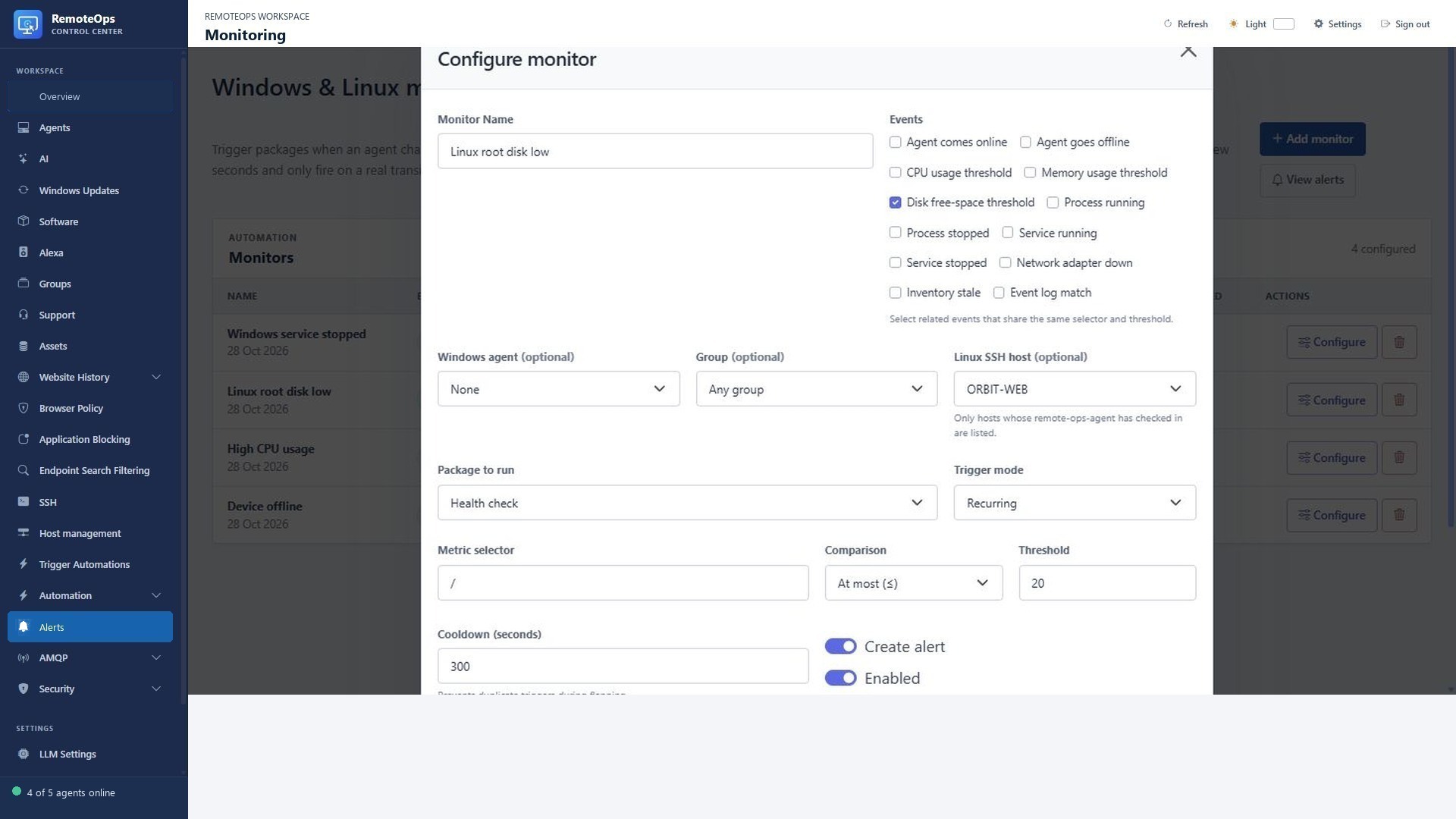
  • Trigger a saved package when a configured transition or metric condition matches.
  • Pass the captured monitor, device, value and timestamp into the package.
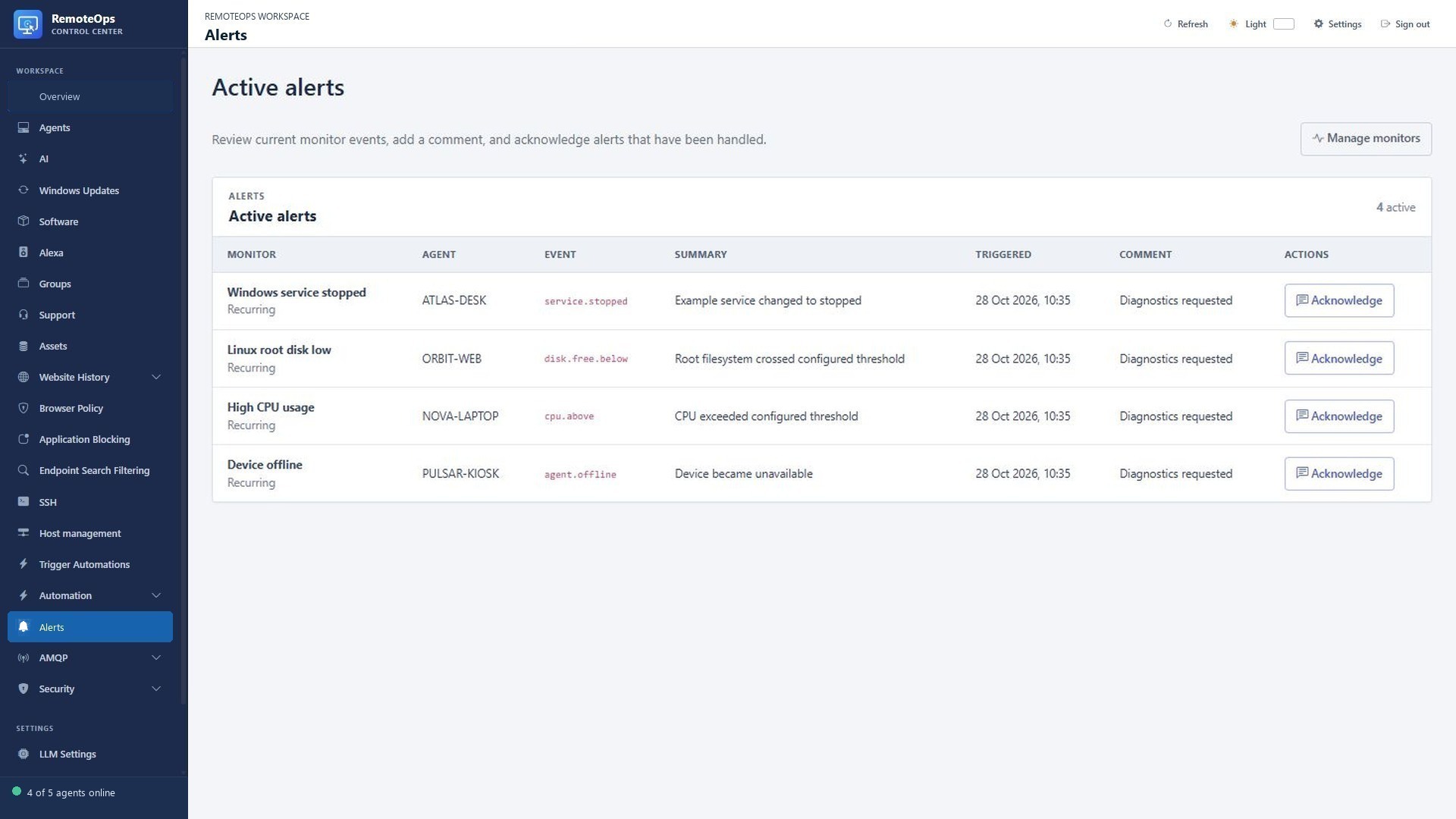
  • Choose whether a trigger creates an active alert.
  • Use cooldown and one-time settings to control repeated work.

Keep the context

  • Acknowledge alerts, add comments and follow the linked package job.
  • Install Linux monitoring from a saved SSH profile.
  • Collect the metrics needed by active monitoring policies.
  • Initial states establish a baseline; uncollected or stale metrics should not be treated as proof of health.

Monitor Windows and Linux hosts

PUT IT TO WORK

From a stopped service to a useful response.

Detect the service transition, create an alert, and start a package that collects diagnostics and emails the result. Keep the evidence and the response linked together.

Explore the documentation ↗

KEEP EXPLORING

Product screenshot