 RemoteOpsGet started
 REFERENCE
Account security and audit events
Administrator credentials, authenticator MFA, session effects and audit-chain checks.
Examples use remoteops.example.com and fictional systems. Adapt them to your tenant.
Screen reference#
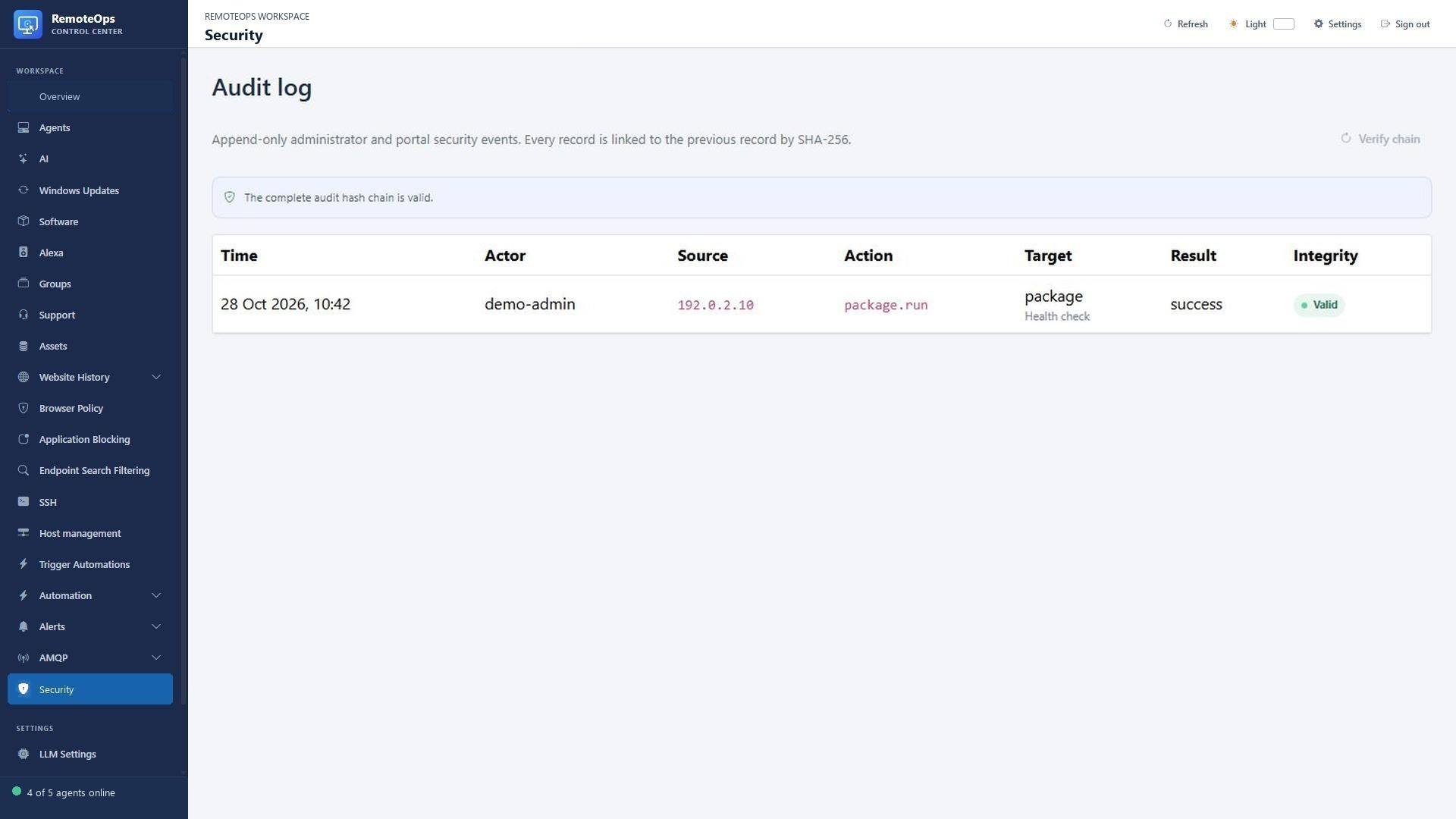
The Source column records the request source; Target identifies the affected resource; Integrity reports verification of the linked records.
Account settings#
Open the administrator Account settings dialog. The displayed username is not edited in the password form. To change the password, provide the current password and a new password of 12–256 characters. Changing it signs out every existing portal session. Do not use demo credentials for a real tenant or share an enrollment code as if it were a portal password.
Authenticator MFA#
Use Configure authenticator MFA from Account settings. Follow the authenticated setup page to pair the intended authenticator and verify the supplied code. The setup flow checks the administrator's current password where required. Keep the authenticator and any recovery information offered by the actual tenant setup protected. Do not include a live QR code, shared secret or one-time code in screenshots or support messages.
Audit Events#
The Audit Events page shows append-only administrator and portal security records. Columns include time, actor, source, action, target, result and integrity. Each stored record links to the preceding record with SHA-256. Use Verify chain to check the recorded chain and investigate an invalid result.
A valid chain establishes the integrity relationship among the stored events checked by that mechanism. It does not prove that every action outside the portal was recorded, that every recorded action was appropriate, or that job output contains a complete system audit. Use Job History for execution details, diagnostics for device errors and audit events for recorded administrator/security actions.
A practical review#
When investigating a change, identify the target and time window, review the recorded actor/action/result, verify chain integrity, and correlate the linked operational evidence in jobs or device state. Preserve the relevant evidence without posting credentials, private history or unredacted command output into unrelated conversations.