 RemoteOpsGet started
 REFERENCE
Key Vault, shared data and credential backup
Secrets, non-secret state, output references, limits and backup scope.
Examples use remoteops.example.com and fictional systems. Adapt them to your tenant.
Screen reference#
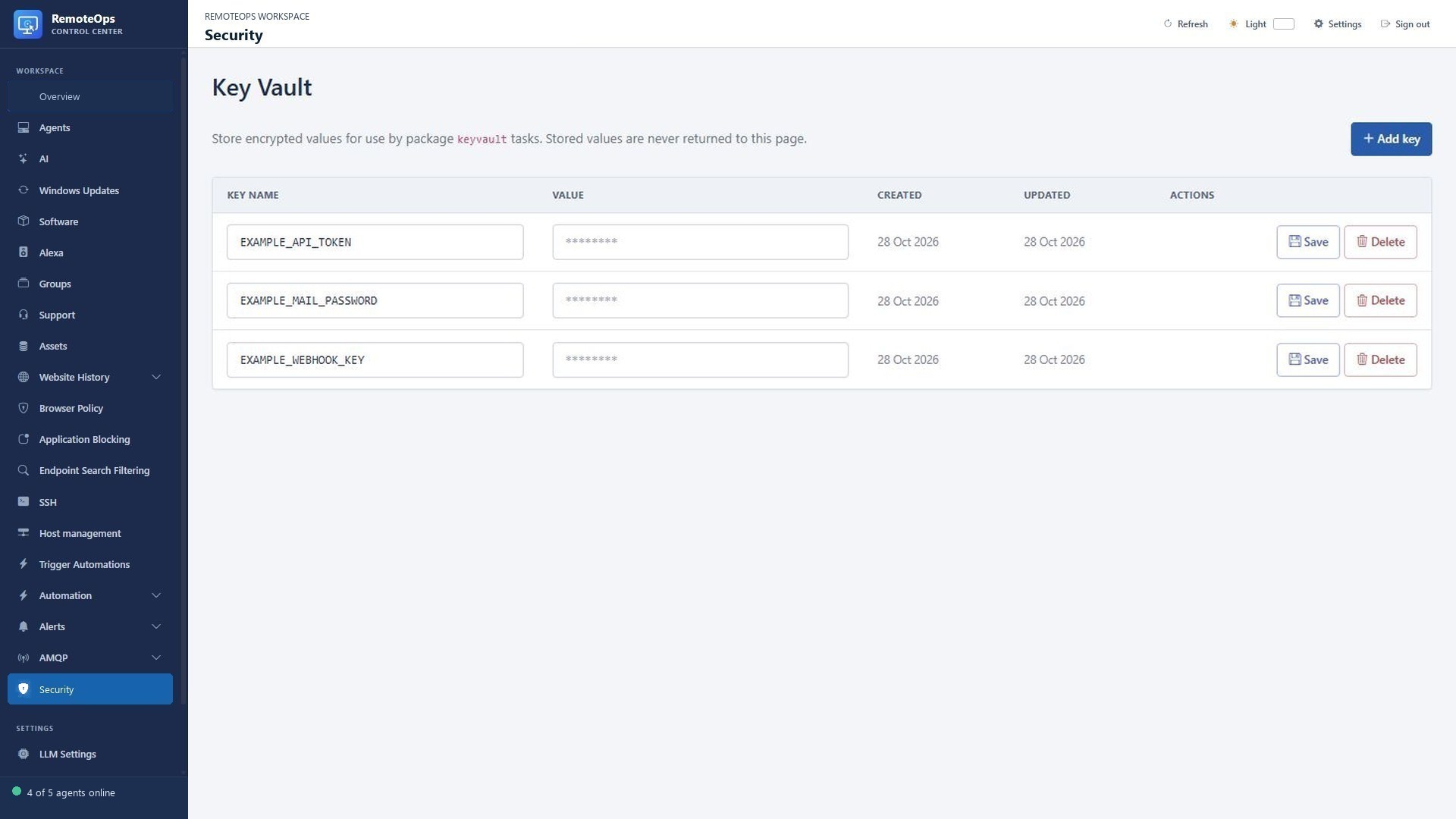
Key name is the workflow lookup name. Value shows a placeholder rather than the stored secret. Created and Updated show entry timestamps. Typing into Value replaces the stored value when saved.
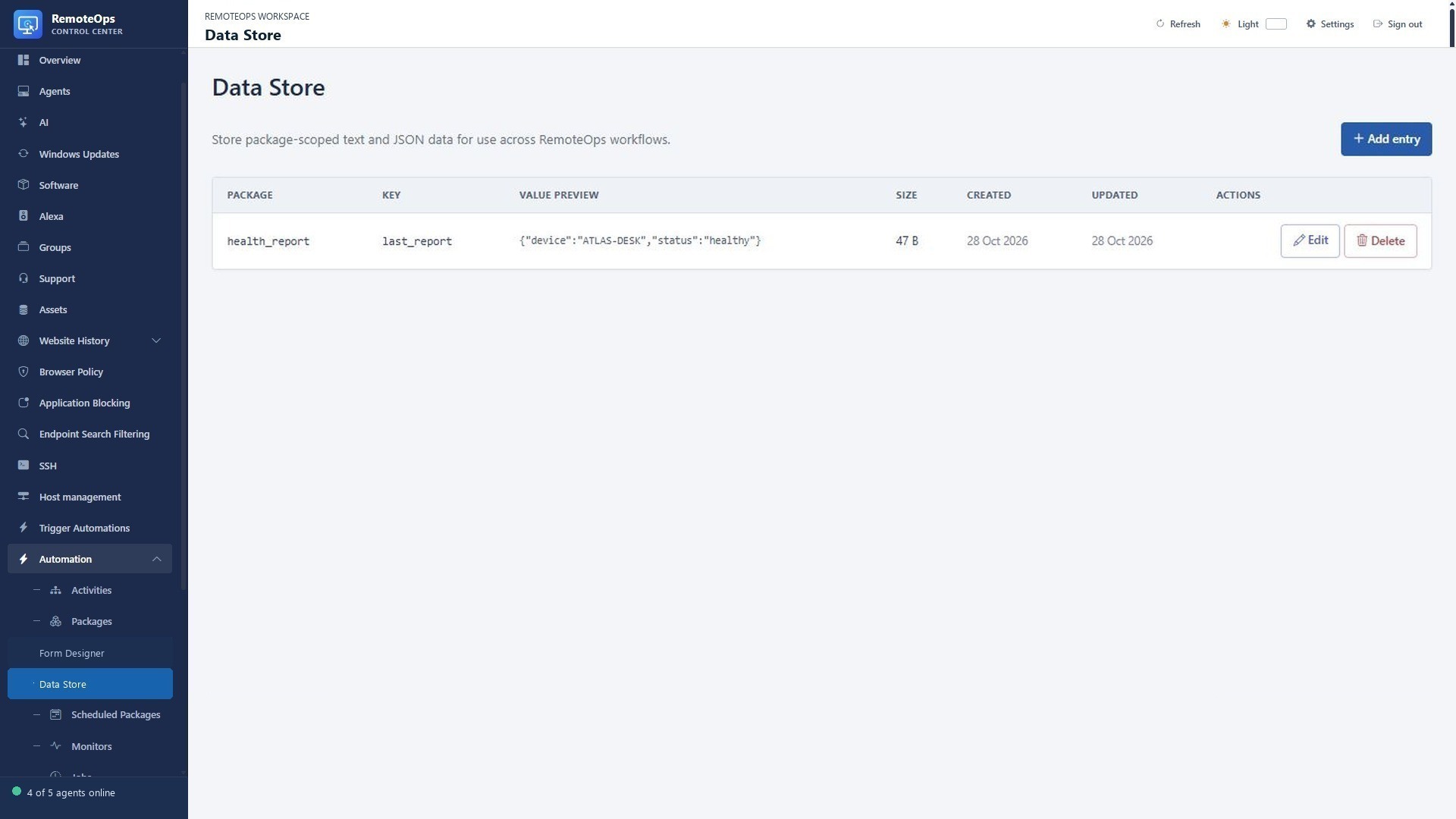
Package scopes the value. Key identifies it. Value preview displays the stored text/JSON, so never store secrets here. Size is the encoded value size; timestamps record creation and change.
Choose the right store#
| Data | Store |
|---|---|
| Password, API credential or token | Key Vault |
| Last report, workflow checkpoint or shared JSON | Data Store |
| SSH login credential | Saved SSH profile/vault |
| Encrypted export of supported credentials | Key backup |
Key Vault#
Key Vault values are encrypted with the control plane vault key before SQLite storage. The portal's Key Vault data table and its GET API expose names and timestamps only, never stored plaintext. Key names are unique and case-insensitive. A keyvault task runs inside the Orchestrator and returns the secret as its value output. When a package contains one Key Vault task, later tasks can always reference it as =keyvault.value, even when it has an explicit name; =read_api_key.value also remains valid. Packages containing multiple Key Vault tasks must use their explicit names so the source is unambiguous.
- task: keyvault
  name: read_api_key
  key: 'OPENAPI_KEY'

- task: keyvault
  name: add_api_key
  action: 'add'
  key: 'OPENAPI_KEY'
  value: 'plain-text-password'

- task: keyvault
  name: remove_api_key
  action: 'delete'
  key: 'OPENAPI_KEY'
action defaults to get. add fails when the name already exists, while delete fails when it does not. Portal editing can rename an entry and optionally replace its value. Package YAML itself is stored as workflow source, so do not permanently save an action: add package containing a sensitive literal; use the portal to create long-lived secrets. Key Vault values are redacted from activity-trace inputs and outputs.
Data Store#
The Data Store keeps package-specific strings in SQLite for later package runs. Values may contain multiline text or serialized JSON and can be up to 4 MiB of UTF-8 data. They are deliberately not encrypted; use Key Vault instead for passwords, API keys, tokens, or other secrets. Entries are uniquely identified by a case-insensitive package-and-key pair. Package namespaces accept printable names up to 200 characters, including spaces, so an existing package name can be used directly. Keys are limited to 128 letters, numbers, underscores, hyphens, and periods.
store_data creates or replaces an entry. get_data returns its stored text as the task's value string. For either task, omitting package uses the name of the currently executing package. An explicit package is an arbitrary namespace and does not need to match an existing RemoteOps package, which allows controlled sharing between packages.
- task: store_data
  name: save_current_status
  key: 'latest-status'
  value: |
    First line
    Second line

- task: get_data
  name: read_shared_payload
  package: 'shared-reporting'
  key: 'latest-report'
package, key, and value accept output references where applicable, so a string from another task can choose the namespace or key and can be stored without conversion. A missing get_data entry fails the task; package tasks continue after errors by default and expose a JSON null task output. Set continue_on_error: false when that failure must stop the package. Activity traces summarize Data Store values instead of copying their complete contents, but a get_data value can still become the package's final output or be passed to another task. The portal's Data Store section provides searchable add, edit, value-replacement, and delete controls. Deleting stored data is a portal operation; there is no package delete task.
Key backup and restore#
The Key backup page exports supported saved SSH profiles, passwords, private keys, aliases and Key Vault secrets into a password-encrypted recovery file. Restore can merge the supported entries. Keep both the file and its password protected. This does not export the entire RemoteOps service, its full database, message state or job/session history.
Avoid accidental disclosure#
Do not put a permanent secret in a package's literal YAML, a form default, an LLM prompt or an email body simply because the source task has trace redaction. A secret becomes ordinary data when passed into another output or external service. Review what each downstream task logs and transmits.