 RemoteOpsGet started
 BUILD AUTOMATION
Built-in tasks: uses, examples and results
Every unique embedded task, execution location, required fields, examples, outputs and linked screenshots.
Examples use remoteops.example.com and fictional systems. Adapt them to your tenant.
Built-in task directory#
This guide covers each unique built-in in the checked-out product catalogue. Tasks execute in different places; an Orchestrator task is not an endpoint command. The camera and desktop illustrations use fictional examples.
| Built-in | Practical use |
|---|---|
capture-rtsp-frame |
Capture an entrance image for an operator report. |
llm |
Summarise captured evidence, request structured JSON or analyse a supplied image with an eligible configured model. |
wait |
Pause between bounded checks. |
monitor |
Read the original persisted trigger context. |
agents |
Enumerate eligible Windows devices or saved SSH profiles before a report or target-selection form. |
keyvault |
Retrieve a protected credential at execution time rather than embedding it in package source. |
get_data |
Read a saved non-secret checkpoint or text value. |
store_data |
Store a non-secret report or checkpoint under a package namespace. |
alexa |
Announce maintenance on a discovered Echo, set its volume or send a supported playback command. |
email |
Send a plain-text or HTML report through the configured relay. |
notification |
Ask a signed-in Windows user a specific question or deliver a normal/large notice. |
rtsps_stream |
Show a short RTSPS video window, optionally with a bell. |
goto |
Return to an earlier named task under an explicit condition. |
stop |
End the package successfully when a condition is true, such as the user declining. |
event |
Register the supported package event subscription. |
bash |
Run inline Bash on an eligible saved SSH profile; inspect exit code, stdout and stderr. |
python |
Run inline Python through the saved SSH target. |
inline_powershell |
Compare outputs, format results or call an external service on the Orchestrator. |
form |
Collect operator choices in Trigger Automations. |
RemoteOpsSoftware |
Scan, install, update or uninstall managed software on a Windows agent. |
capture-rtsp-frame#
Capture an entrance image for an operator report. The image is returned to the workflow, not shown as a live window.
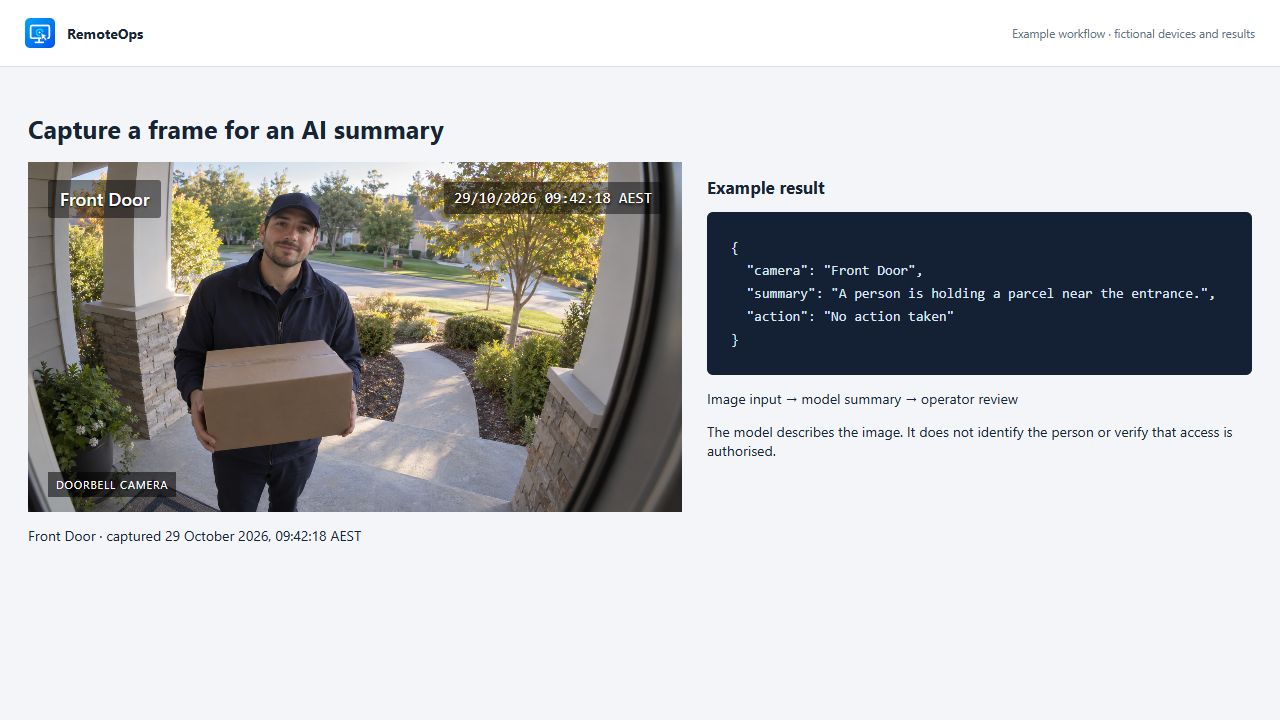
Execution: Orchestrator.
Required: inputs.url (or url).
Authoring example#
- task: capture-rtsp-frame
  name: camera
  continue_on_error: false
  inputs:
    url: 'rtsps://camera.example/stream'
    timeout_seconds: 30
Inspect the result#
image: JPEG base64 data URLcaptured_at: UTC timestamptransport: rtsps, rtsp, or unifi-rtsp-compatibilitybytes: integer
Full field contract. Implementation guide.
llm#
Summarise captured evidence, request structured JSON or analyse a supplied image with an eligible configured model.
Execution: Orchestrator.
Required: inputs.prompt.
Authoring example#
- task: llm
  name: analyse_logs
  continue_on_error: false
  inputs:
    connection: 'gemini-fast'
    role: 'IT operations engineer'
    event: 'Disk free space is 5 percent.'
    system: 'You are an $role. Summarise the event concisely.'
    prompt: 'Analyse this event: $event'
    max_tokens: 256
    thinking: false
Inspect the result#
text: stringjson: parsed JSON or nullmodel: aliaspromptTokens: integercompletionTokens: integertruncated: boolean
Full field contract. Implementation guide.
wait#
Pause between bounded checks. A wait is a sequential barrier and does not consume the ordinary execution-time budget while waiting.
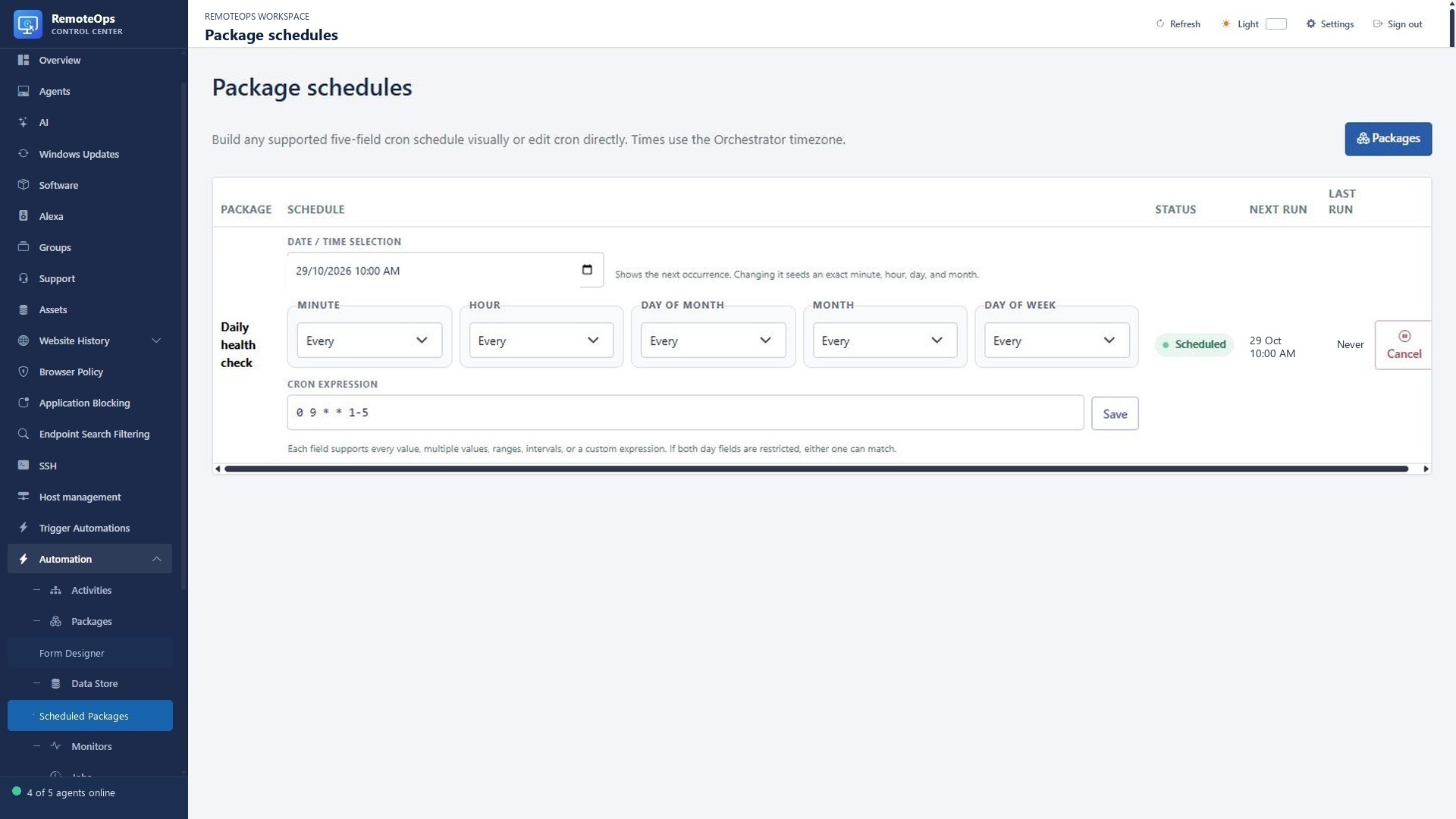
Execution: Orchestrator.
Required: duration (or inputs.duration).
Authoring example#
- task: wait
  name: pause
  inputs:
    duration: '30s'
Inspect the result#
duration: stringdurationMilliseconds: integerwaited: boolean
Full field contract. Implementation guide.
monitor#
Read the original persisted trigger context. This must be the first executable task and cannot be used to invent monitor context in a manual or webhook job.
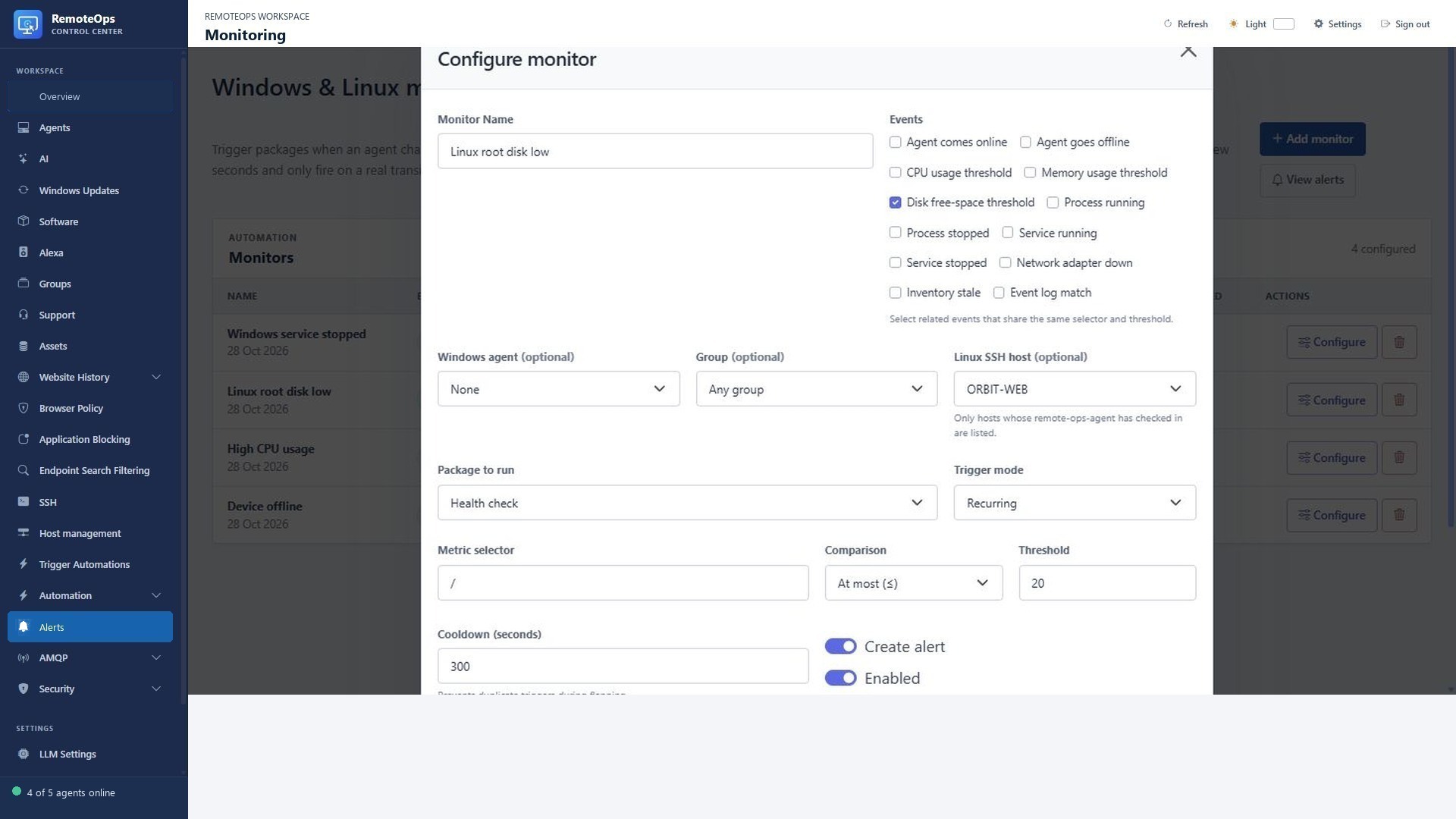
Execution: Orchestrator.
Required: No task-specific required fields.
Authoring example#
- task: monitor
Inspect the result#
name: stringmonitor_id: stringmonitor_name: stringevent: event typeevent_type: event typedevice_id: stringdevice_name: stringagent_id: stringagent_name: stringgroup_id: string or nullgroup_name: string or nullpackage_name: stringselector: string or nulloperator: string or nullthreshold: number or nullvalue: string, number, or booleanprevious_state: stringstate: stringtriggered_at: server-local ISO 8601 stringtriggered_at_utc: UTC ISO 8601 stringtimezone: server timezone namemode: 'once' | 'recurring'cooldown_seconds: integercreate_alert: booleanalert_id: string or nullsummary: string
Full field contract. Implementation guide.
agents#
Enumerate eligible Windows devices or saved SSH profiles before a report or target-selection form.
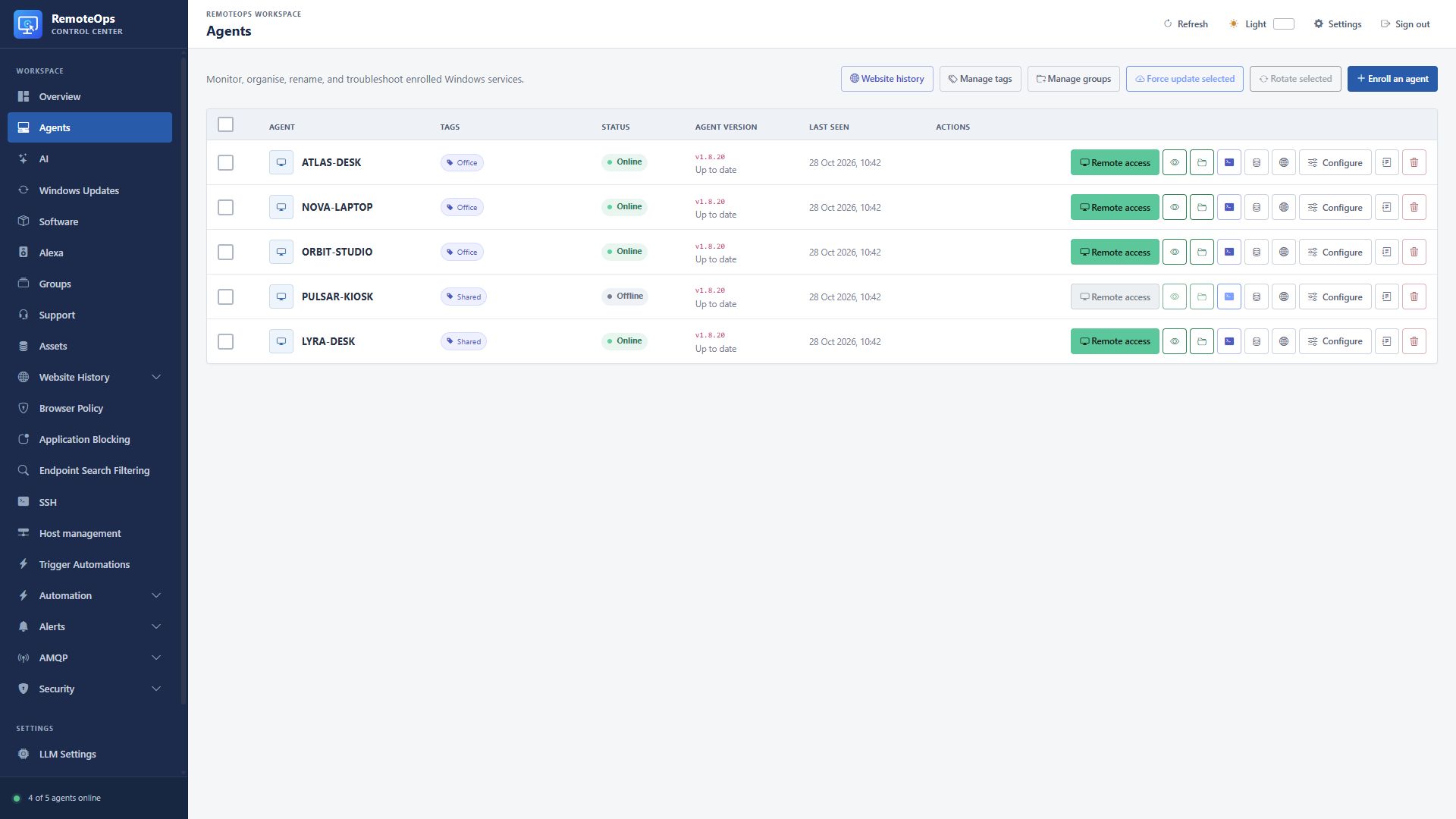
Execution: Orchestrator.
Required: No task-specific required fields.
Authoring example#
- task: agents
  name: list_agents
  type: 'agent'
  group: 'Workstations'
  status: 'online'
  tags: 'managed'
  continue_on_error: true
Inspect the result#
agents: arraycount: integer
Full field contract. Implementation guide.
keyvault#
Retrieve a protected credential at execution time rather than embedding it in package source. Check the requested action and avoid exposing outputs in shared logs.
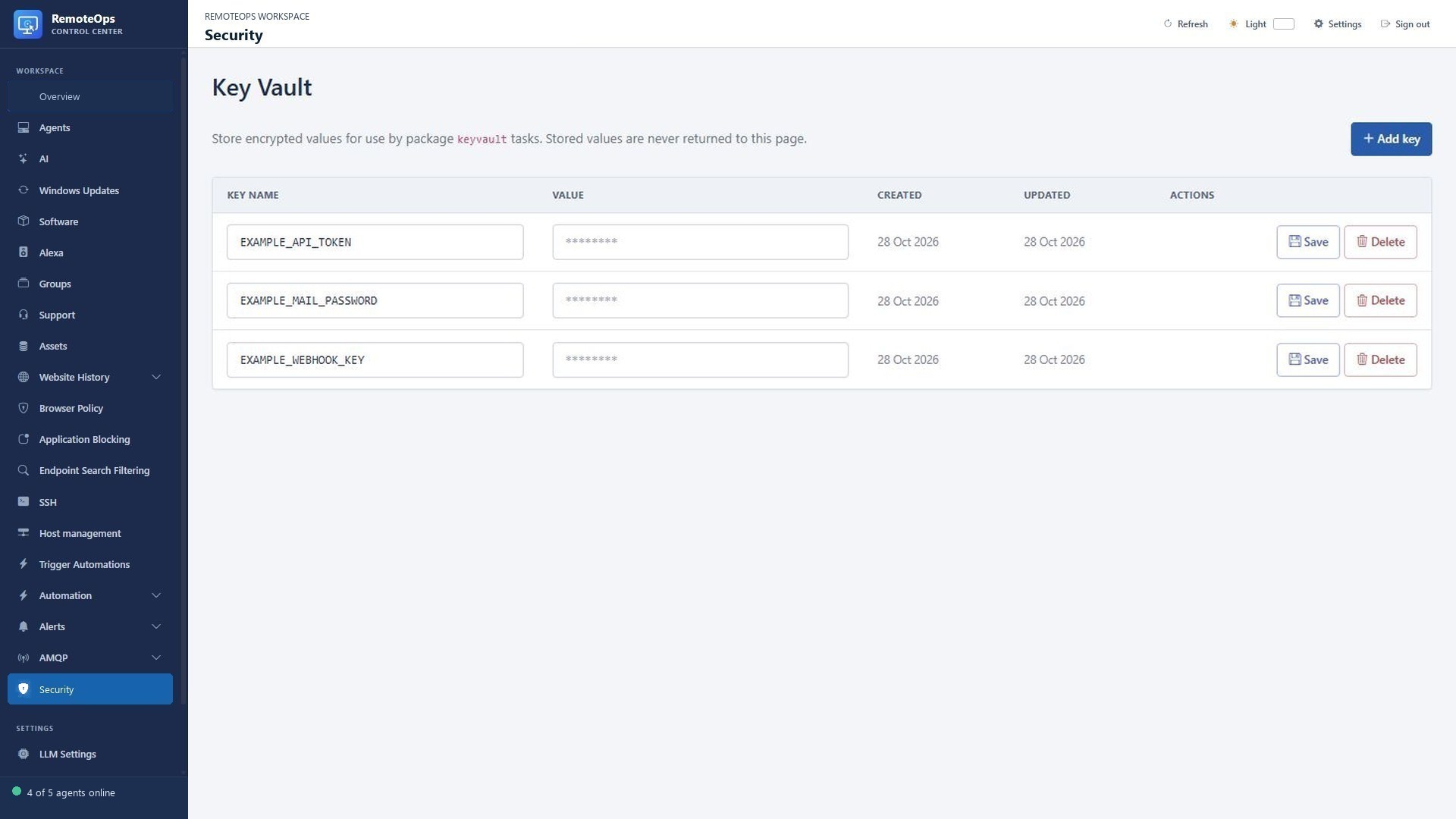
Execution: Orchestrator.
Required: key, value when action=add.
Authoring example#
- task: keyvault
  name: read_secret
  action: 'get'
  key: 'EXAMPLE_KEY'
  continue_on_error: true
Inspect the result#
key: stringvalue: string (get)added: booleandeleted: boolean
Full field contract. Implementation guide.
get_data#
Read a saved non-secret checkpoint or text value. Treat the returned value as text and parse it explicitly when JSON is expected.
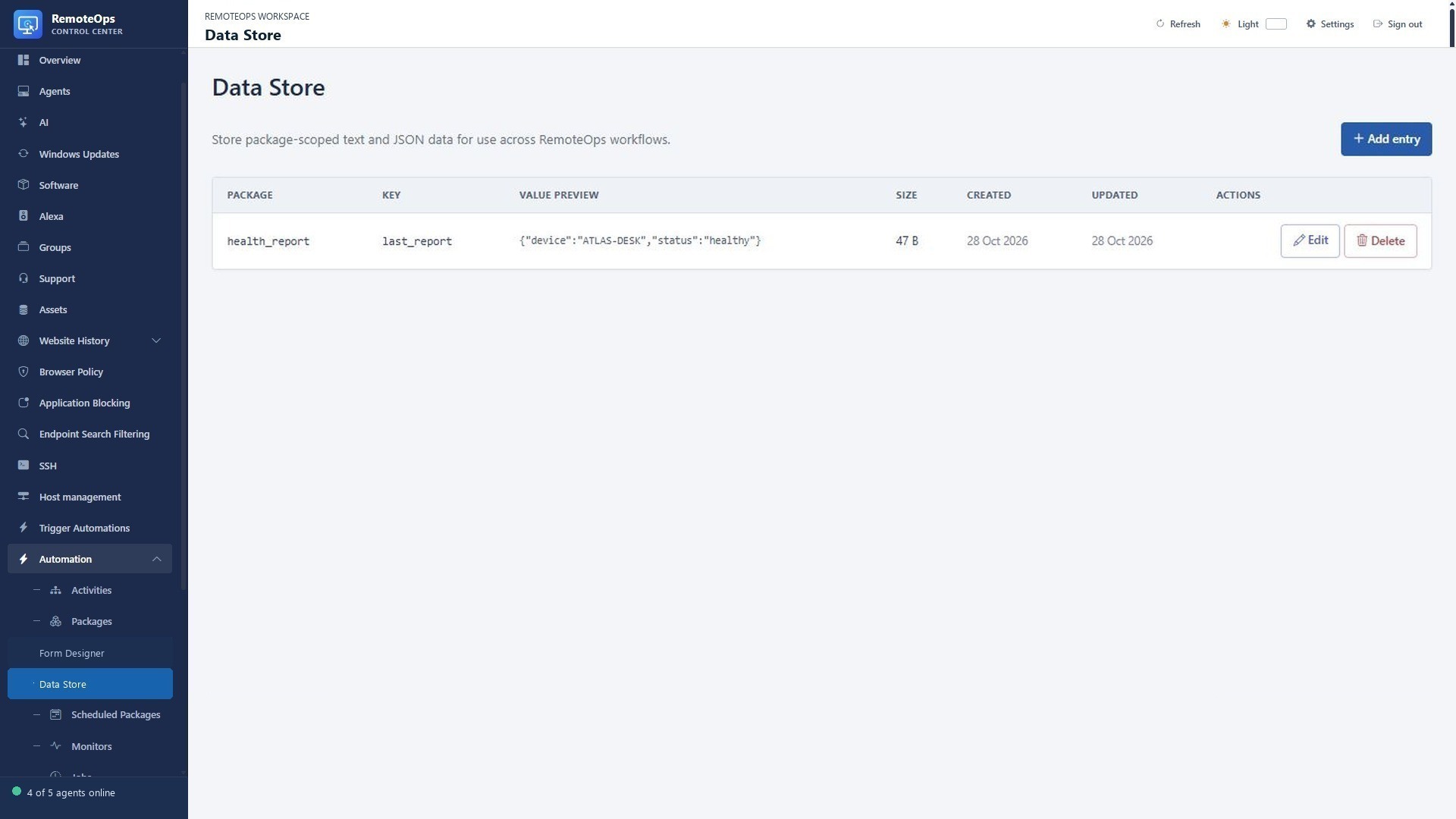
Execution: Orchestrator.
Required: key.
Authoring example#
- task: get_data
  name: read_value
  package: 'example'
  key: 'keyname'
  skip: false
  continue_on_error: true
Inspect the result#
package: stringkey: stringvalue: string
Full field contract. Implementation guide.
store_data#
Store a non-secret report or checkpoint under a package namespace. This is not encrypted secret storage or an atomic locking primitive.
Execution: Orchestrator.
Required: key, value.
Authoring example#
- task: store_data
  name: save_value
  package: 'example'
  key: 'keyname'
  value: 'replace with a value'
  skip: false
  continue_on_error: true
Inspect the result#
package: stringkey: stringstored: booleansizeBytes: integer
Full field contract. Implementation guide.
alexa#
Announce maintenance on a discovered Echo, set its volume or send a supported playback command. A submitted command is not proof the person heard it.
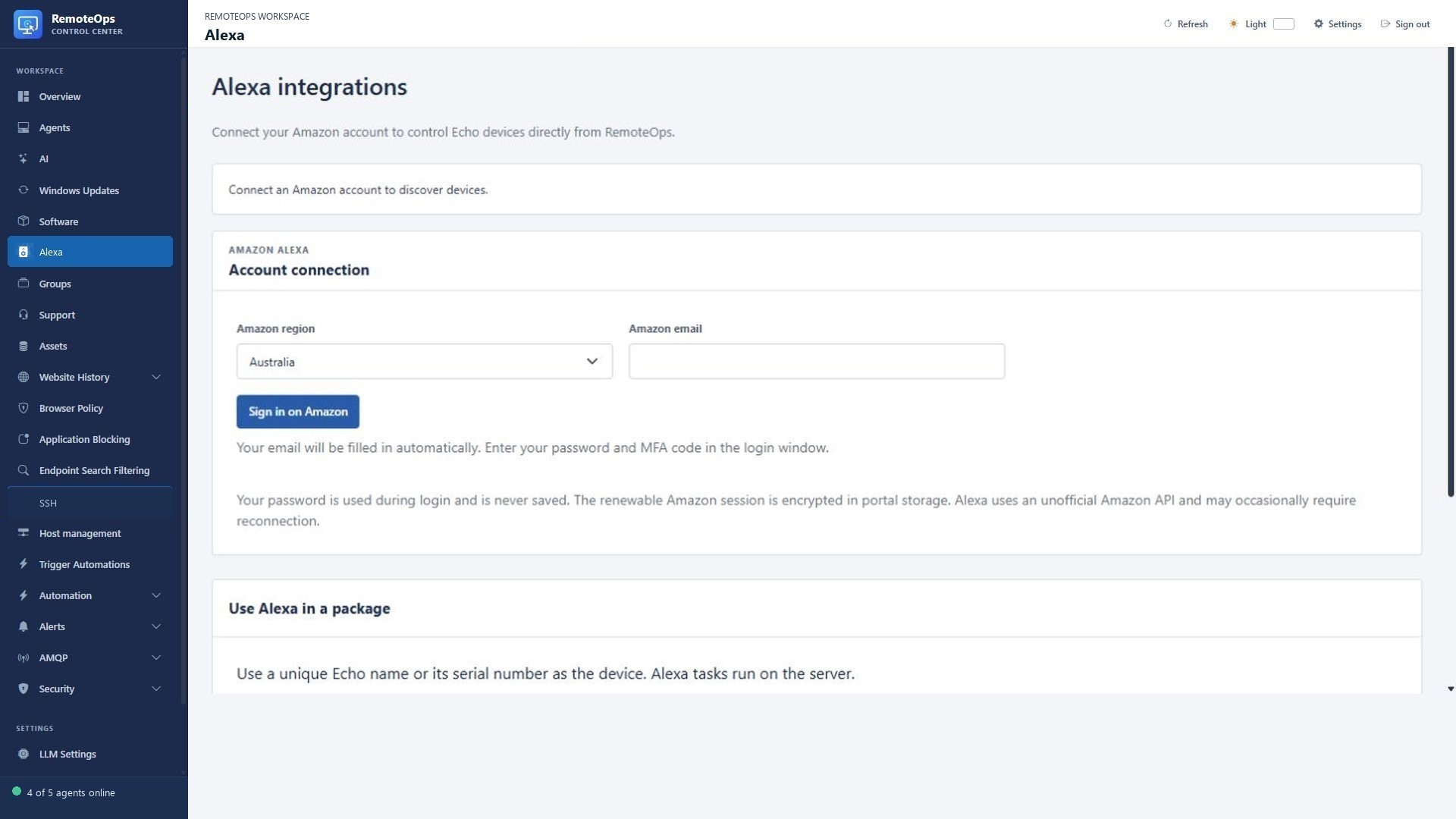
Execution: Orchestrator.
Required: inputs.device, inputs.message for announce/speak/music; inputs.volume for volume.
Authoring example#
- task: alexa
  name: announce_complete
  inputs:
    device: 'Kitchen Echo'
    action: 'announce'
    message: 'RemoteOps task completed.'
Inspect the result#
submitted: booleandevice: stringaction: string
Full field contract. Implementation guide.
email#
Send a plain-text or HTML report through the configured relay. Escape untrusted values in HTML and distinguish relay acceptance from recipient delivery.
Execution: Orchestrator.
Required: subject, recipient, data.
Authoring example#
- task: email
  name: send_email
  subject: 'Subject'
  recipient: 'recipient@example.com'
  format: 'html'
  data: |
    <html><body><p>HTML email body</p></body></html>
  skip: false
  continue_on_error: true
Inspect the result#
sent: booleanrecipientCount: integerccCount: integerbccCount: integertotalRecipientCount: integer
Full field contract. Implementation guide.
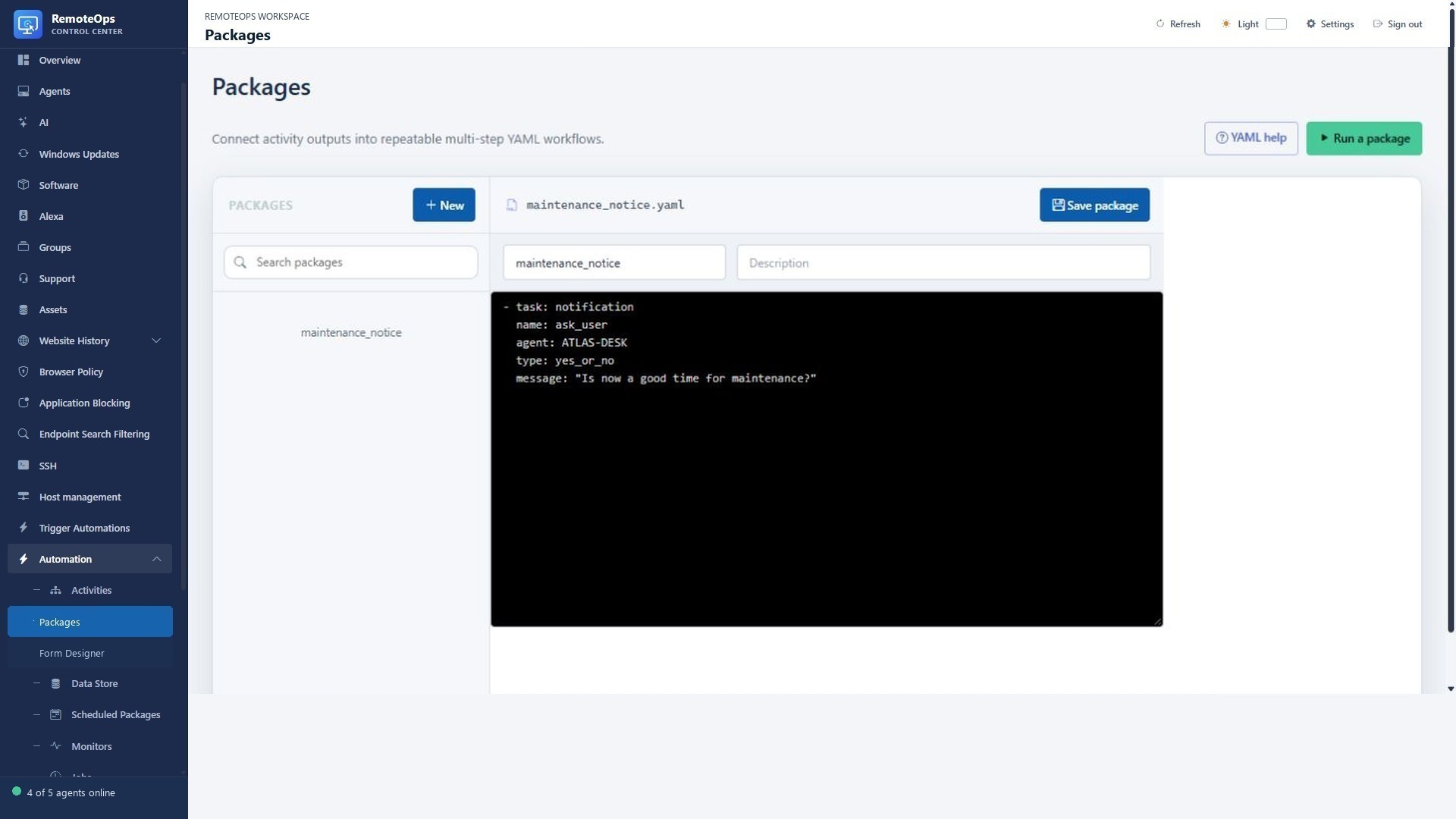
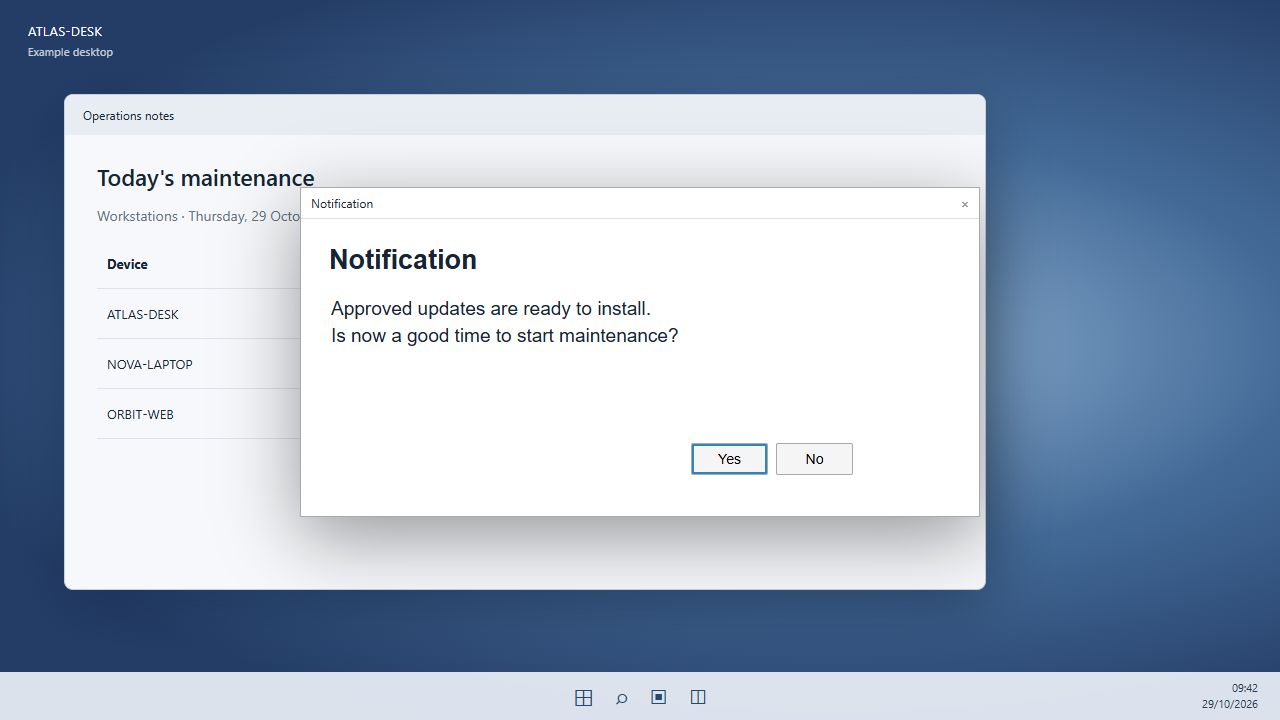
notification#
Ask a signed-in Windows user a specific question or deliver a normal/large notice. Handle yes, no and null explicitly.
Execution: Windows agent.
Required: agent, message.
Authoring example#
- task: notification
  name: notify_user
  agent: 'agent-name'
  group: 'group-name'
  message: 'Notification message'
  type: 'normal'
  skip: false
  continue_on_error: true
Inspect the result#
displayed: booleantype: 'normal' | 'large' | 'yes_or_no'response: 'yes' | 'no' | null (yes_or_no)messageLength: integer
Full field contract. Implementation guide.
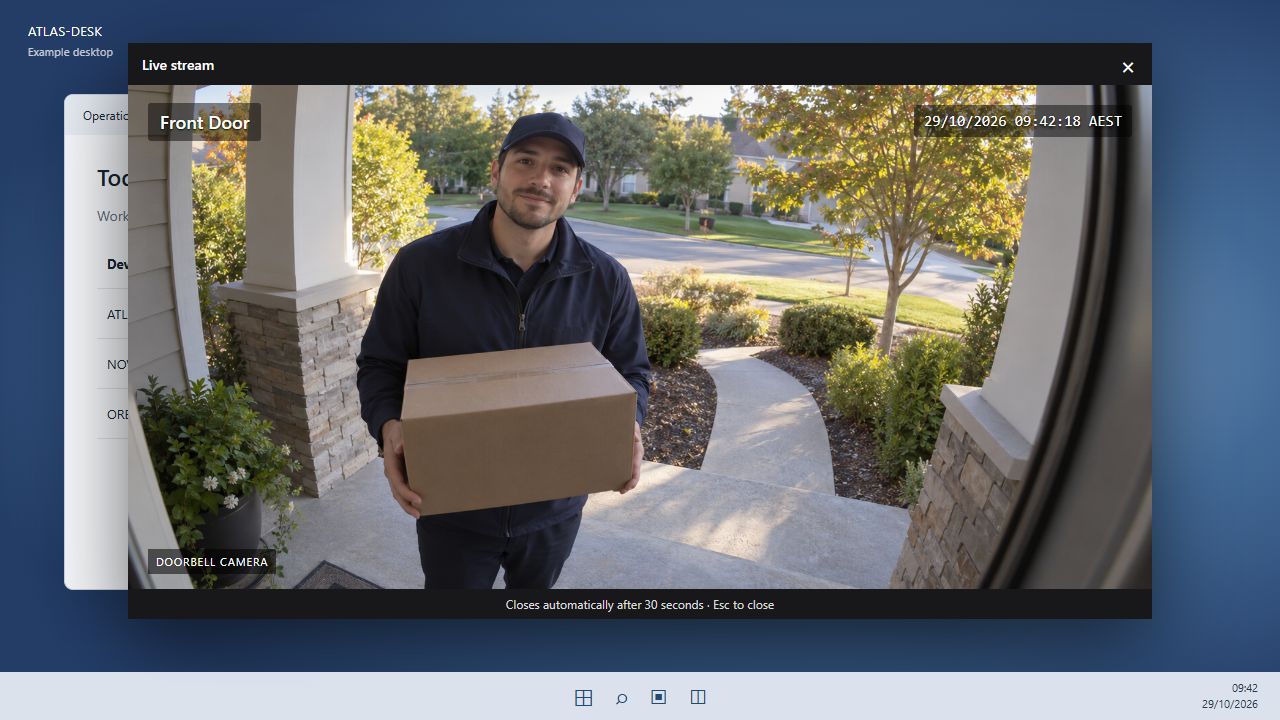
rtsps_stream#
Show a short RTSPS video window, optionally with a bell. Inspect the endpoint child job rather than treating dispatch as proof of viewing.
Execution: Windows agent.
Required: agent, url, display_for_seconds.
Authoring example#
- task: rtsps_stream
  name: show_camera
  agent: 'agent-name'
  group: 'group-name'
  url: 'rtsps://camera.example/stream'
  display_for_seconds: 30
  bell: false
  max_age_seconds: 60
  skip: false
  continue_on_error: true
Inspect the result#
dispatched: booleanjobId: string
Full field contract. Implementation guide.
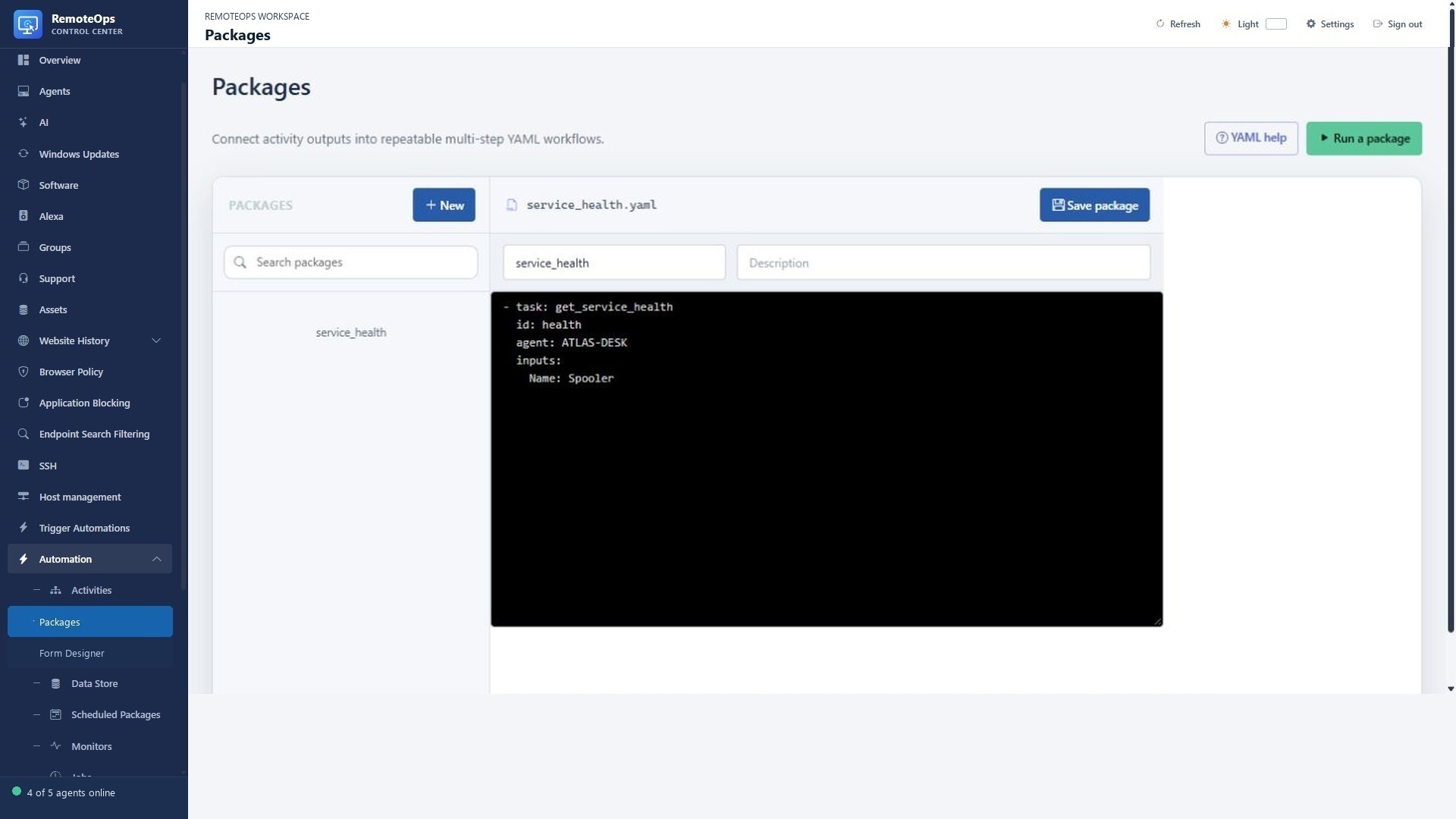
goto#
Return to an earlier named task under an explicit condition. Include a wait, bounded counter or terminating condition to avoid an unbounded loop.
Execution: Orchestrator.
Required: activity, condition.
Authoring example#
- task: goto
  name: repeat_step
  activity: previous_task
  condition: false
Inspect the result#
condition: booleanactivity: stringjumped: booleantargetIndex: integer
Full field contract. Implementation guide.
stop#
End the package successfully when a condition is true, such as the user declining. A stopped run does not prove that later tasks executed.
Execution: Orchestrator.
Required: condition.
Authoring example#
- task: stop
  name: stop_if_needed
  condition: false
Inspect the result#
condition: booleanstopped: boolean
Full field contract. Implementation guide.
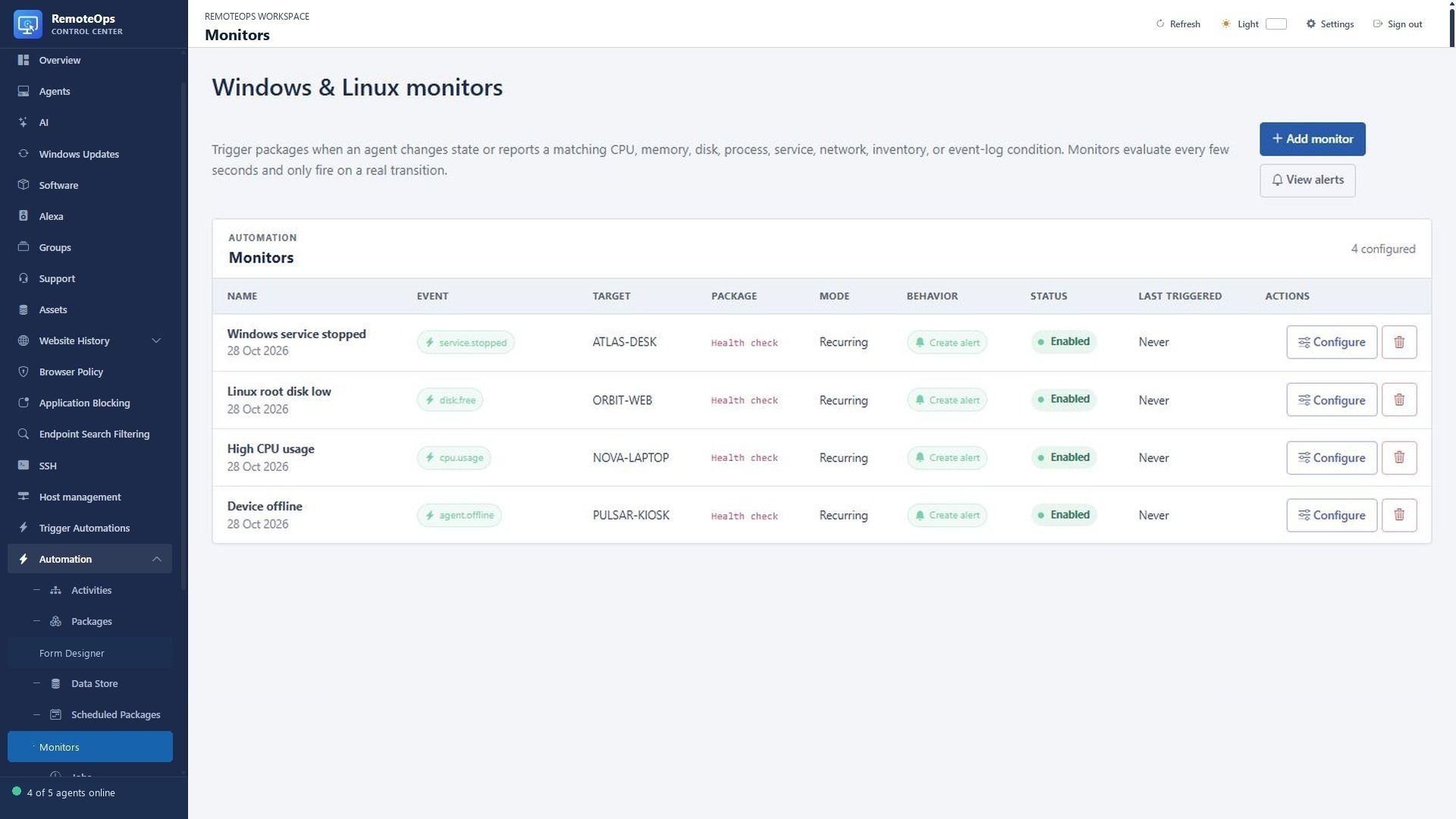
event#
Register the supported package event subscription. This is distinct from reading an already captured monitor trigger with monitor.
Execution: Orchestrator.
Required: type.
Authoring example#
- task: event
  name: monitor_event
  type: 'cpu.usage'
  agent: 'agent-name'
  group: 'group-name'
  continue_on_error: true
Inspect the result#
type: event typeagent: string or nullgroup: string or nulltriggered: boolean
Full field contract. Implementation guide.
bash#
Run inline Bash on an eligible saved SSH profile; inspect exit code, stdout and stderr. Emit one JSON object when named outputs are required.
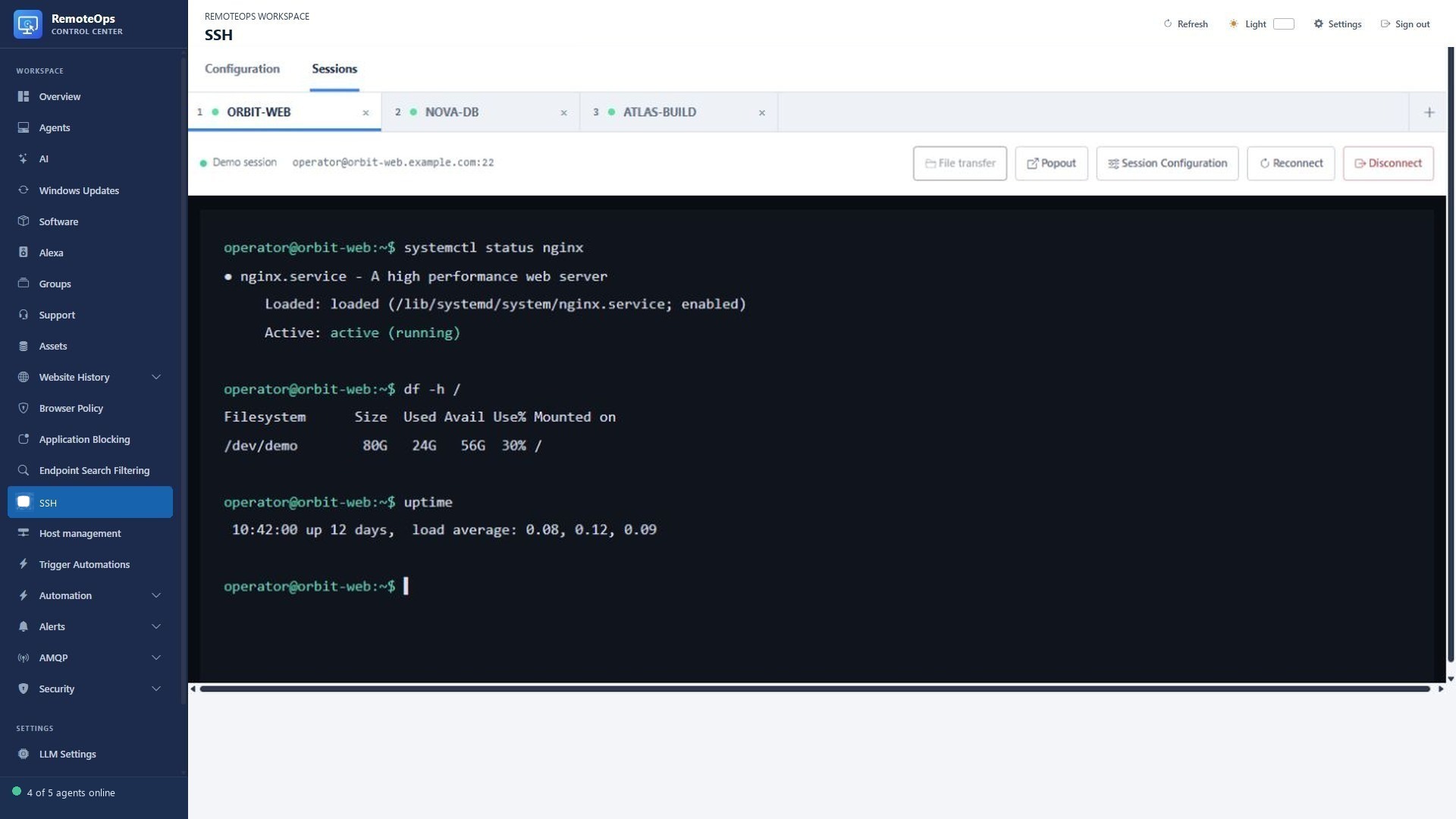
Execution: saved SSH profile.
Required: ssh, inputs.script.
Authoring example#
- task: bash
  name: run_bash
  ssh: 'ssh-profile'
  skip: false
  continue_on_error: true
  inputs:
    script: |
      printf '{"result":"ok"}'
Inspect the result#
standardOutput: stringstandardError: stringexitCode: integerJSON stdout properties
Full field contract. Implementation guide.
python#
Run inline Python through the saved SSH target. Python must be available on that host; emit JSON for structured downstream data.
Execution: saved SSH profile.
Required: ssh, inputs.script.
Authoring example#
- task: python
  name: run_python
  ssh: 'ssh-profile'
  skip: false
  continue_on_error: true
  inputs:
    script: |
      import json
      print(json.dumps({"result": "ok"}))
Inspect the result#
standardOutput: stringstandardError: stringexitCode: integerJSON stdout properties
Full field contract. Implementation guide.
inline_powershell#
Compare outputs, format results or call an external service on the Orchestrator. Use a saved PowerShell Activity with agent for Windows endpoint commands.
Execution: Orchestrator.
Required: inputs.script.
Authoring example#
- task: inline_powershell
  name: transform
  inputs:
    script: |
      return @{ rows = @(@{ Name = 'Example'; Count = 1 }) }
Inspect the result#
Named properties of the returned object
Full field contract. Implementation guide.
form#
Collect operator choices in Trigger Automations. Use form: rather than task: form, handle cancellation and validate the fields consumed later.
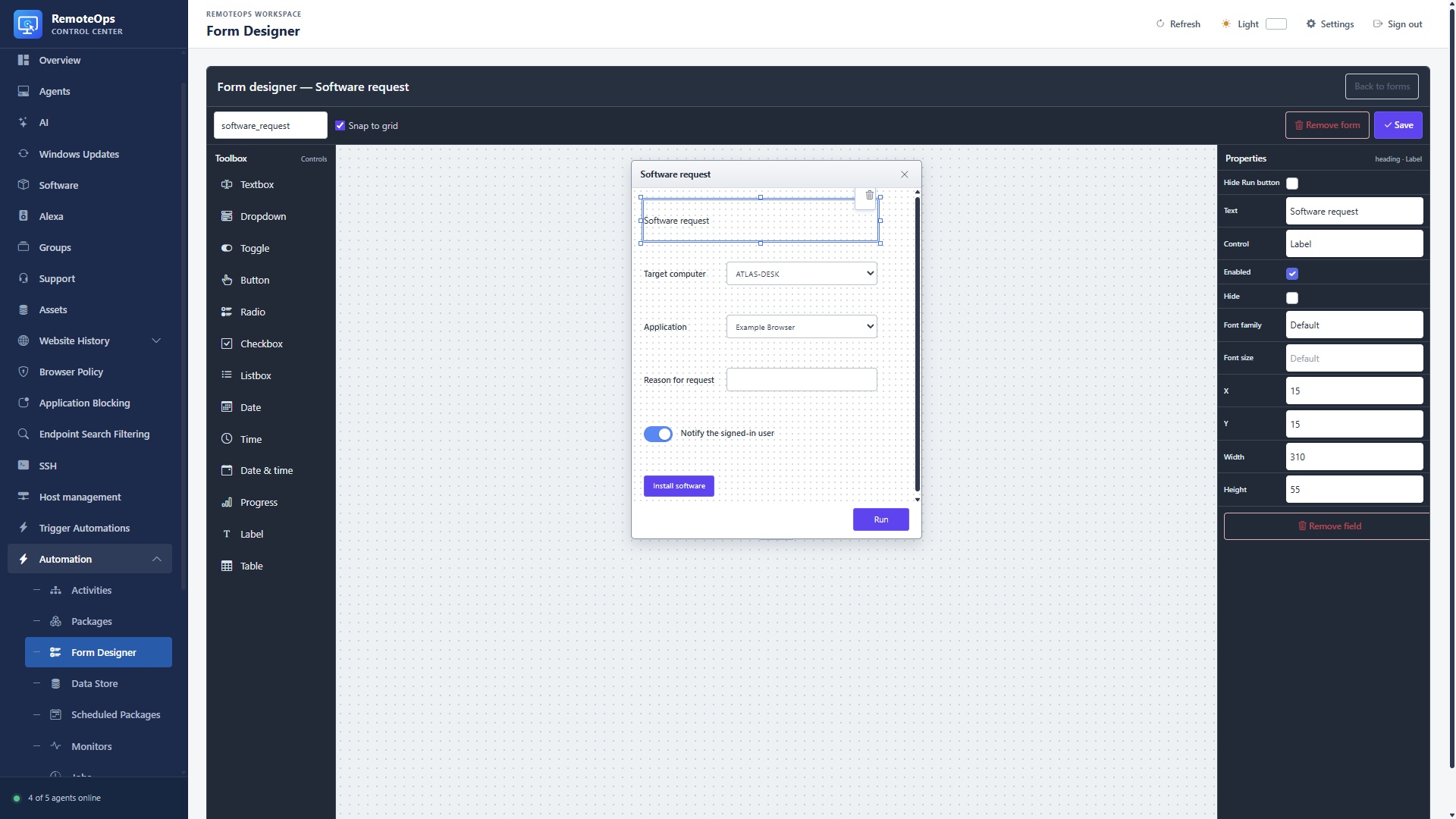
Execution: interactive portal.
Required: form, fields (unless referencing an existing library form).
Authoring example#
- form: report
  fields:
    - name: grid
      label: Results
      type: table
      columns: [{key: Name, label: Name}]
      values: '[{"Name":"Example"}]'
Inspect the result#
Named submitted input controls; table and label controls produce no input outputs
Full field contract. Implementation guide.
RemoteOpsSoftware#
Scan, install, update or uninstall managed software on a Windows agent. User scope requires the expected signed-in user and supported runas setting.
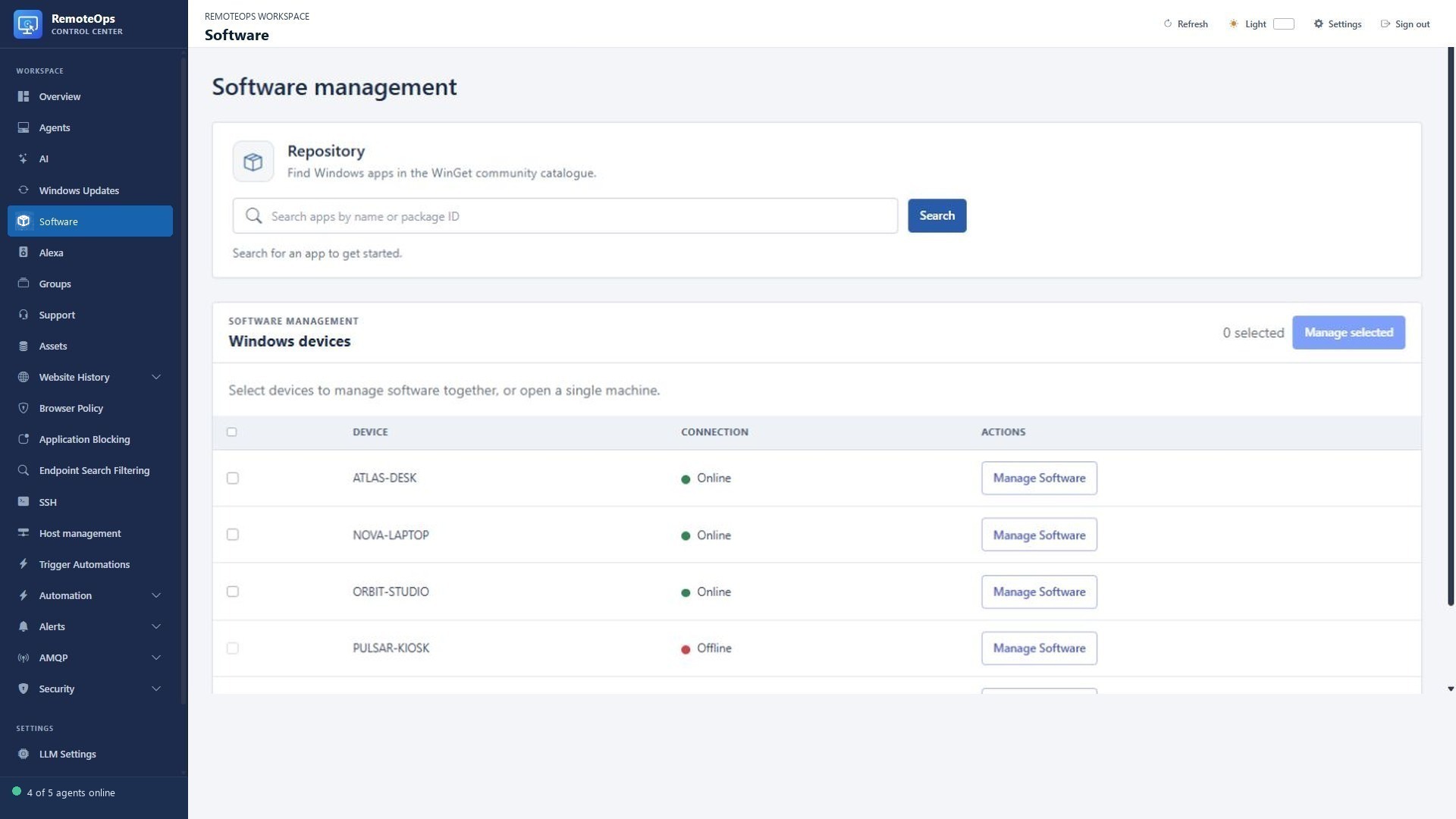
Execution: Windows agent.
Required: agent, inputs.Operation, inputs.Scope.
Authoring example#
- task: RemoteOpsSoftware
  name: scan_software
  agent: 'exact-agent-name'
  inputs:
    Operation: scan
    Scope: machine
Inspect the result#
report: structured object with operation, scope, status, items, truncated, collectedAt, rebootRequired; failures include error