 RemoteOpsGet started
 AI ADMINISTRATION
Configure model connections
Named providers, Key Vault credentials, model choices, budgets and connection tests.
Examples use remoteops.example.com and fictional systems. Adapt them to your tenant.
Screen reference#
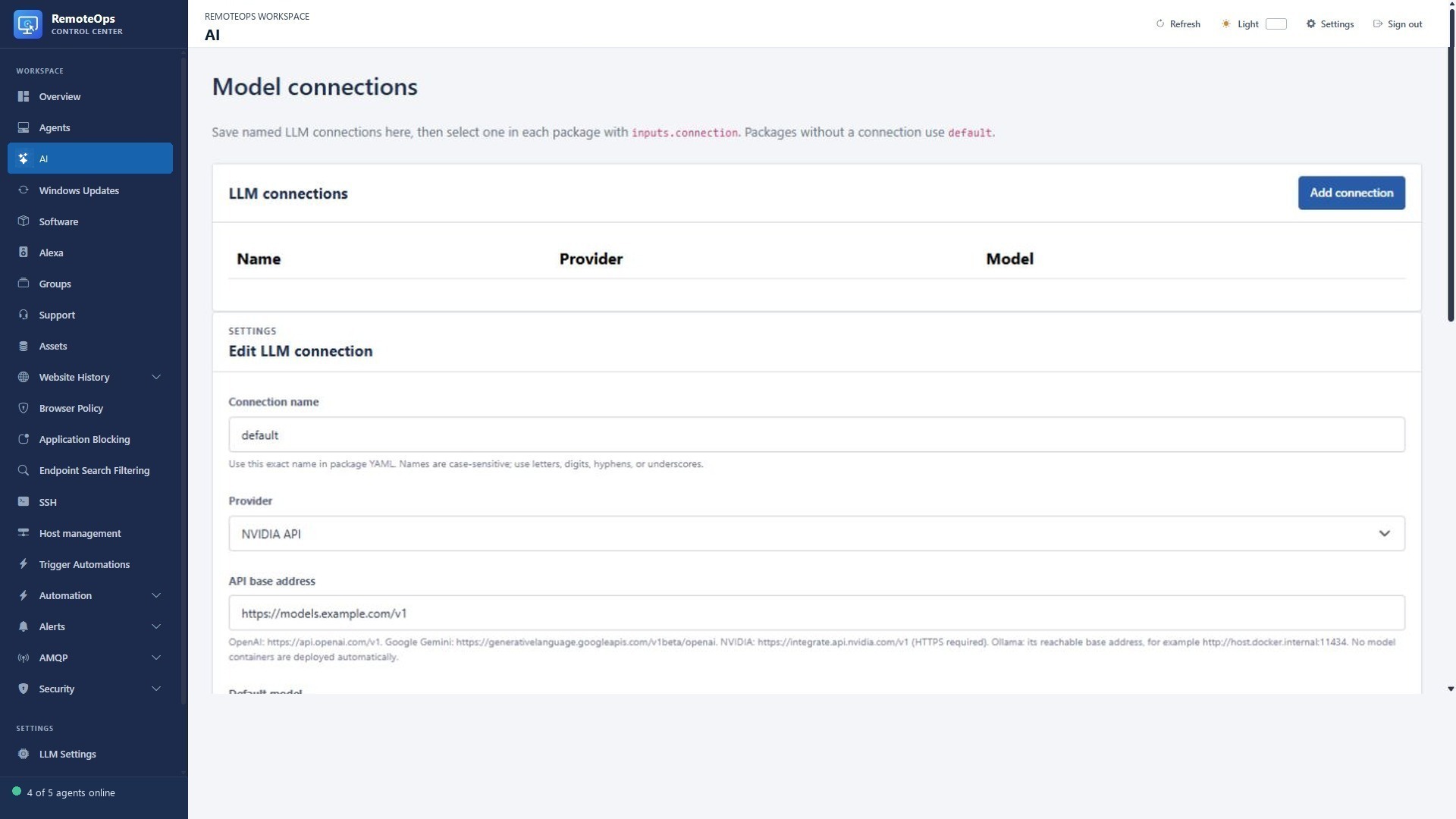
Configure the supported endpoint, model and connection settings here. Keep API keys in the protected connection configuration and check tool availability before using live targets.
Create a named connection#
Open LLM Settings, select Add connection and choose a case-sensitive name of 1–64 letters, digits, hyphens or underscores. Packages select this exact name through inputs.connection. A package that omits it uses the saved default connection.
Choose the provider, endpoint, default model and an existing Key Vault credential name where required. The UI displays key names rather than stored plaintext. Refresh the model list after changing the endpoint, then test the connection. A configured endpoint/model must actually be reachable and available; packages do not provision model containers or download local models.
Providers#
| Connection | Configuration pattern |
|---|---|
| OpenAI | Saved HTTPS API endpoint, supported model and Key Vault API key. |
| Google Gemini | Saved supported compatibility endpoint/model and credential. |
| NVIDIA API | Saved HTTPS endpoint/model and credential. |
| Ollama | A service-reachable configured Ollama endpoint and pre-provisioned model. |
The exact provider/model capabilities, availability and upstream limits can change. The product's saved settings and refreshed provider model list determine what can run in a tenant. A model supporting text is not automatically a vision model.
Generation settings#
- Default maximum tokens must be positive and within the selected model's known output limit; unlisted model limits can be enforced by the provider.
- Temperature is configured from 0 to 1, and top-p from 0.01 to 1.
- The connection request timeout is configured from 1 to 120 seconds.
- A package may supply its supported model/token/thinking/format overrides. Its overall timeout and cancellation still apply.
Use a connection#
- task: llm
  name: classify_report
  continue_on_error: false
  inputs:
    connection: operations-model
    prompt: 'Summarise this example report: root disk is 30 percent used.'
    max_tokens: 256
    format: json
Create operations-model before executing the example. If expecting JSON, request a clear structure and validate returned fields before using them to control another task. See AI administration for a diagnostic-result example and Task reference for every supported field/output.
Privacy and diagnostics#
Prompts, image inputs and responses can enter job history and the selected provider's processing path. Provider credentials are resolved separately, but any secret deliberately inserted into an input/prompt remains sensitive transmitted data. Review the selected endpoint and the data included. Inspect request failures, token/truncation indicators and model output before retrying a command-producing workflow.