 RemoteOpsGet started
 INTEGRATE
Webhooks: external events to package jobs
HTTPS trigger examples, response JSON, package matching, request failures, retries and tracing.
Examples use remoteops.example.com and fictional systems. Adapt them to your tenant.
Screen reference#
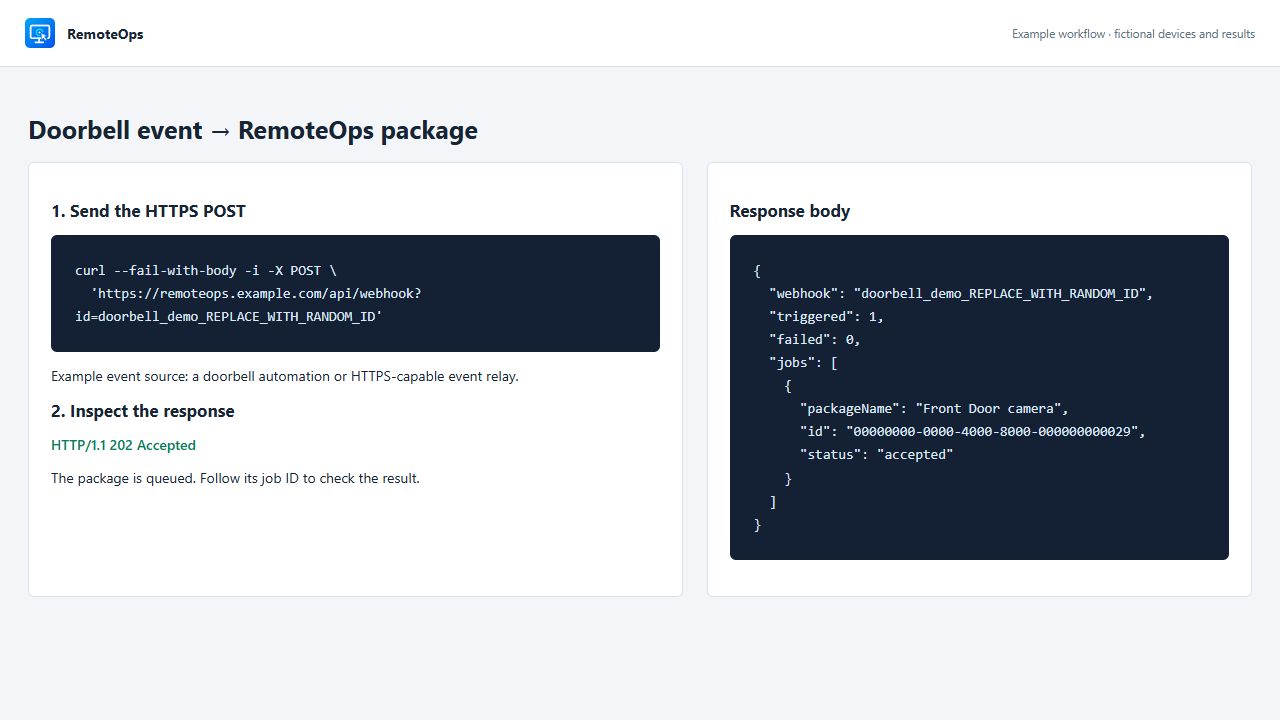
The example response matches the product response fields. Accepted means the saved package started, not that its endpoint action completed.
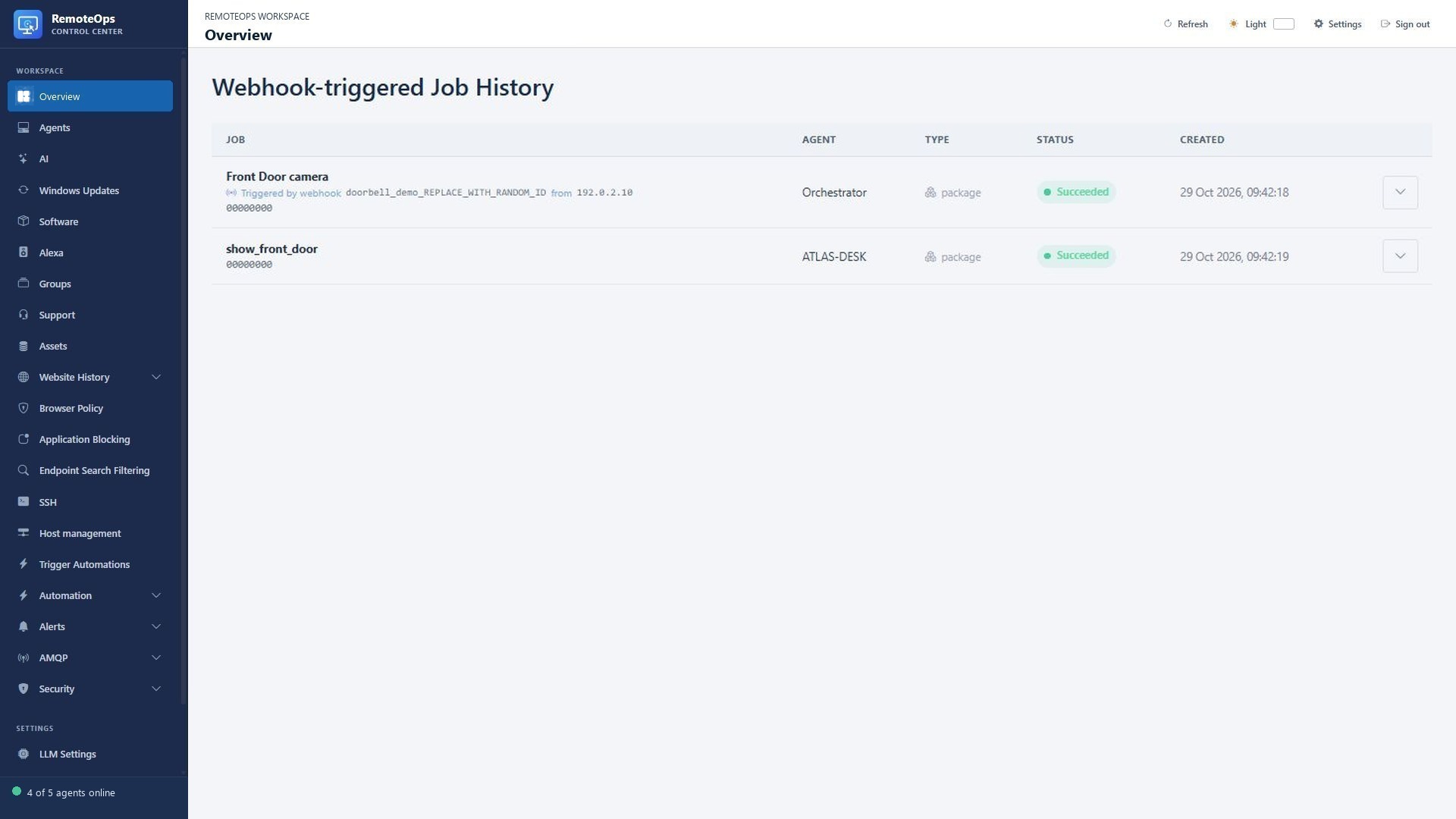
The triggering webhook and source IP appear on the job row. These fictional records illustrate how to follow the returned job ID.
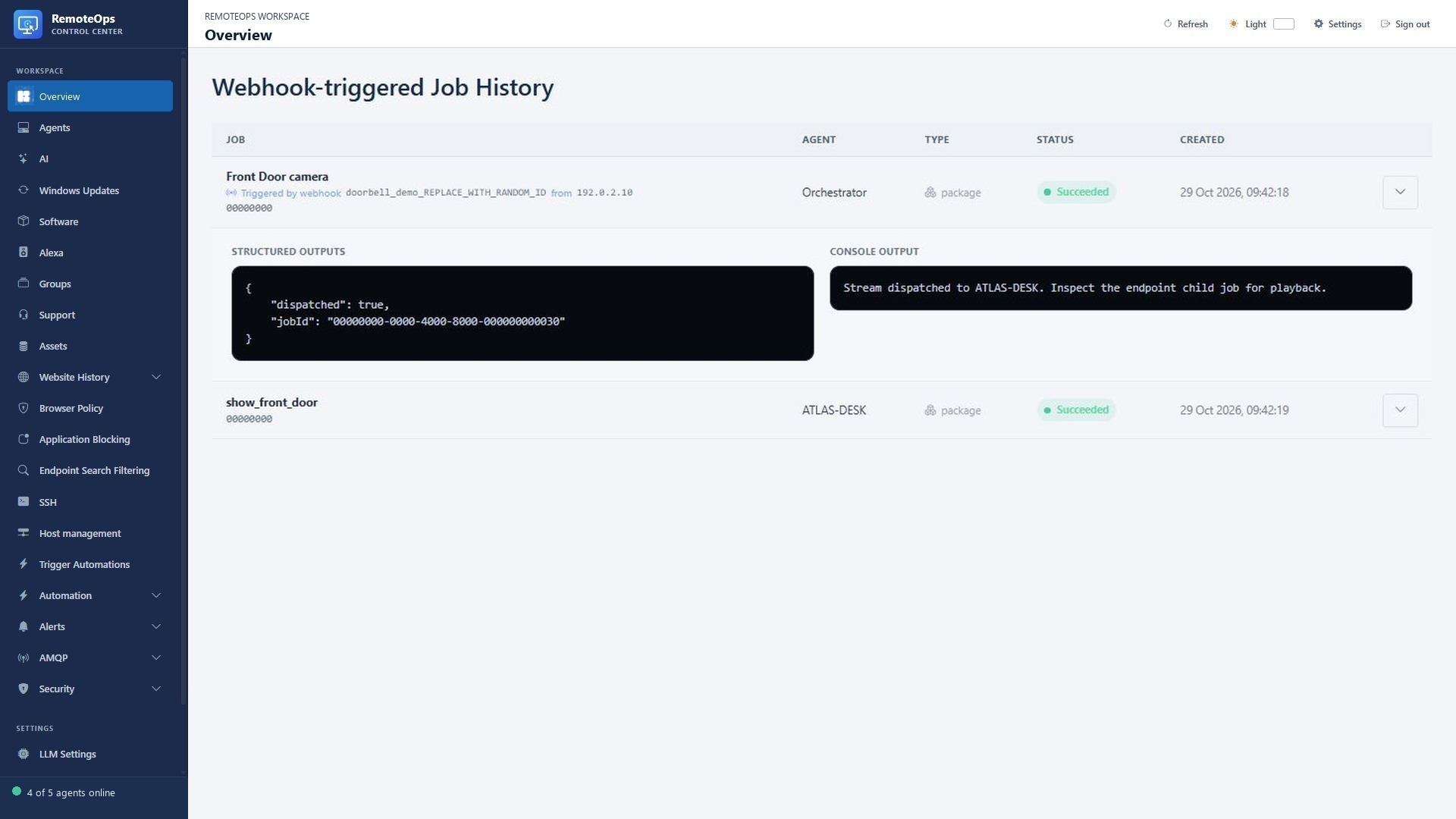
Expand the parent job to read the dispatched result and child job ID, then inspect the endpoint job for the actual helper result.
What a RemoteOps webhook does#
An external system sends POST to https://remoteops.example.com/api/webhook?id=IDENTIFIER. RemoteOps finds saved packages with an exact matching literal webhook ID and starts them asynchronously. One identifier can match more than one package. This is a saved-workflow trigger, not a command-execution endpoint or a mechanism for passing arbitrary request-body fields into tasks.
The tenant address is illustrative. Replace it with your own tenant, not the marketing website. No portal session or administrator API key is required for this public trigger route: possession of the identifier authorises the trigger. Use a long randomly generated ID, keep it secret, and send requests only over HTTPS.
Create the package#
- webhook: doorbell_demo_REPLACE_WITH_RANDOM_ID
- timeout: 300
- task: rtsps_stream
  name: show_front_door
  agent: 'ATLAS-DESK'
  url: 'rtsps://camera.example.com:7441/front-door?enableSrtp'
  display_for_seconds: 30
  bell: true
  max_age_seconds: 60
  continue_on_error: false
Save the package as Front Door camera. Test the configured target and stream manually before enabling the external event source. The screenshot uses a fictional scene, not a live camera connection.
ID rules#
The ID is case-sensitive, starts with a letter or digit, and contains at most 128 letters, digits, dots, underscores or hyphens. Use one ID per independently controlled integration unless you deliberately want one event to fan out to multiple packages. Do not use the short demonstration identifier in production.
Call it with curl#
curl --fail-with-body --connect-timeout 10 --max-time 30 -i \
  -X POST \
  'https://remoteops.example.com/api/webhook?id=doorbell_demo_REPLACE_WITH_RANDOM_ID'
The request needs no JSON body. The -i option shows the HTTP status and response headers. A network timeout can occur after RemoteOps accepted the job; do not blindly retry a workflow with external side effects.
Call it from PowerShell#
$tenant = 'https://remoteops.example.com'
$webhookId = 'doorbell_demo_REPLACE_WITH_RANDOM_ID'
$uri = "$tenant/api/webhook?id=$([Uri]::EscapeDataString($webhookId))"
$result = Invoke-RestMethod -Method Post -Uri $uri -TimeoutSec 30
$result.jobs | Select-Object packageName, id, status, error
if ($result.failed -gt 0) {
    throw 'One or more matching packages could not be started. Inspect the returned jobs.'
}
Do not print the webhook URL or identifier into shared logs. The example selects result fields rather than dumping an entire invocation URL.
Call it from Python#
import json
from urllib.parse import urlencode
from urllib.request import Request, urlopen

tenant = 'https://remoteops.example.com'
query = urlencode({'id': 'doorbell_demo_REPLACE_WITH_RANDOM_ID'})
request = Request(f'{tenant}/api/webhook?{query}', data=b'', method='POST')
with urlopen(request, timeout=30) as response:
    result = json.load(response)
for job in result['jobs']:
    print(job['packageName'], job['id'], job['status'])
Adapt exception handling and event-source logging for your integration. Keep IDs in protected configuration, not a public client-side script.
Understand HTTP 202 and its response#
{
  "webhook": "doorbell_demo_REPLACE_WITH_RANDOM_ID",
  "triggered": 1,
  "failed": 0,
  "jobs": [
    {
      "packageName": "Front Door camera",
      "id": "00000000-0000-4000-8000-000000000029",
      "status": "accepted"
    }
  ]
}
| Field | Meaning |
|---|---|
webhook |
Matched identifier; treat response logs as potentially containing the secret |
triggered |
Number of matching packages successfully started |
failed |
Number of matching packages that could not be started |
jobs[].packageName |
Saved package that matched the ID |
jobs[].id |
Job ID, or null when an ID could not be recorded |
jobs[].status |
Start outcome: accepted or failed |
jobs[].error |
Present for a failed start |
HTTP 202 Accepted means at least one package started. It does not mean the camera opened, an email arrived or the package completed. A multi-package result can include both accepted and failed starts; inspect every array entry.
Error handling#
| Result | Investigate |
|---|---|
| 400 | Missing or invalid identifier |
| 404 | No saved package matches the exact ID |
| 503 | No matching package could be started, or a service/storage failure prevented dispatch |
| TLS or network error | Tenant address, HTTPS, certificate trust and event-source reachability |
| 202 but no visible desktop action | Job status, target availability, interactive user, stale-event result and stream startup |
The application can still fail later after a successful 202. Use returned job IDs and portal Job History for completion. Webhook jobs include the triggering ID and the validated source IP supplied by the trusted proxy; use those details to trace an event. Do not spoof the source with an untrusted forwarded header.
Doorbell or event-relay setup#
- Save and test the package on a permitted test target.
- Generate a long ID and update the literal package metadata.
- Configure the event relay to POST to the tenant's HTTPS webhook URL when the doorbell is pressed.
- Apply source-side debounce/rate limits for repeated press/motion events.
- Trigger once, inspect the 202 response and then the actual Job History result.
- Verify the overlay closes and that old queued events are suppressed according to the freshness policy.
A doorbell with no outbound HTTPS action needs an intermediary automation/event relay. The route does not itself discover cameras, subscribe to a vendor event bus, unlock doors or transform a motion event into package inputs.
Retries and duplicate events#
There is no caller-supplied idempotency contract in this route. Repeated requests can create repeated jobs. Debounce at the event source and avoid automatic retries after ambiguous timeouts. If your workflow writes a Data Store checkpoint, design and test its concurrency behavior; an ordinary read followed by a write is not an atomic deduplication lock.
To rotate an ID, update the saved package and event-source configuration, then verify that the new ID works and the old ID no longer matches any package. Changing a package's metadata does not cancel a job that already started. Reuse of an ID across packages must be intentional.
More event-driven workflows#
- Arrival event → Front Door video window with a local bell.
- Maintenance event → specific saved package → user notification and job result.
- Monitoring relay → diagnostic package → an email report.
- External service event → a bounded existing package, with its target and behavior configured in the package.
For an outbound HTTPS call from a package, use the separate example in Integrations. Incoming webhook triggers and outbound API calls have different authentication, retry and response contracts.