 RemoteOpsGet started
 REMOTE TOOLS
SSH profiles and tabbed workspaces
Authentication, sessions, file transfers, host keys and Linux monitoring.
Examples use remoteops.example.com and fictional systems. Adapt them to your tenant.
Screen reference#
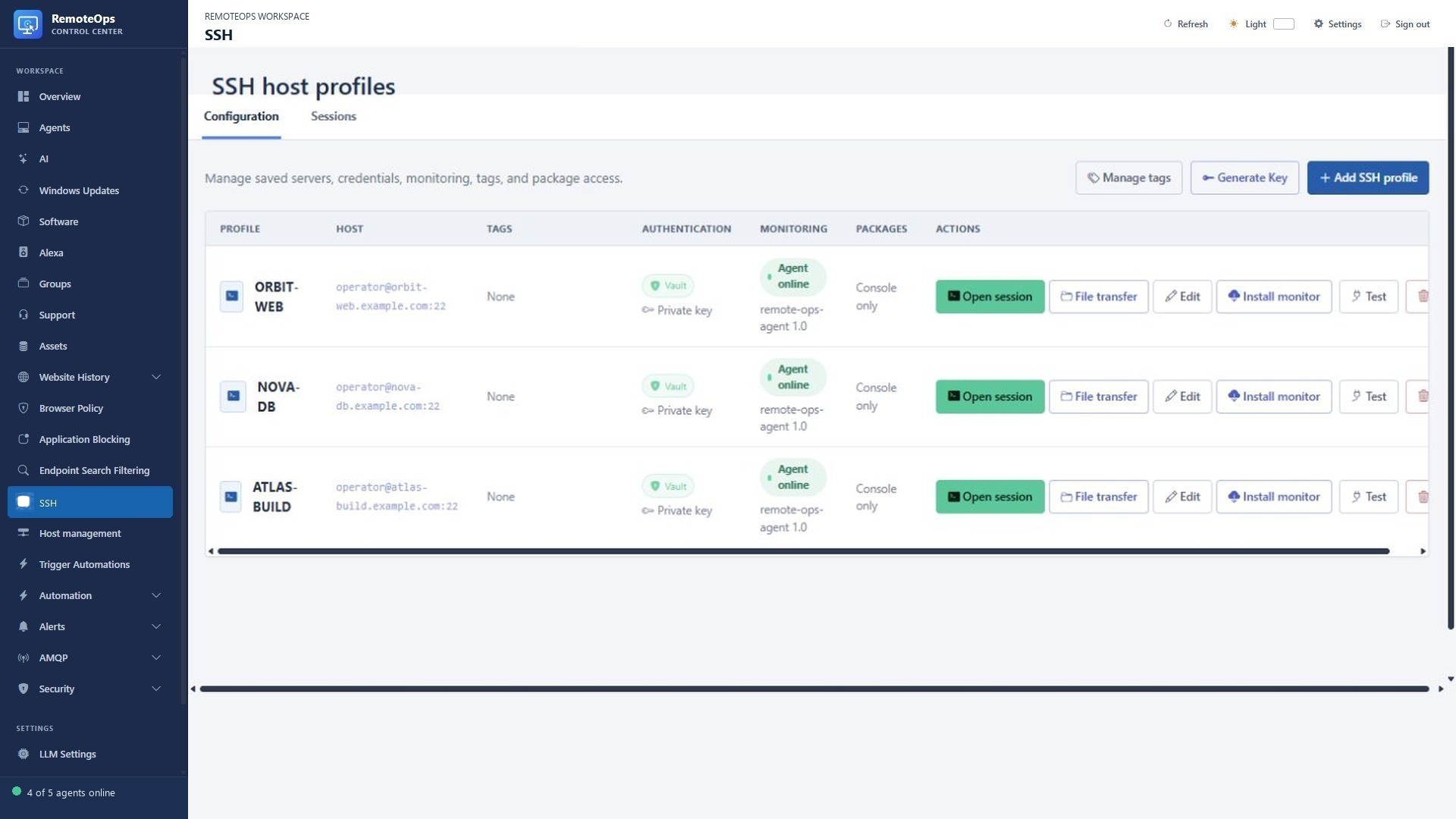
The profile list brings together host identity, authentication, session actions and Linux monitoring status. Saved profile credentials do not change the permissions of the remote operating-system account.
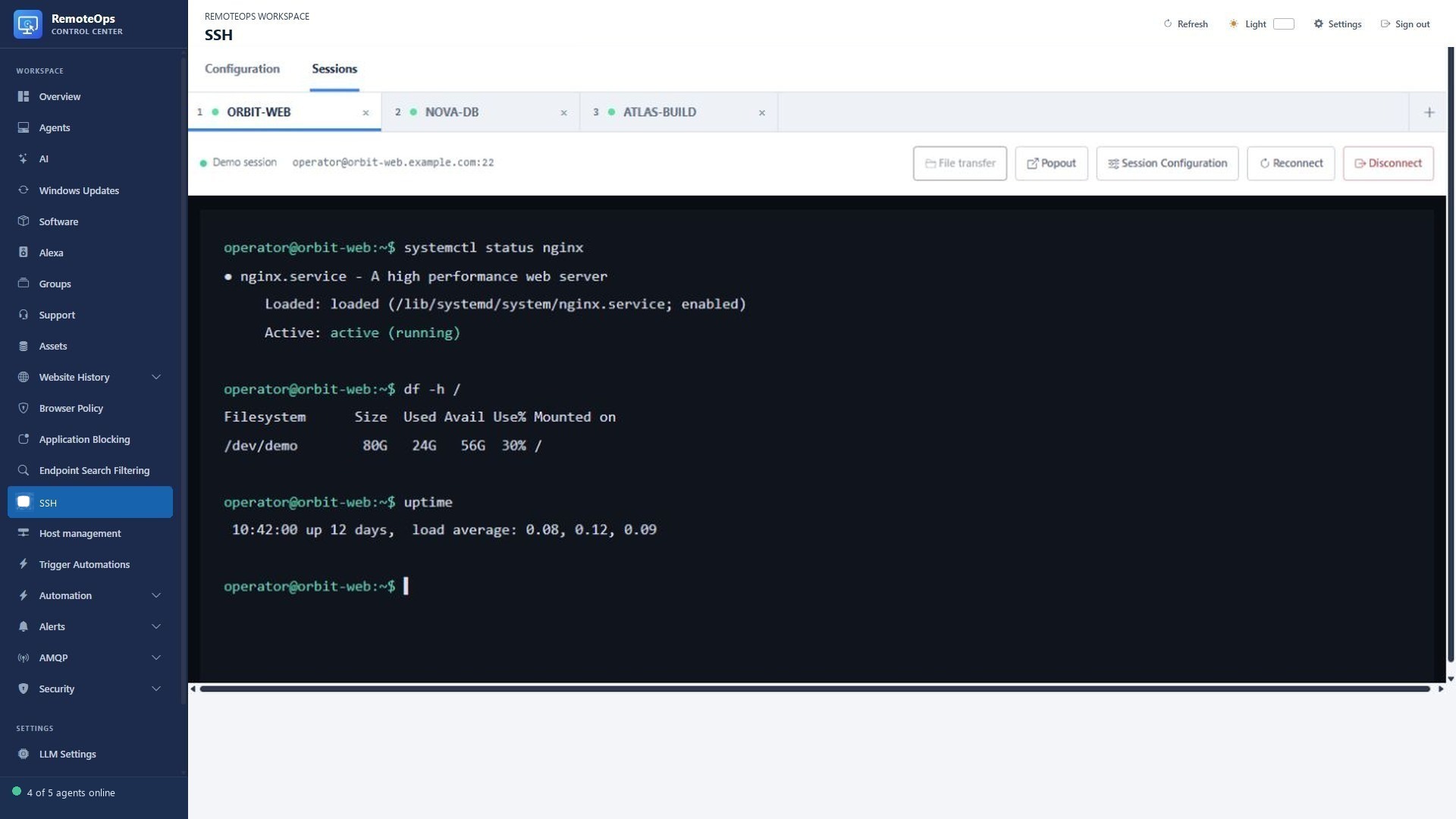
The session tabs switch between hosts. Confirm the selected host before entering a command. File transfer and appearance actions apply to the active session.
Configure a host#
Create a profile with a unique display name, hostname/address, SSH port and username. Use Test for eligible saved credentials. RemoteOps connects from the service, so the host must be reachable from that environment, not just from the browser's computer.
- Encrypted password and private-key profiles, or Ask for password on connect without saving a password
- Server-side interactive SSH terminals
- Saved hostname aliases and CSV import using
address,hostnamecolumns - SSH connection testing
- Ed25519 key generation and installation into a target's
authorized_keys - Bash and Python activities executed through private-key SSH profiles
- Persistent known-host records with
accept-newbehavior for first connections
Pushing a generated SSH key replaces the credential saved in the RemoteOps profile only after the new public key is installed successfully. It appends the new key to the target and does not automatically remove an older entry from authorized_keys.
Sessions and tabs#
Use Sessions to open several named host tabs. Switch tabs to retain a workspace of server tasks. Use the new-session picker to choose a saved host, Popout to separate a terminal, and Session Configuration to adjust appearance. Reconnect establishes a new transport when the previous connection is lost; it is not proof that an interrupted shell command was replayed or completed.
# Read-only Linux diagnostics; commands run on the chosen SSH host.
hostname
uptime
df -h /
systemctl status nginx --no-pager
Authentication choices#
Private-key profiles support unattended saved Bash/Python activities. Password profiles can be saved encrypted for interactive use. Ask for password on connect avoids saving a password; it prompts for each new browser connection and is not eligible for unattended tests or package execution. Generating/installing a new key appends it to authorized_keys and does not remove old keys automatically.
Known hosts#
The service persists host-key records and uses accept-new behavior for first connections. An unexpected changed key must be investigated rather than treated as an ordinary password failure. Host aliases can be imported with CSV columns address,hostname.
File transfer#
Open File transfer from the profile action or connected terminal toolbar. Browse, upload/download, rename and move with the same two-pane pattern described in File management. SCP uses the chosen account's permissions.
Install Linux monitoring#
Use Install monitor on a supported SSH profile. The one-time installation requires root or passwordless sudo. The service then runs as the restricted remote-ops-agent account. Confirm its check-in before saving Linux metric monitors. Linux monitoring supports availability, CPU, memory, disk, process, service, network adapter and inventory-age signals; Windows Event Log matching is Windows-only.
Use Reinstall monitor for the supported repair path and Uninstall monitor for cleanup. Deleting a monitored SSH profile attempts remote cleanup first and retains the profile if cleanup cannot be completed. See Monitoring.