 RemoteOpsGet started
 REFERENCE
Complete built-in task reference
Source-defined task fields, targets, outputs, constraints and examples.
Examples use remoteops.example.com and fictional systems. Adapt them to your tenant.
Screen reference#
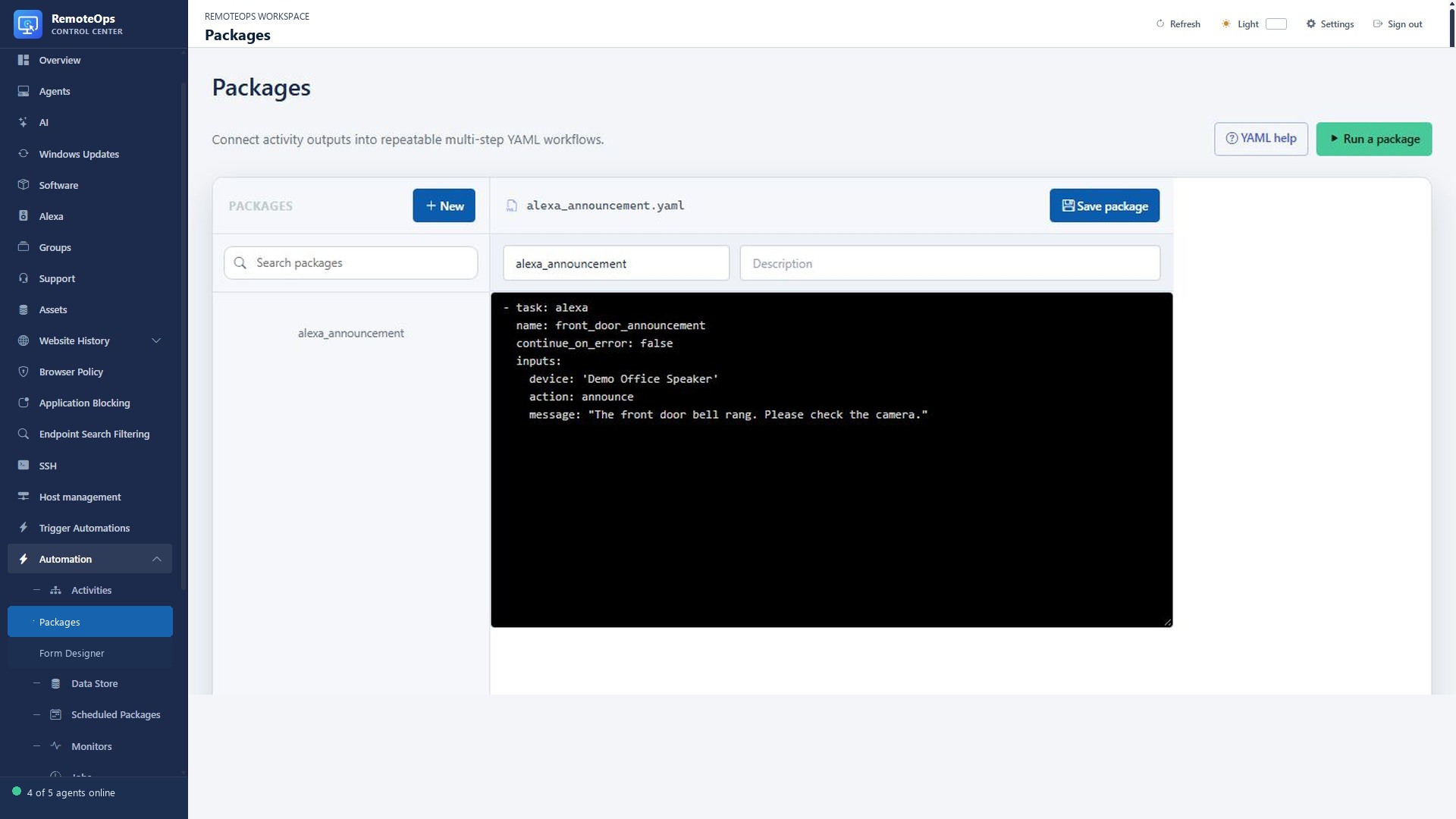
The Alexa task accepts a speaker, announcement action and text message. It submits speech to the linked Alexa device; it does not run on a Windows agent.
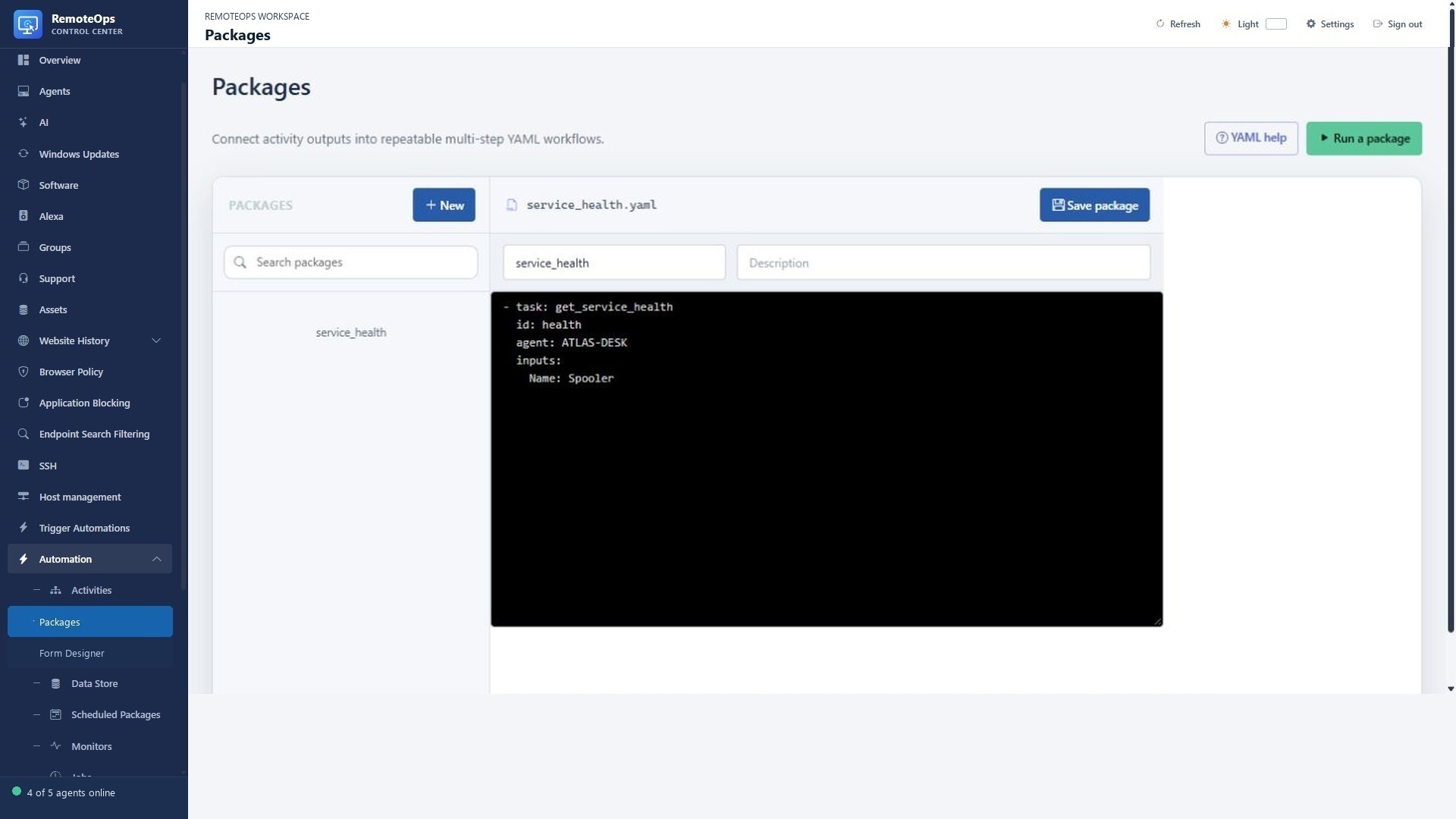
The YAML contracts below define inputs and outputs; use the package editor to compose them and Job History to verify execution.
Related walkthroughs#
Every built-in also has a purpose, example and result walkthrough in Built-in tasks.
How to use this reference#
These definitions describe package YAML built-ins, not directly callable public HTTP APIs. Use the exact built-in keyword, supported target and inputs. Replace placeholders and example targets before execution. Saved Activities have their own user-defined contracts.
Common fields#
name: Unique step name used by =step.output referencesskip: Boolean, output reference or comma-separated OR groupcontinue_on_error: Default true; use false for prerequisites that must succeedparallel: Optional asynchronous task execution; wait and control flow act as barriersinputs: Mapping of scalar inputs or earlier task-output references. llm.images also accepts a list.saved_activities: Saved PowerShell Activities run on a named Windows agent; Bash/Python Activities require a saved SSH profile. Use the exact saved Activity name.
capture-rtsp-frame#
Capture one JPEG from RTSP/RTSPS on Orchestrator; use its image output with llm instead of writing a capture script.
Execution target: Orchestrator.
Aliases: capture_rtsp_frame.
Required fields#
inputs.url (or url)
Supported fields#
url or inputs.url: RTSP/RTSPS URL or task-output referenceinputs.timeout_seconds: 1-60 (default 30)skip: boolean or output referencecontinue_on_error: booleanparallel: boolean
Outputs#
image: JPEG base64 data URLcaptured_at: UTC timestamptransport: rtsps, rtsp, or unifi-rtsp-compatibilitybytes: integer
Example#
- task: capture-rtsp-frame
  name: camera
  continue_on_error: false
  inputs:
    url: 'rtsps://camera.example/stream'
    timeout_seconds: 30
llm#
Call a configured LLM connection with text or images; credentials are resolved by the server.
Execution target: Orchestrator.
Required fields#
inputs.prompt
Supported fields#
name: identifier (optional)inputs.connection: saved LLM connection name (default: default)inputs.model: model ID override (default from the selected connection)inputs.prompt: text or output reference (required; up to 16384 bytes)inputs.system: text or output reference (up to 4096 bytes)inputs.<name>: value or output reference; use $name or ${name} in prompt/system; $$ escapes a dollarinputs.image: PNG/JPEG/WebP base64 data URL, HTTPS URL, or output referenceinputs.images: YAML/JSON list of 1-4 images or per-image task references; or one array output referenceinputs.max_tokens: positive integer up to the selected model's output limit (default from Settings)inputs.thinking: boolean (default false)inputs.format: 'text' | 'json'skip: boolean or output referencecontinue_on_error: boolean
Outputs#
text: stringjson: parsed JSON or nullmodel: aliaspromptTokens: integercompletionTokens: integertruncated: boolean
Example#
- task: llm
  name: analyse_logs
  continue_on_error: false
  inputs:
    connection: 'gemini-fast'
    role: 'IT operations engineer'
    event: 'Disk free space is 5 percent.'
    system: 'You are an $role. Summarise the event concisely.'
    prompt: 'Analyse this event: $event'
    max_tokens: 256
    thinking: false
wait#
Wait for a bounded duration. A sequential barrier that waits for pending work.
Execution target: Orchestrator.
Required fields#
duration (or inputs.duration)
Supported fields#
name: identifier (optional)duration or inputs.duration: positive integer with ms, s, m, h, or d (1ms to 24h), or output referenceskip: boolean or output referencecontinue_on_error: booleanparallel: false (wait is a sequential barrier)
Outputs#
duration: stringdurationMilliseconds: integerwaited: boolean
Example#
- task: wait
  name: pause
  inputs:
    duration: '30s'
monitor#
Read persisted monitor-trigger context. Must be the first task and requires a monitor-triggered run.
Execution target: Orchestrator.
Supported fields#
name: identifier (optional; task must be first)
Outputs#
name: stringmonitor_id: stringmonitor_name: stringevent: event typeevent_type: event typedevice_id: stringdevice_name: stringagent_id: stringagent_name: stringgroup_id: string or nullgroup_name: string or nullpackage_name: stringselector: string or nulloperator: string or nullthreshold: number or nullvalue: string, number, or booleanprevious_state: stringstate: stringtriggered_at: server-local ISO 8601 stringtriggered_at_utc: UTC ISO 8601 stringtimezone: server timezone namemode: 'once' | 'recurring'cooldown_seconds: integercreate_alert: booleanalert_id: string or nullsummary: string
Example#
- task: monitor
agents#
List Windows agents or saved SSH profiles with filters.
Execution target: Orchestrator.
Supported fields#
name: identifiertype: 'agent' | 'ssh'group: string (agent only)status: 'online' | 'offline'tags: CSV stringcontinue_on_error: boolean
Outputs#
agents: arraycount: integer
Example#
- task: agents
  name: list_agents
  type: 'agent'
  group: 'Workstations'
  status: 'online'
  tags: 'managed'
  continue_on_error: true
keyvault#
Read, add or delete a named encrypted Key Vault value. Do not embed secret values in generated scripts.
Execution target: Orchestrator.
Required fields#
keyvalue when action=add
Supported fields#
name: identifieraction: 'get' | 'add' | 'delete'key: stringvalue: string (add only)continue_on_error: boolean
Outputs#
key: stringvalue: string (get)added: booleandeleted: boolean
Example#
- task: keyvault
  name: read_secret
  action: 'get'
  key: 'EXAMPLE_KEY'
  continue_on_error: true
get_data#
Read a text value from the package Data Store.
Execution target: Orchestrator.
Required fields#
key
Supported fields#
name: identifierpackage: printable namespace or output reference (optional)key: identifier or output referenceskip: boolean or output referencecontinue_on_error: boolean
Outputs#
package: stringkey: stringvalue: string
Example#
- task: get_data
  name: read_value
  package: 'example'
  key: 'keyname'
  skip: false
  continue_on_error: true
store_data#
Save text to a package Data Store namespace. Stored data is not encrypted.
Execution target: Orchestrator.
Required fields#
keyvalue
Supported fields#
name: identifierpackage: printable namespace or output reference (optional)key: identifier or output referencevalue: string or output referenceskip: boolean or output referencecontinue_on_error: boolean
Outputs#
package: stringkey: stringstored: booleansizeBytes: integer
Example#
- task: store_data
  name: save_value
  package: 'example'
  key: 'keyname'
  value: 'replace with a value'
  skip: false
  continue_on_error: true
alexa#
Control an existing Echo through the configured Alexa integration.
Execution target: Orchestrator.
Required fields#
inputs.deviceinputs.message for announce/speak/music; inputs.volume for volume
Supported fields#
name: identifierinputs.device: unique Echo name, serial number or output referenceinputs.action: 'announce' | 'speak' | 'music' | 'volume' | 'play' | 'pause' | 'next' | 'previous'inputs.message: string or output referenceinputs.volume: integer (0-100)inputs.provider: AMAZON_MUSIC | SPOTIFY | TUNEINskip: boolean or output referencecontinue_on_error: boolean
Outputs#
submitted: booleandevice: stringaction: string
Example#
- task: alexa
  name: announce_complete
  inputs:
    device: 'Kitchen Echo'
    action: 'announce'
    message: 'RemoteOps task completed.'
email#
Send email through the configured SMTP settings; no mail script is needed.
Execution target: Orchestrator.
Required fields#
subjectrecipientdata
Supported fields#
name: identifiersubject: string or output referencerecipient: CSV string or output referencecc: CSV string or output referencebcc: CSV string or output referenceformat: 'plain' | 'html'data: string or output referenceskip: boolean or output referencecontinue_on_error: boolean
Outputs#
sent: booleanrecipientCount: integerccCount: integerbccCount: integertotalRecipientCount: integer
Example#
- task: email
  name: send_email
  subject: 'Subject'
  recipient: 'recipient@example.com'
  format: 'html'
  data: |
    <html><body><p>HTML email body</p></body></html>
  skip: false
  continue_on_error: true
notification#
Display a notification or a yes/no question to a user on a Windows agent.
Execution target: Windows agent.
Required fields#
agentmessage
Supported fields#
name: identifieragent: string or output referencegroup: stringmessage: string or output referencetype: 'normal' | 'large' | 'yes_or_no'skip: boolean or output referencecontinue_on_error: boolean
Outputs#
displayed: booleantype: 'normal' | 'large' | 'yes_or_no'response: 'yes' | 'no' | null (yes_or_no)messageLength: integer
Example#
- task: notification
  name: notify_user
  agent: 'agent-name'
  group: 'group-name'
  message: 'Notification message'
  type: 'normal'
  skip: false
  continue_on_error: true
rtsps_stream#
Display an RTSPS camera stream on a Windows agent.
Execution target: Windows agent.
Required fields#
agenturldisplay_for_seconds
Supported fields#
name: identifieragent: string or output referencegroup: stringurl: rtsps URLdisplay_for_seconds: integerbell: booleanmax_age_seconds: integerskip: boolean or output referencecontinue_on_error: boolean
Outputs#
dispatched: booleanjobId: string
Example#
- task: rtsps_stream
  name: show_camera
  agent: 'agent-name'
  group: 'group-name'
  url: 'rtsps://camera.example/stream'
  display_for_seconds: 30
  bell: false
  max_age_seconds: 60
  skip: false
  continue_on_error: true
goto#
Jump to an earlier named task if its condition is true.
Execution target: Orchestrator.
Required fields#
activitycondition
Supported fields#
name: identifieractivity: prior task namecondition: boolean or output reference
Outputs#
condition: booleanactivity: stringjumped: booleantargetIndex: integer
Example#
- task: goto
  name: repeat_step
  activity: previous_task
  condition: false
stop#
Stop the package successfully if its condition is true.
Execution target: Orchestrator.
Required fields#
condition
Supported fields#
name: identifiercondition: boolean or output reference
Outputs#
condition: booleanstopped: boolean
Example#
- task: stop
  name: stop_if_needed
  condition: false
event#
Register a package event subscription.
Execution target: Orchestrator.
Required fields#
type
Supported fields#
name: identifiertype: 'agent.online' | 'agent.offline' | 'cpu.usage' | 'memory.usage' | 'disk.free' | 'process.running' | 'process.stopped' | 'service.running' | 'service.stopped' | 'network.adapter' | 'inventory.stale' | 'eventlog.match'agent: string or output referencegroup: string or output referencecontinue_on_error: boolean
Outputs#
type: event typeagent: string or nullgroup: string or nulltriggered: boolean
Example#
- task: event
  name: monitor_event
  type: 'cpu.usage'
  agent: 'agent-name'
  group: 'group-name'
  continue_on_error: true
bash#
Run an inline Bash script through a saved SSH profile.
Execution target: saved SSH profile.
Required fields#
sshinputs.script
Supported fields#
name: identifierssh: profile nameskip: boolean or output referencecontinue_on_error: booleaninputs.*: scalar or output referenceinputs.script: string
Outputs#
standardOutput: stringstandardError: stringexitCode: integerJSON stdout properties
Example#
- task: bash
  name: run_bash
  ssh: 'ssh-profile'
  skip: false
  continue_on_error: true
  inputs:
    script: |
      printf '{"result":"ok"}'
python#
Run an inline Python script through a saved SSH profile.
Execution target: saved SSH profile.
Required fields#
sshinputs.script
Supported fields#
name: identifierssh: profile nameskip: boolean or output referencecontinue_on_error: booleaninputs.*: scalar or output referenceinputs.script: string
Outputs#
standardOutput: stringstandardError: stringexitCode: integerJSON stdout properties
Example#
- task: python
  name: run_python
  ssh: 'ssh-profile'
  skip: false
  continue_on_error: true
  inputs:
    script: |
      import json
      print(json.dumps({"result": "ok"}))
inline_powershell#
Run inline PowerShell on Orchestrator, not on a Windows agent. Use a saved PowerShell Activity with agent to query an endpoint.
Execution target: Orchestrator.
Required fields#
inputs.script
Supported fields#
inputs.script: PowerShell codeinputs.<name>: scalar or earlier output referenceskip: boolean or referencecontinue_on_error: boolean
Outputs#
Named properties of the returned object
Example#
- task: inline_powershell
  name: transform
  inputs:
    script: |
      return @{ rows = @(@{ Name = 'Example'; Count = 1 }) }
form#
Interactive form step. Use form: instead of task:. Runs after earlier queries; pauses for operator submission in Trigger Automations.
Execution target: interactive portal.
Required fields#
formfields (unless referencing an existing library form)
Supported fields#
form: unique form namefields: list of named controlswidth, height: optional canvas dimensionshide_run: booleanfield types: text, toggle, dropdown, button, radio, checkbox, listbox, date, time, datetime, progress, label, tabletable columns: ordered [{key: property,label: Heading}]table values: row-object array, JSON array string, or =earlier.rowshide: boolean on every control; hidden required fields do not block submission
Outputs#
Named submitted input controls; table and label controls produce no input outputs
Example#
- form: report
  fields:
    - name: grid
      label: Results
      type: table
      columns: [{key: Name, label: Name}]
      values: '[{"Name":"Example"}]'
RemoteOpsSoftware#
Built-in managed software Activity. Prefer this over inventing installation scripts when the managed software operation is suitable. User-scope operations need the expected logged-on user and runas:user.
Execution target: Windows agent.
Required fields#
agentinputs.Operationinputs.Scope
Supported fields#
inputs.Operation: scan | install | update | uninstallinputs.Scope: machine | userinputs.PackageId: package identifier for install/updateinputs.EntryId: inventory entry identifier for uninstallinputs.ExpectedUser: expected logged-on user for user scoperunas: system | user
Outputs#
report: structured object with operation, scope, status, items, truncated, collectedAt, rebootRequired; failures include error
Example#
- task: RemoteOpsSoftware
  name: scan_software
  agent: 'exact-agent-name'
  inputs:
    Operation: scan
    Scope: machine