 RemoteOpsGet started
 REFERENCE
Agent updates, recovery and credentials
Signed updates, rollback, recovery prerequisites and trust boundaries.
Examples use remoteops.example.com and fictional systems. Adapt them to your tenant.
Screen reference#
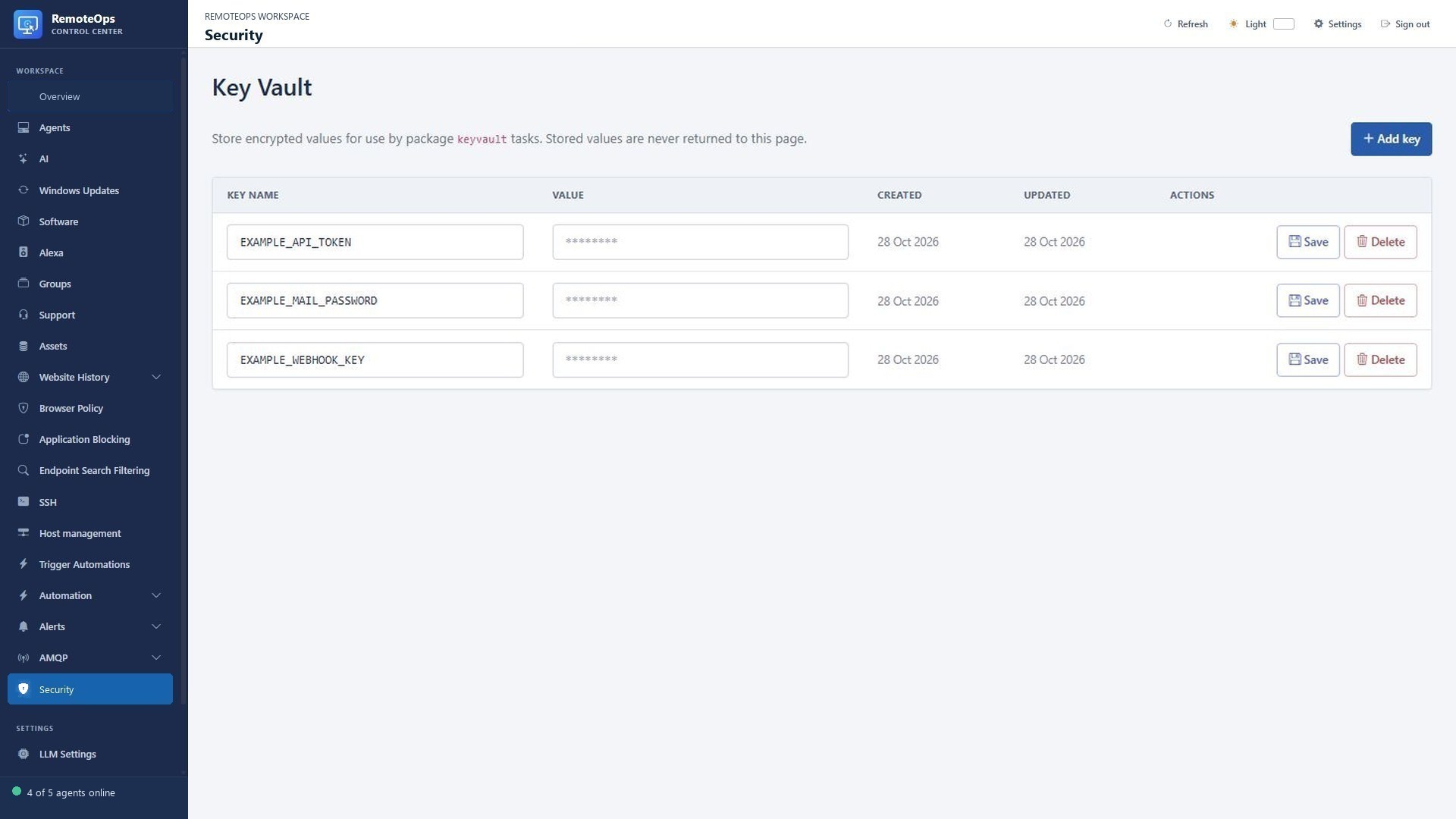
Key Vault hides stored values from the list. Device and remote-session permissions still depend on the selected execution context.
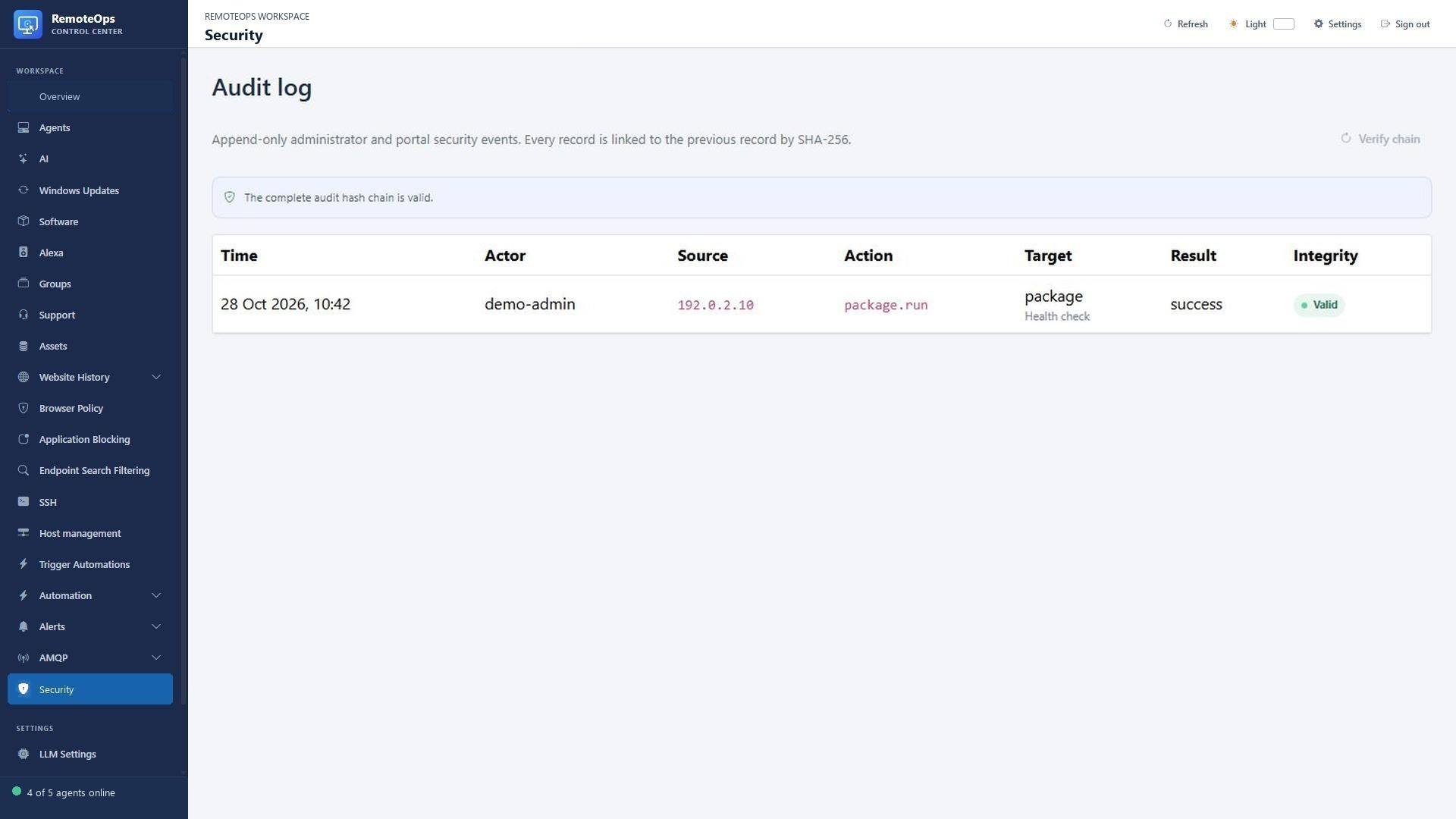
Time, Actor, Source, Action, Target and Result identify the administrative event. Integrity reports hash-chain verification; a valid chain does not prove that an action was appropriate.
Separate credentials and responsibilities#
Enrollment codes bootstrap a device. Runtime and recovery credentials support the installed services. SSH credentials belong to saved profiles; Key Vault holds workflow secrets. Do not substitute Data Store, form defaults or package literals for secret storage.
Signed agent updates and independent recovery#
The main agent sends randomized heartbeats and continues retrying indefinitely when the server is unavailable. It checks hourly for an advertised newer version. Update manifests are signed by a deployment-specific ECDSA release key that the agent pins during enrollment. The update helper verifies both the signature and SHA-256, temporarily preserves the previous main binary, and automatically restores it if the updated main service does not complete a successful heartbeat within 90 seconds. The temporary rollback copy is removed after either a successful update or rollback.
The recovery service is kept on its own stable executable and HTTPS-only control path; routine agent updates replace only the main executable. It checks main-agent health locally every 15 seconds. When the main agent is healthy, recovery network polls occur at a randomized 3-5 minute interval. A newly unhealthy main agent is given two minutes to complete a normal update before recovery takes over, after which recovery polls every 20-40 seconds. Network failures use randomized exponential backoff up to five minutes.
A forced recovery update can repair a stopped main service or rejected main-agent credential without requiring an administrator to visit the machine. It still requires the recovery service, recovery credential, configured server, and HTTPS trust to remain functional.
Uninstall attempts to deregister the agent from the server first. A server error does not prevent local service and file cleanup.
What to verify#
After installation/update, confirm both Windows services, their reported versions and a recent portal heartbeat. Verify actual remote access or the required feature if it is part of the rollout. A service being healthy does not prove that every interactive helper, certificate/trust path or browser policy is working on every endpoint.
Execution permissions#
Remote desktop, PowerShell and file operations are privileged administrative features. SYSTEM context differs from a logged-in user. SSH commands use the saved account's rights and any allowed elevation. Restrict access to the portal, use exact targets and treat downloaded credentials/exports as sensitive.
Trust and privacy#
The Windows installer establishes the configured tenant trust relationship and can install the tenant root CA where required by the product. Do not disable TLS validation to bypass trust failures. History collection is opt-in and bounded to supported saved browser visits. Standard notification delivery is not a read receipt. Model prompts/results may contain the diagnostic data you choose to send to the configured provider.
Credential exports#
Key backup protects the supported exported credentials with a password. It is not a complete service backup. Store the export separately from its password and verify the documented restore workflow. See Key Vault and Data Store.