 RemoteOpsGet started
 REFERENCE
Troubleshooting and operating limits
A symptom-first guide to connectivity, policies, remote sessions and workflows.
Examples use remoteops.example.com and fictional systems. Adapt them to your tenant.
Screen reference#
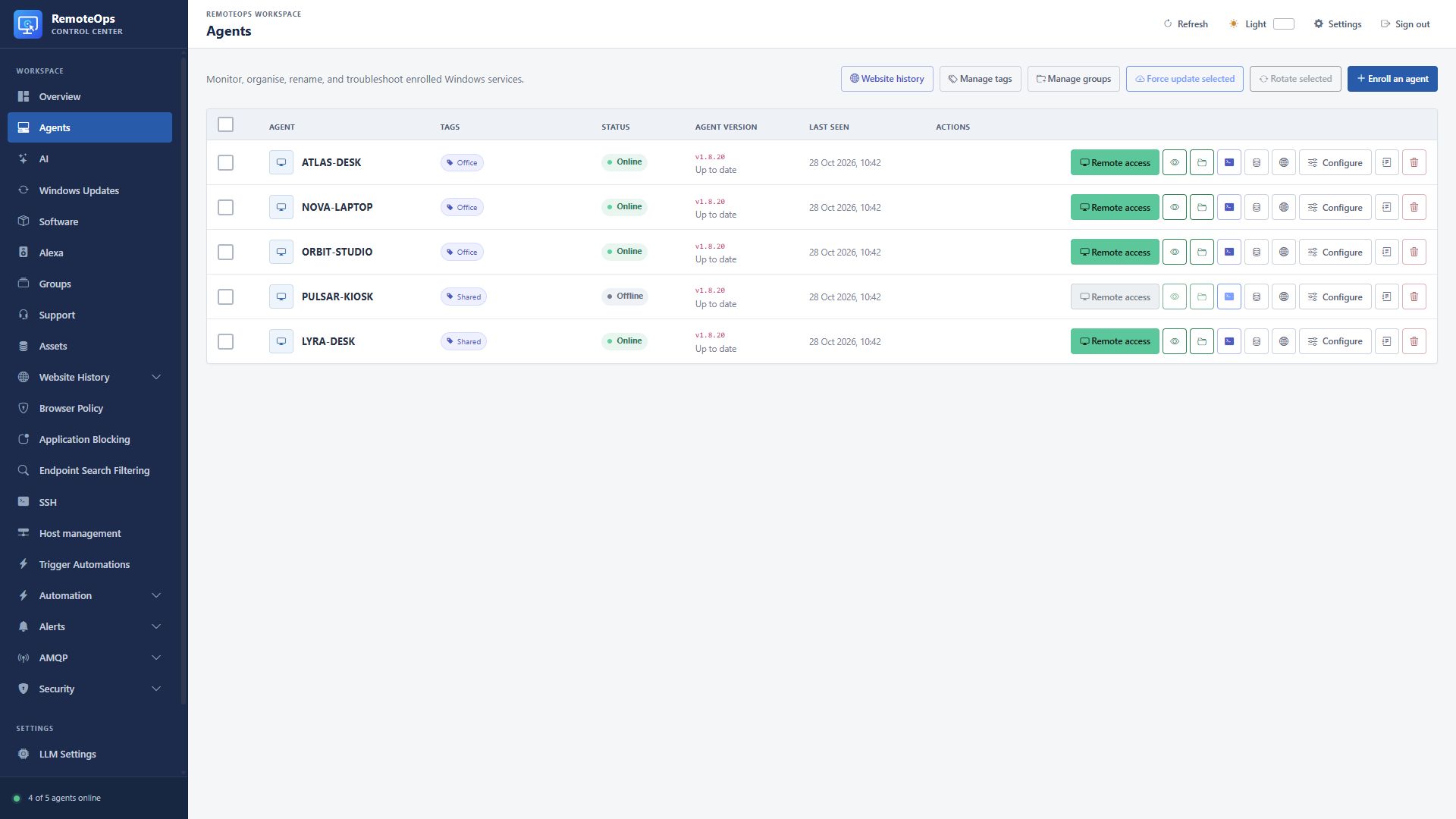
Check online status, reported version and Last seen before investigating session or job failures.
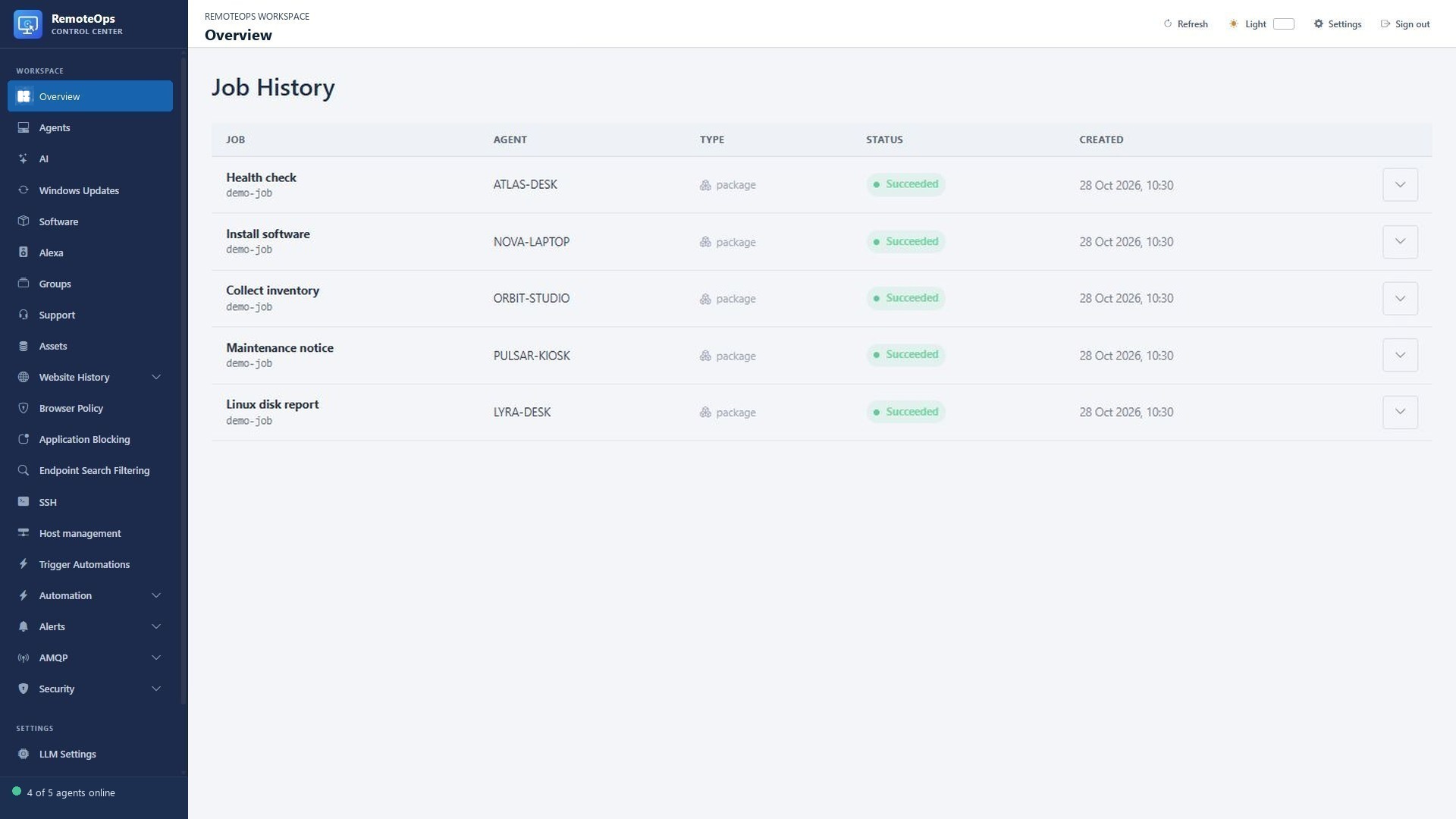
Expand the failing run and read the first relevant task error rather than retrying blindly.
Device offline#
Check main/recovery service state, correct tenant, DNS, outbound HTTPS/AMQPS access, time and certificate trust. A device can keep retrying while the service is unavailable. An offline request may remain pending or be rejected according to that operation; inspect the exact result.
Inventory or history is stale#
Inspect the collection timestamp and latest error. An accepted refresh request is not an already completed collection. Browser collection needs an eligible signed-in user and supported saved browser data; missing/ambiguous users report errors. History clear cutoffs, bounded collection and duplicate visits can explain an empty new result.
Policy saved but not enforced#
Confirm that the target has checked in, enforcement is enabled, policy inheritance is what you expect, and its last-applied hash/status matches the current policy. Review exceptions before broadening a block. Browser refresh can require closing/reopening a supported browser. Application blocking needs compatible AppLocker policy and Windows state; existing policy conflicts are reported.
Remote desktop or input fails#
Verify the correct session mode, active Windows user, capture helper state and Windows protection errors. View-only does not permit interactive input. Screen blanking needs supported Windows composition/capture behavior; system security sequences can release local input blocking. A main heartbeat does not prove the desktop helper can start.
File transfer fails#
Check session connectivity, browser folder approval, target path, OS permissions, filename/path quoting and free space. Use the acknowledged transfer result. Deletion is permanent; an empty-folder limitation on SSH is different from recursive deletion. A failed upload may have partial progress that only the current transfer session can recover.
SSH connection fails#
Confirm the service can reach the host/port, the username and authentication are correct, and known-host trust has not unexpectedly changed. Ask-on-connect profiles need an interactive password and are not unattended package targets. A successful browser connection to the portal does not establish server-side SSH reachability.
Package or form fails#
Check exact saved Activity names, task names, declared references, coordinator choice, target types and privilege context. A reference to an unexecuted task can be null. Form choices must match configured values and types. Submission/event tokens are not reusable after cancellation/completion. Required prerequisites should stop on failure explicitly.
AI answer is incomplete#
Check the fixed conversation scope, result collection time, target online state, tool output coverage and truncation flags. Open the underlying result or export it. Do not treat missing metrics as healthy metrics. Interrupted command tools do not automatically replay changes.
Useful limits#
| Area | Limit/behavior |
|---|---|
| Package declarations | Up to 100 tasks. |
| Runtime loop guard | Up to 4,096 evaluated steps per job. |
| Parallel dispatch | Up to 16 tasks in one coordinator batch. |
| Inline script source | Up to 256 KiB. |
| Default package timeout | 300 seconds; supported metadata 1–86400 seconds. |
| Forms | Fixed 384px runtime width; saved height up to 4096px. |
| Windows file transfer | Up to 2 GB per file; 4 MB acknowledged chunks. |
| Software bulk operation | Up to 200 selected online devices per request. |
| Recent browser collection | Up to 500 recent entries, last 30 days; portal view bounded to newest 5,000 stored entries. |
| Notification text | Up to 4,096 characters. |
| Large notification | Up to 15 seconds, dismissible. |
| Yes/No question | Up to two minutes, then no reply/null. |
| LLM images | 1–4 images; 512 KiB base64 per image and 1 MiB total encoded input. |
Task-specific contracts can impose additional bounds; use the Task reference, Form guide and AI tool schemas. Output, timeouts and feature behavior depend on the supported agent/service build and configured policy.