 RemoteOpsGet started
 AI ADMINISTRATION
AI tools for Windows and Linux administration
Chat tools, practical prompts, explicit actions, models and package examples.
Examples use remoteops.example.com and fictional systems. Adapt them to your tenant.
Screen reference#
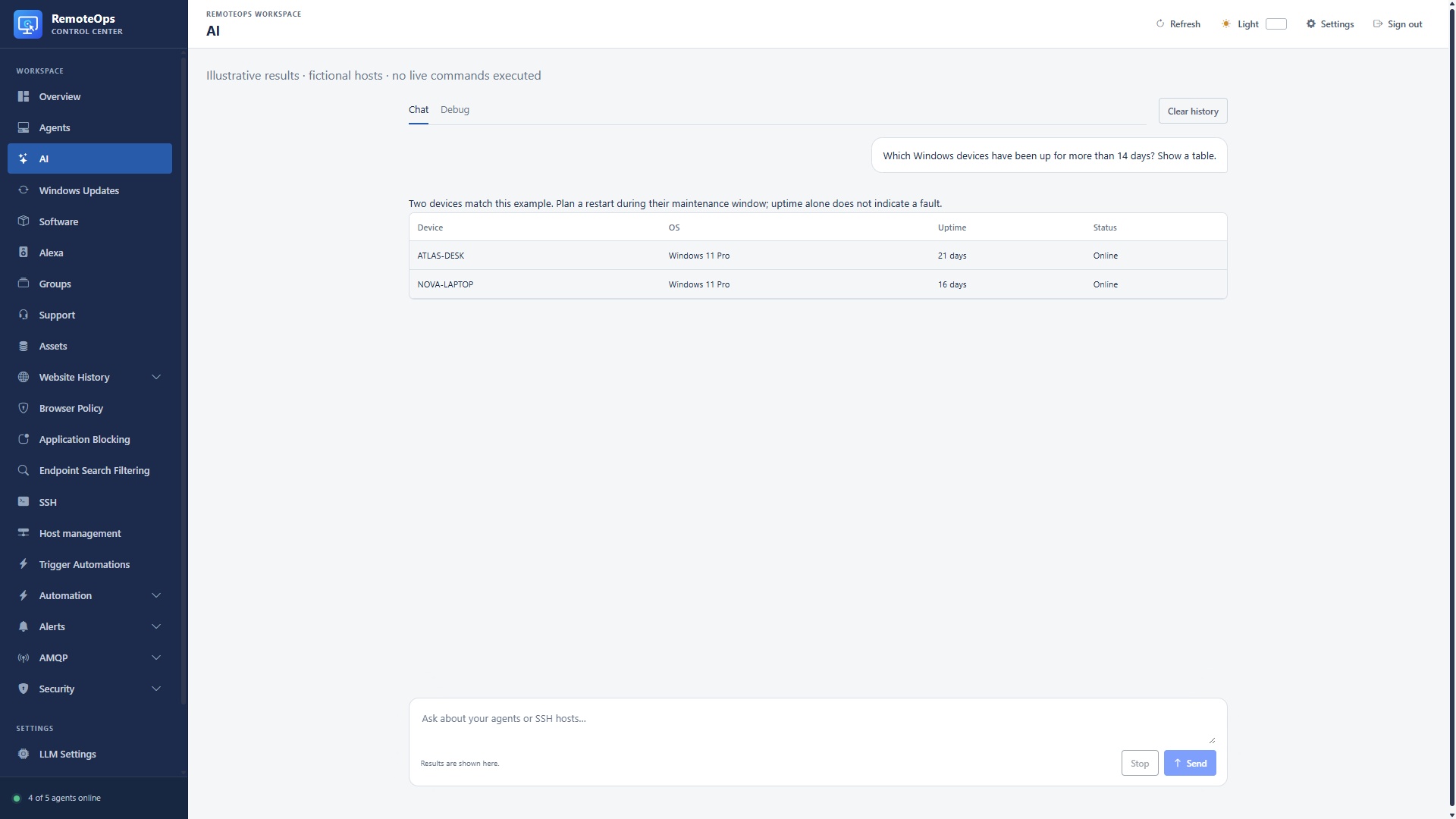
Example prompt: find Windows devices with more than 14 days of uptime. Device identifies the agent; OS is the reported operating system; Uptime is elapsed time since startup; Status is current presence. These are illustrative results from fictional hosts.
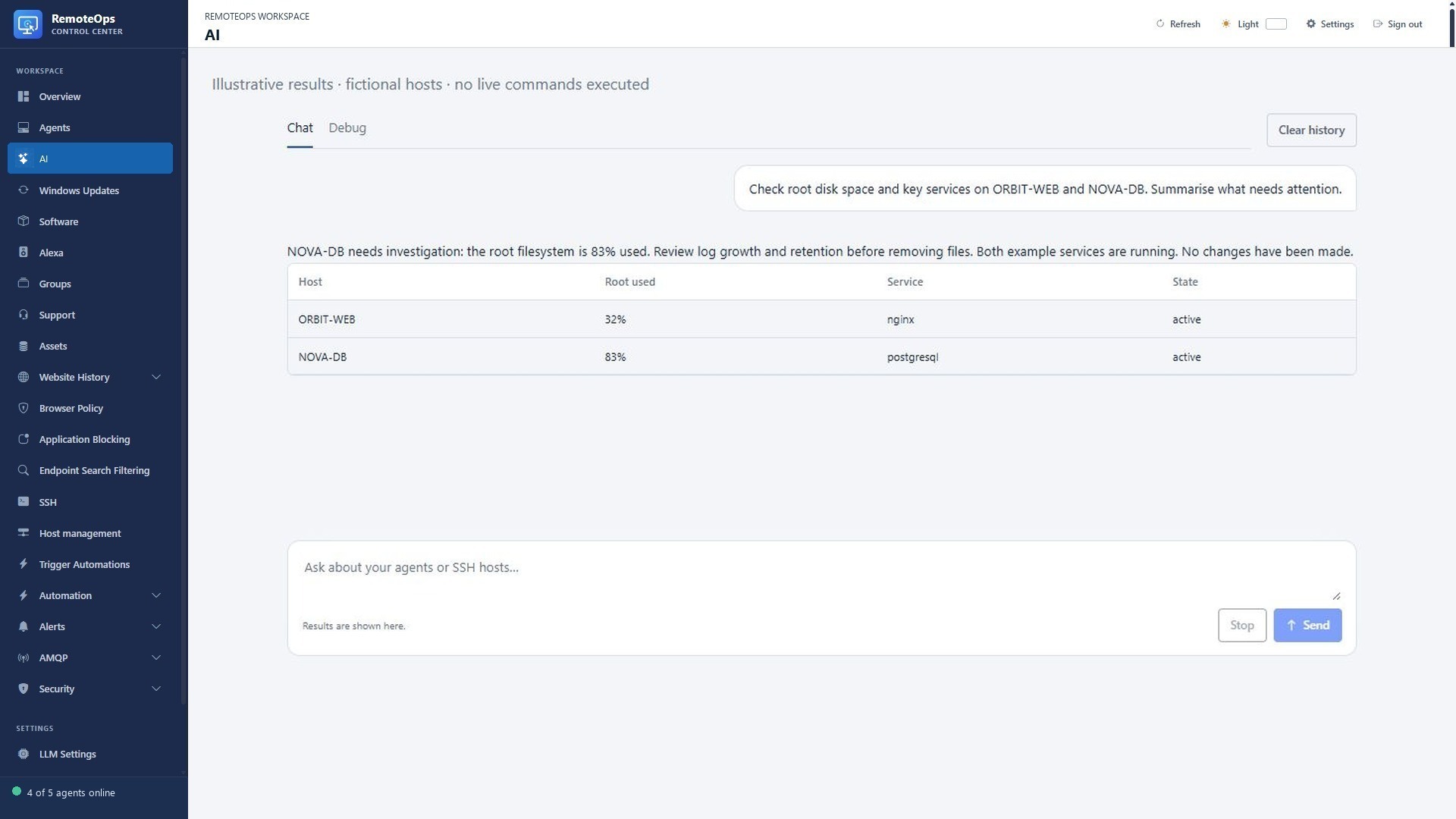
Example prompt: check root disk usage and key services. Host identifies the SSH target, Root used is filesystem utilisation, Service is the checked unit and State is its result. Ask for diagnostics before choosing a remediation.
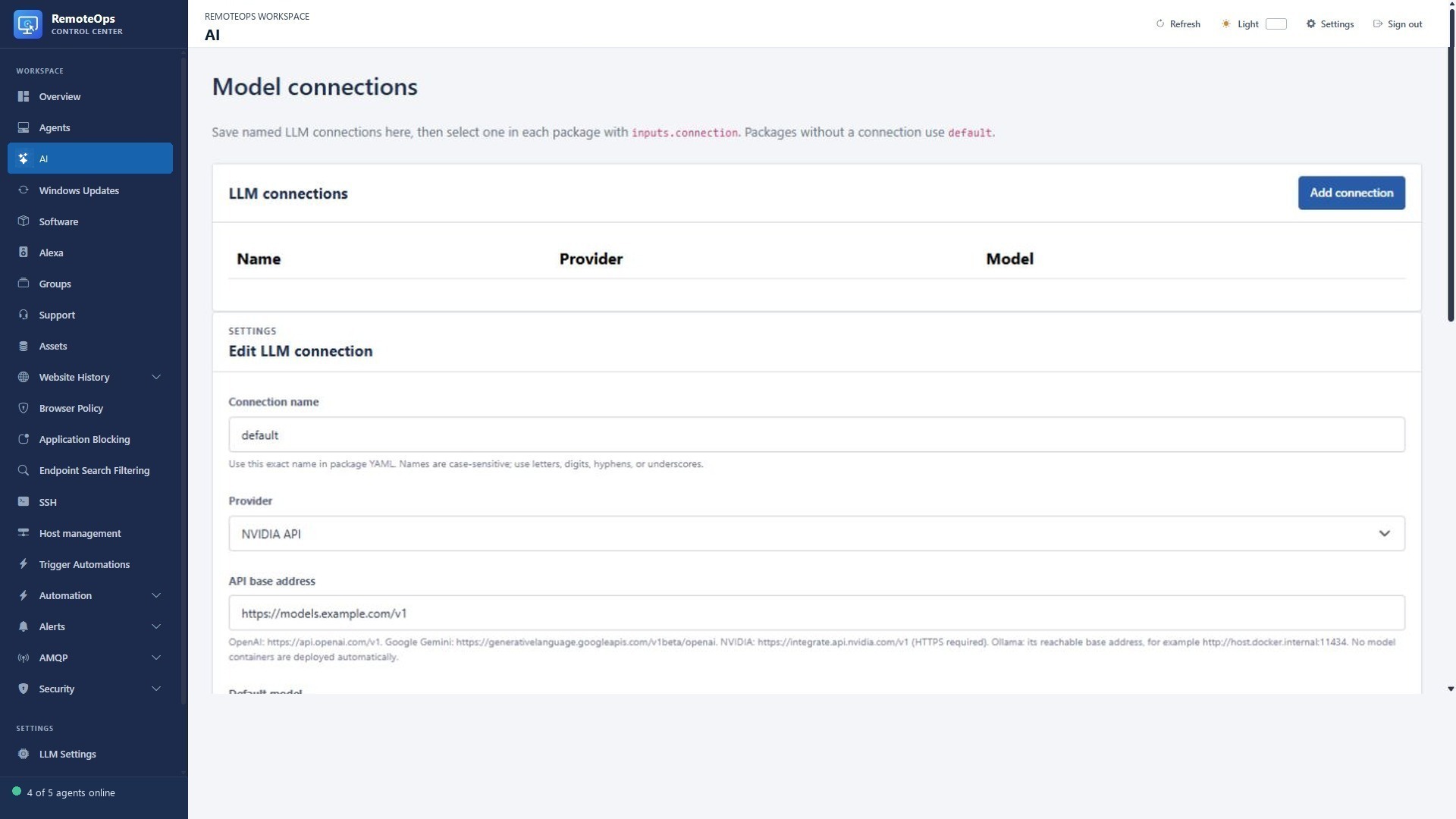
Model tools require a configured connection and permitted tool scope. A configured model is not evidence of endpoint connectivity or command completion.
Image analysis example#
Camera images to an AI storm check shows a fictional lightning scene, the image-input package and sample structured results.
Related walkthroughs#
See Camera streams and frame capture for a complete capture → vision-model → operator-notice recipe.
Two different AI experiences#
The assistant in the portal discovers and uses supported management tools inside its conversation's fixed target scope. It can inspect systems, show results and run explicitly requested supported actions. The llm package task calls a saved model connection as one step of a workflow, returning text or JSON for later tasks. A model task does not automatically gain the assistant's command-execution tools.
Start with scope#
Choose an agent-scoped or deployment-wide conversation as appropriate. The scope is fixed when the conversation is created; older or narrower conversations do not automatically gain later-added SSH access. A deployment-wide conversation can include eligible saved SSH hosts. If a target is absent from scope, start the appropriate new conversation instead of assuming the assistant can bypass it.
Windows investigation examples#
| Ask | What to expect |
|---|---|
| “List online devices in Workstations and show their agent versions.” | Scoped device discovery, with paging where needed. |
| “Which devices have more than 14 days of uptime?” | A bounded read-only uptime collection and coverage information. |
| “Show installed software matching Firefox on ATLAS-DESK.” | Existing inventory or eligible refreshed inventory; check collection age. |
| “Find device-report.csv and show its metadata.” | Exact-filename/path metadata search with limits, not automatic content access. |
| “Show stopped services matching Spooler on ATLAS-DESK.” | Bounded service information for eligible online devices. |
| “Run Get-CimInstance Win32_OperatingSystem on ATLAS-DESK as SYSTEM.” | An explicit command on one exact target with output, errors and truncation. |
The assistant can display existing tool result rows in a sortable grid or export an existing result as CSV. Missing/stale metrics mean unknown/uncollected data, not an invented healthy historical trend.
Windows change examples#
Make the change and exact target explicit. Examples: “Restart only the Spooler service on ATLAS-DESK”; “Send a large notice to ATLAS-DESK saying maintenance starts at 17:00”; “Install this exact approved WinGet package on these selected devices.” Review the chosen execution context, offline failures, individual outcomes and any required tool review.
PowerShell commands can run as SYSTEM or logged-in user. User-context app work differs from machine administration. The command tool is bounded to 120 seconds and does not automatically replay after interruption. Verify the reported result before issuing the same change again.
Linux investigation examples#
- “Find the SSH profile named ORBIT-WEB.”
- “On ORBIT-WEB, check nginx status and free space on / without changing anything.”
- “Show the last 30 nginx service log entries on ORBIT-WEB.”
- “Compare uptime and disk space on ORBIT-WEB and ATLAS-BUILD.”
- “Run the saved Linux health-report package and show the results.”
These commands use saved SSH credentials and the remote account's permissions. The SSH command tool has timeout/output/cancellation bounds and does not automatically replay interrupted commands. Shell text is not reliably safe just because it lacks a particular word: interpreters, substitutions and complex commands can require review.
# Read-only Linux administration examples for a chosen SSH host.
systemctl is-active nginx
df -h /
journalctl -u nginx -n 30 --no-pager
ps -eo pid,comm,%cpu,%mem --sort=-%cpu | head -n 10
Discover and run existing automation#
Ask the assistant to find a named Trigger automation button before asking it to create a new script. Eligible buttons retain their saved package, coordinator/target and timeout. If the run needs a form, complete the form in the presented flow. Some dynamic/group/out-of-scope runs require using Trigger automation directly. Saving a new script or package and executing it are separate operations.
Example requests:
- “Find the Run device health check automation; show what it targets.”
- “Run that saved health-check button on its configured target.”
- “Create a read-only PowerShell Activity that reports the Spooler state; do not run it yet.”
- “Build a package that collects Linux disk space and emails a report.”
Configure model connections#
LLM Settings can save named connections, provider endpoint/model, output budget and Key Vault credential references. Supported connection types include configured cloud providers and local Ollama. Models must be available at the selected endpoint; a package does not download an Ollama model for you. Output limits depend on the selected model. A longer token budget is not proof that an output will be correct or untruncated.
Summarise a real diagnostic result in a package#
- task: bash
  name: diagnostics
  ssh: ORBIT-WEB
  continue_on_error: false
  inputs:
    script: |
      uptime
      df -h /
      systemctl is-active nginx

- task: llm
  name: summary
  continue_on_error: false
  inputs:
    connection: default
    diagnostics: '=diagnostics.standardOutput'
    prompt: |
      Summarise these Linux diagnostic results for an administrator.
      Separate observations from possible causes. Do not invent data.
      $diagnostics
    max_tokens: 512

- task: email
  recipient: admin@example.com
  subject: Linux health summary
  data: '=summary.text'
This sends diagnostic text to the configured model connection. Review the data being sent and the provider used. AI output should inform an operator, not silently authorise a disruptive action.
JSON and vision#
Use format: json to receive parsed model JSON in the task's json output. Validate expected fields/types before driving an action from that JSON. For images, use image or images with eligible capture outputs or supported data/HTTPS URLs; do not set both. Up to four images are supported, with bounded per-image and total encoded input sizes. Local Ollama vision input requires data URLs. A local file path is not itself an image input.
What to check after an AI-assisted task#
Confirm the target scope, exact command or package, execution context, completion status, output coverage and truncation flags. A fluent explanation is not a substitute for the underlying result. Offline devices, missing inventory, unsupported host permissions or absent monitoring policies can make a requested answer incomplete.
The AI tool reference lists the available source-defined tools and all parameter schemas. The Task reference documents the separate llm package contract.