 RemoteOpsGet started
 REFERENCE
Jobs, outputs and execution diagnostics
Status, cancellation, retries, traces, failure policy and interpretation.
Examples use remoteops.example.com and fictional systems. Adapt them to your tenant.
Screen reference#
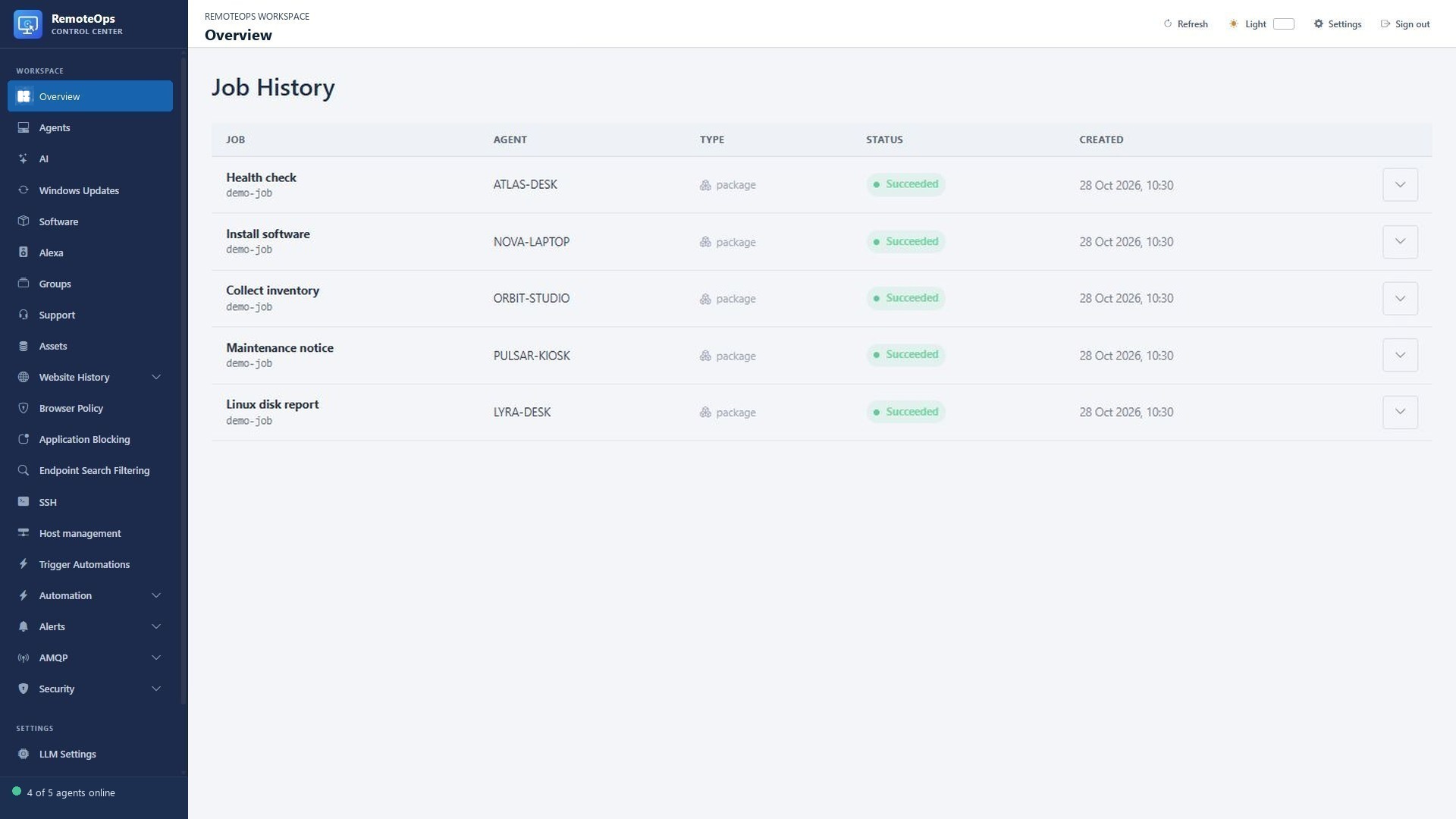
Read status and timestamps first, then expand the job for task-level output. A succeeded run can still contain skipped tasks or deliberately handled errors.
Follow the job, not just the button#
Queued means accepted and waiting for execution. Running means processing has begun. Succeeded, failed and cancelled are terminal outcomes. A package can contain ordinary failed steps and still continue when its failure policy allows it, so inspect task results and the trace rather than relying only on the top-level label.
- Reusable PowerShell activities for Windows agents
- Reusable Bash and Python activities for saved SSH targets
- YAML packages that connect named JSON outputs to later task inputs
- Package-scoped Data Store values for large text or JSON shared across package runs
- Cross-target packages coordinated by the server
- Per-task target and
runasselection, conditionalskip, and structured outputs - Bounded stdout, stderr, JSON outputs, exit codes, failure reasons, timestamps, and activity traces
- Queued, running, succeeded, failed, and cancelled job states
- Job cancellation, retry, partial package retry, and history clearing
- Asynchronous package webhooks through the public API
- At-least-once delivery with stale-job recovery
Activities should be idempotent. If an agent exits after applying a change but before reporting completion, the job may be delivered again.
Each Windows agent runs at most four jobs concurrently by default. It stops claiming work while all execution slots are occupied. Updates and pending credential activation wait for running work to finish.
Captured evidence#
Job details can include bounded stdout/stderr, JSON outputs, exit code, failure reason, task timestamps and activity trace. Output limits protect the service. A truncated result is partial evidence; preserve the reported coverage/limits when presenting it. A stderr warning alone does not necessarily imply a failed software operation if the verified result succeeded.
Cancellation and retries#
Cancellation is a request to stop work and clean up owned execution. A remote change can already have occurred before cancellation or a connection failure. A retry can therefore repeat an action. Prefer idempotent activities, explicit external idempotency keys and a verification step after a change. Partial package retry should be used with awareness of the outputs and side effects from earlier steps.
Failure policy#
Ordinary task failures continue by default where specified by the package engine. Set continue_on_error: false for required prerequisites. Cancel, package timeout and the loop safety limit remain terminal. Failed/skipped task outputs can be null; validate before passing them to a task that requires a nonempty target or credential.
Useful diagnostic order#
- Confirm target identity, presence and scope.
- Check the job's accepted/running/terminal state and timestamps.
- Read task-level failure reason, exit code, stderr and captured output.
- Check the latest inventory/policy/monitoring timestamp where relevant.
- Reproduce on one demo target with debug logging only if needed.
- Verify the actual resulting state before retrying a mutating action.